
Features:
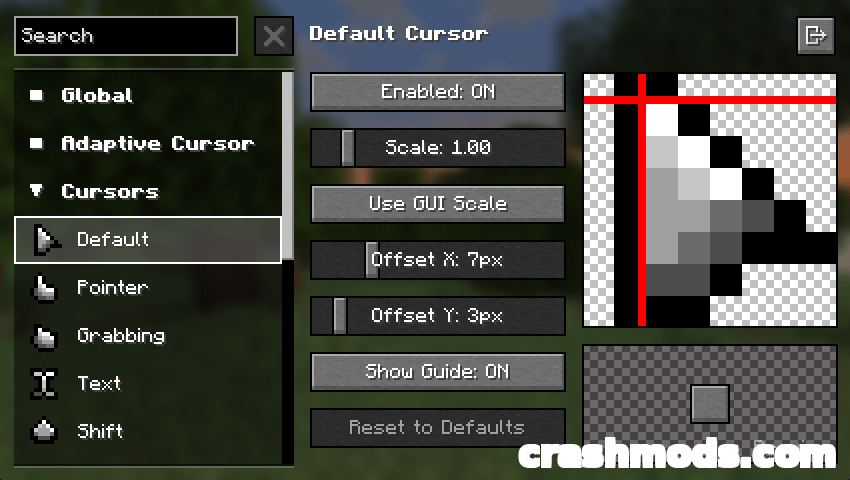
- Replaces the default system cursors with Minecraft-themed cursors
- Cursor textures can be customised through resource packs
- Animated cursors are supported
- Extra cursor shapes for other interface contexts
- Legacy Mode adds enhanced cursor logic to more GUI elements
- Settings reachable from the Mods screen
- Cursor Settings also found under Options, Controls and Mouse Settings
- Requires Fabric API on Fabric
- Custom resource packs can be created and shared
- Converter available for older version 3 cursor packs
- Fabric support for Minecraft 1.21.1
- Made by fishstiz
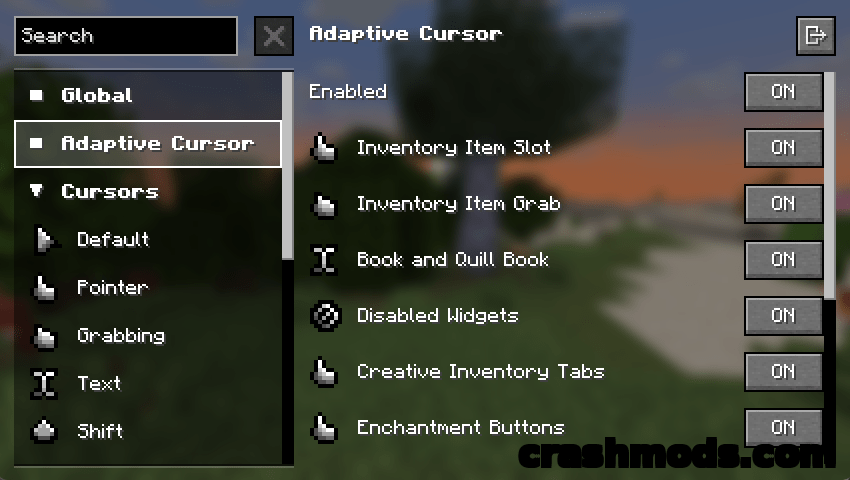
Every menu, inventory and settings screen in Minecraft is navigated with the plain cursor your operating system provides, and it never quite matches the game around it. Cursors Extended swaps that pointer for a themed set that fits the blocky look, including the extra cursor shapes an interface actually needs for other contexts.
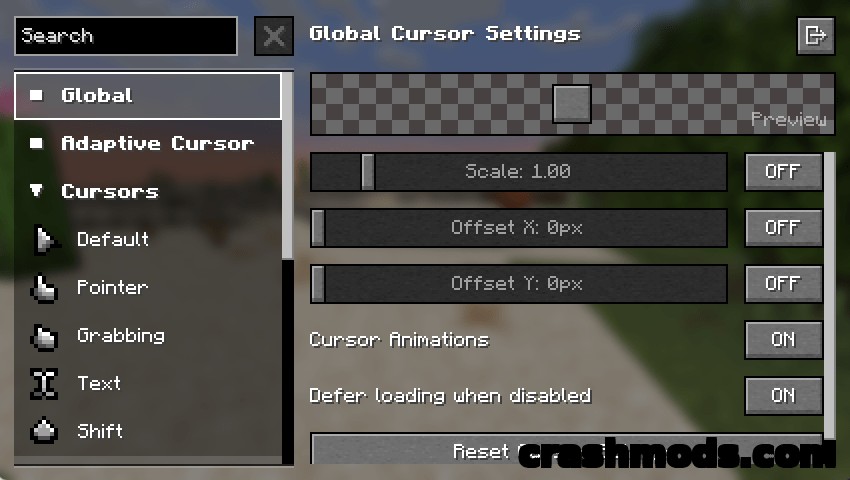
Nothing about the look is locked down. Cursor textures come from resource packs, so a pack can restyle the whole set, and custom animations are supported if you want the pointer to move rather than sit still. Legacy Mode goes a step further and applies enhanced cursor logic to a wider range of GUI elements, so the pointer reacts to more of the interface than it does by default.
Options live in two easy-to-reach places: the Mods screen, and the Cursor Settings entry under Options, Controls and Mouse Settings. Pack authors are catered for too, with a converter that brings resource packs made for the older version 3 of the mod up to the current format. On Fabric the mod needs Fabric API installed alongside it.