Skip to content
Join our Discord for updates & support Discord

Held Item Tooltips – Detailed Item Info Above Your Hotbar V1.9.7

0 downloads
57.8 KB file size
0 comments
0 videos
Minecraft More Minecraft Mods Explore more high-quality Minecraft mods. Browse Mods

—/5, 0 ratings

Your rating

Creator: Fuzs

File verified — safe
All 65 security engines found this file clean.
Last checked: 2026-07-03
Security report

Features:

  • Expands the tooltip shown above the hotbar when you switch items
  • Shows enchantments, durability, potion effects and item attributes
  • Previews the contents of shulker boxes and other supported containers
  • Details for potions, fireworks, maps and map IDs, banners, books and paintings
  • Smart line priorities put the most important information first
  • Configurable colors, text formatting and background style
  • Adjustable tooltip size, screen position and display duration
  • Every tooltip section can be enabled, disabled, reordered or customized
  • Picks up extra tooltip information provided by other mods
  • Client side mod that needs Puzzles Lib, Fabric API and Forge Config API Port
  • Fabric support for Minecraft 1.21.1
  • Made by Fuzs

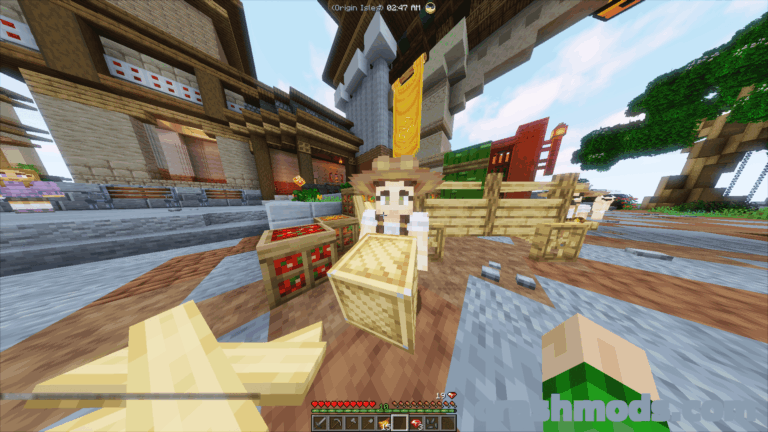
Held Item Tooltips rebuilds the small name popup that appears above the hotbar whenever you switch items, turning it into a compact information panel. Instead of the item name on its own you get enchantments, durability, potion effects, item attributes and container contents the moment the item lands in your hand.

The extra lines cover exactly the items that normally force you to open another screen. Potions, fireworks, maps and their IDs, banners, books and paintings all report their details, and shulker boxes are previewed in place so you can see what is inside before opening them. When there is not enough room on screen for everything, a line priority system decides what matters most and shows that first.

Presentation is under your control as well. Colors, text formatting, background style, size, position on screen and how long the tooltip stays visible can all be adjusted, and every individual tooltip section can be switched off, reordered or customized on its own. Tooltip data supplied by other mods is picked up too, so the panel keeps working inside a larger modpack. This Fabric build targets Minecraft 1.21.1 and is installed on the client.

✅ Description reviewed by the CrashMods Team

Changelog

V1.9.7 — First release.
Frequently asked questions6 questions

Held Item Tooltips – which game and version is it for?

This mod was made for Minecraft (game version: 1.21.1). The mod's own version: V1.9.7. After a major game update, older mods may stop working — check the version before installing.

Held Item Tooltips – how do I install it?

Install the mod loader that matches the mod's Minecraft version (Forge or Fabric), then put the .jar file in the .minecraft/mods folder.

Is the download safe?

We checked the file with VirusTotal: none of the 65 antivirus engines flagged it. The full report opens from the "Verified" badge on the mod's page.

How big is the download?

The mod's file size is about 57.8 KB.

Held Item Tooltips – who made it?

The mod's original creator: Fuzs.

Is the mod free?

Yes, downloading from CrashMods is free; registration is not required.

Download Get the latest version of this mod and enjoy!

Mod version: V1.9.7 Minecraft 1.21.1 2 months ago 57.8 KB
Held Item Tooltips – Detailed Item Info Above Your Hotbar V1.9.7 57.8 KB Minecraft Download File

The file is on ModsDrop, our own storage.

  • Scannedwith VirusTotal
  • EU serversFast & reliable
  • Free downloadNo registration needed
  • Latest versionAlways up to date

More Minecraft Utility mods

Uploaded by

Tabornok3
Tabornok3 LITE
  • 2,191 mod
  • 1 follower
  • 3,383 download
  • Registered 4 months ago

Community screenshots

Screenshots from players using this mod. Add yours — images only (JPG, PNG, WebP).

No community screenshots yet — be the first!

Leave a comment

Stay in the loop

Get the latest mods & updates in your inbox.

✓ Thanks! We will keep you posted.

💬
New mods & updatesBe the first to know.
🛡️
Verified & safeQuality checked by our team.
🎁
Community perksEvents, contests & more.

© 2026 CrashMods — All rights reserved.
Safe & TrustedEvery mod is scanned and reviewed to ensure a safe experience.
SecureYour safety is our priority.