Skip to content
Join our Discord for updates & support Discord

Transmog – Change Item Looks Without Changing Stats V4.4.6

0 downloads
81.6 KB file size
0 comments
0 videos
Minecraft More Minecraft Mods Explore more high-quality Minecraft mods. Browse Mods

—/5, 0 ratings

Your rating

Creator: hidoni

File verified — safe
All 65 security engines found this file clean.
Last checked: 2026-09-07
Security report

Features:

  • Changes item appearance without altering stats or behavior
  • Works on armor weapons tools and other items
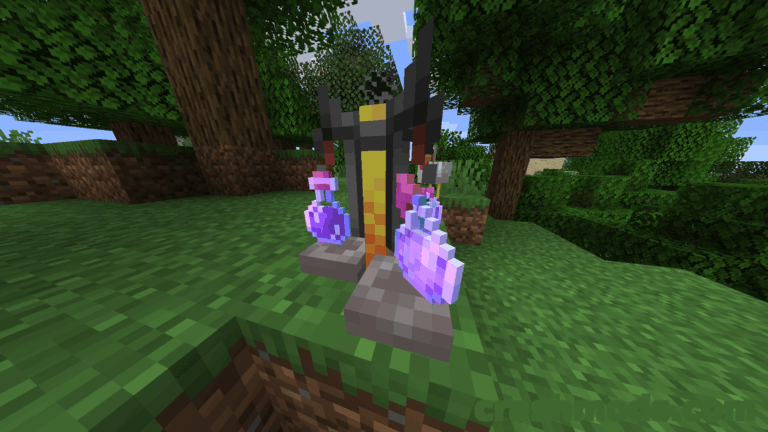
  • Transmogrification Table performs every change
  • Void Fragment is needed to craft the table and can also make an item invisible
  • Amethyst Shards fuel the table and each action spends one third of the charge
  • Three slots for fuel target item and appearance item
  • The appearance item is never consumed
  • Already transmogrified items pass their look on to the next target
  • An empty appearance slot removes an existing transmogrification
  • Compatible with items added by other mods
  • Quilt support for Minecraft 1.18.2
  • Made by hidoni

Transmog is built around one simple idea: your gear should be able to look like anything while still working exactly as it did before. The mod changes only the appearance of an item, so a set of armor, a favorite weapon or a well-used tool keeps all of its stats and behavior while wearing a completely different skin. Armor, weapons, tools and essentially anything else you can hold or equip are fair game, including items that come from other mods.

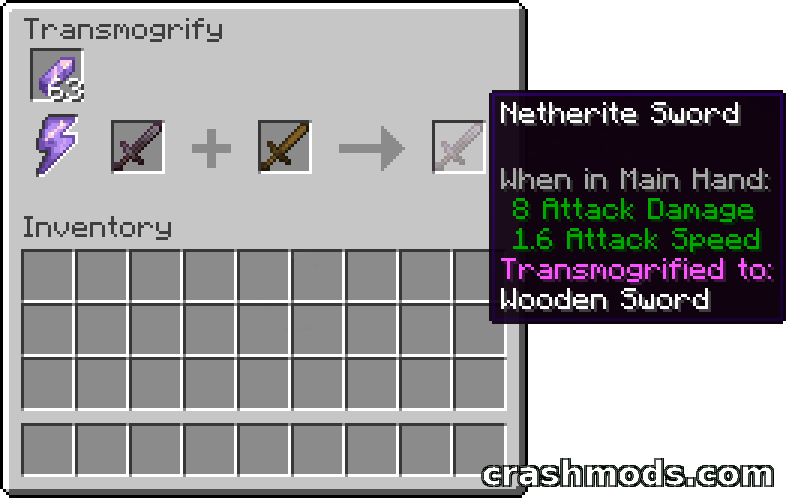
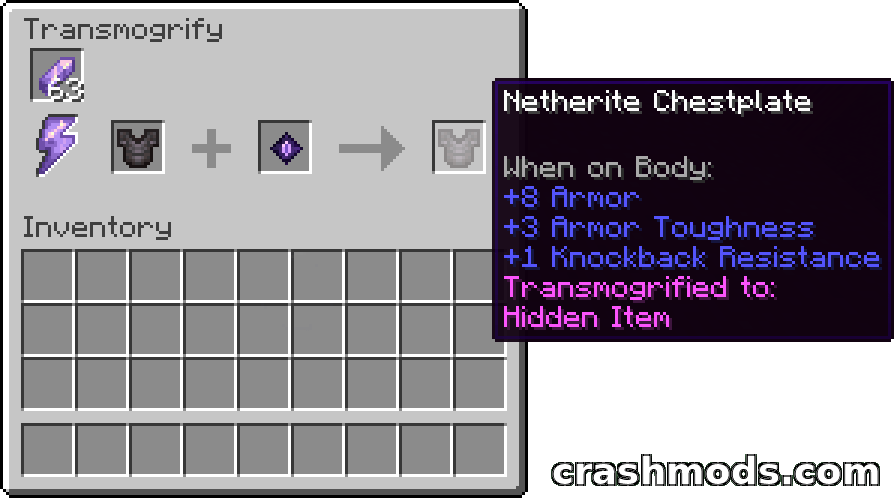
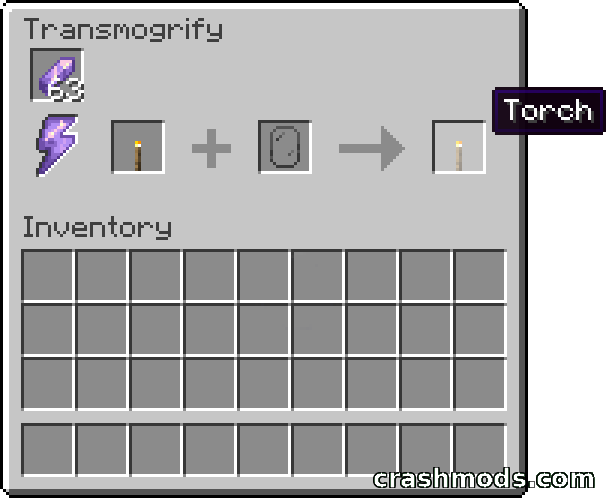
Everything happens at the Transmogrification Table, the mod’s main block. Crafting it requires a Void Fragment, and once the table is placed you right-click it to open an interface with three slots. The left slot takes Amethyst Shards as fuel, with each shard filling the table’s power and every transmogrification spending one third of it. The middle slot holds the item you want to change, and the right slot holds the item whose look you want to copy. That appearance item is never consumed, so the same reference piece can be reused as often as you like.

Two special cases make the system more flexible. If the appearance slot holds an item that has already been transmogrified, the target picks up that existing look instead of the item’s original appearance, which lets a style be passed down a chain of gear. Put a Void Fragment in the appearance slot instead and the target becomes a hidden item, which is handy when a piece of equipment should stay out of sight. Removing a transmogrification is just as easy: place the item in the table with the appearance slot empty and it returns to its normal look.

✅ Description reviewed by the CrashMods Team

Changelog

V4.4.6 — First release.
Frequently asked questions6 questions

Transmog – which game and version is it for?

This mod was made for Minecraft (game version: 1.18.2). The mod's own version: V4.4.6. After a major game update, older mods may stop working — check the version before installing.

Transmog – how do I install it?

Install the mod loader that matches the mod's Minecraft version (Forge or Fabric), then put the .jar file in the .minecraft/mods folder.

Is the download safe?

We checked the file with VirusTotal: none of the 65 antivirus engines flagged it. The full report opens from the "Verified" badge on the mod's page.

How big is the download?

The mod's file size is about 81.6 KB.

Transmog – who made it?

The mod's original creator: hidoni.

Is the mod free?

Yes, downloading from CrashMods is free; registration is not required.

Download Get the latest version of this mod and enjoy!

Mod version: V4.4.6 Minecraft 1.18.2 2 months ago 81.6 KB
Transmog – Change Item Looks Without Changing Stats V4.4.6 81.6 KB Minecraft Download File

The file is on ModsDrop, our own storage.

  • Scannedwith VirusTotal
  • EU serversFast & reliable
  • Free downloadNo registration needed
  • Latest versionAlways up to date

More Minecraft Utility mods

Uploaded by

Tabornok3
Tabornok3 LITE
  • 2,191 mod
  • 1 follower
  • 3,396 download
  • Registered 4 months ago

Community screenshots

Screenshots from players using this mod. Add yours — images only (JPG, PNG, WebP).

No community screenshots yet — be the first!

Leave a comment

Stay in the loop

Get the latest mods & updates in your inbox.

✓ Thanks! We will keep you posted.

💬
New mods & updatesBe the first to know.
🛡️
Verified & safeQuality checked by our team.
🎁
Community perksEvents, contests & more.

© 2026 CrashMods — All rights reserved.
Safe & TrustedEvery mod is scanned and reviewed to ensure a safe experience.
SecureYour safety is our priority.