

Features:
- Add-on for the Create mod with 36 new decorative and utility blocks
- Station Platform block dimensioned for train and subway platforms
- Headlight that can be placed on every face of a block
- Metro palette with casing, corrugated casing, panel, corrugated panel, trapdoor and window
- Andesite, brass and copper grab bars that behave like ladders and work on trains
- Bogie steps extend one block below where they are placed and also act as ladders
- Door steps that can be placed on any block, plus an ornate iron trapdoor for windows
- Train pilot blocks in 17 materials including brass, copper and polished tuff
- Platform, grab bars, bogie steps and door steps can be crafted or cut in a stonecutter
- NeoForge support
- For Minecraft 1.21.1
- Made by a0ax
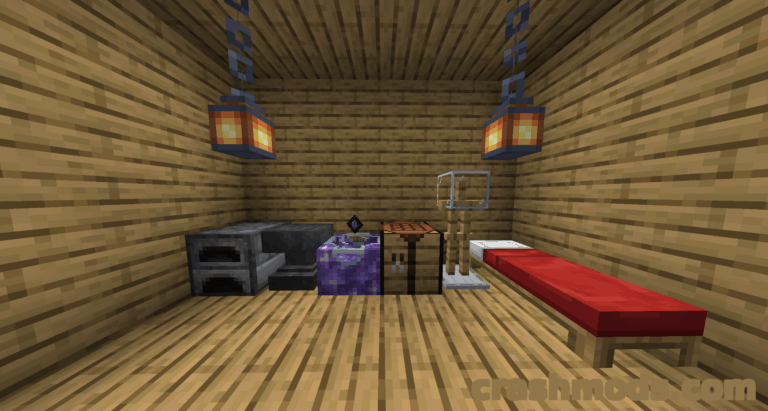
Create gives you trains; Bells & Whistles gives them somewhere to stop and something to look like. The add-on focuses on the player experience rather than on machinery, adding 36 decorative and utility blocks aimed at stations and rolling stock, from a station platform block dimensioned for train and subway platforms to a headlight that mounts on every face of a block.
The metro palette, with its casing and corrugated casing, panel and corrugated panel, trapdoor and window, is meant for building subway and light rail cars, while grab bars, bogie steps and door steps in andesite, brass and copper cover the details around the doors. Grab bars and bogie steps behave like ladders and keep working on trains, and bogie steps reach a block lower than where you place them, with door steps able to sit on any block at all.
Train pilot blocks come in 17 materials: andesite alloy, brass, copper and a metal option textured after the metal girder and bracket from Create, plus polished andesite, granite, diorite, deepslate, tuff, calcite, limestone, scoria, scorchia, crimsite, ochrum, veridium and asurine, so the pilot matches whatever the rest of the build is made from. The platform, grab bars, bogie steps and door steps can each be crafted at a bench or cut in a stonecutter, and the mod is available in English, German, Swedish and Korean for Minecraft 1.21.1.