Skip to content
Join our Discord for updates & support Discord

Items Displayed – Place Items as 3D Models in the World V3.9.7

1 downloads
580.0 KB file size
0 comments
0 videos
Minecraft More Minecraft Mods Explore more high-quality Minecraft mods. Browse Mods

—/5, 0 ratings

Your rating

Creator: FREEDINNER

File verified — safe
All 66 security engines found this file clean.
Last checked: 2025-09-23
Security report

Features:

  • Place items in the world as 3D models
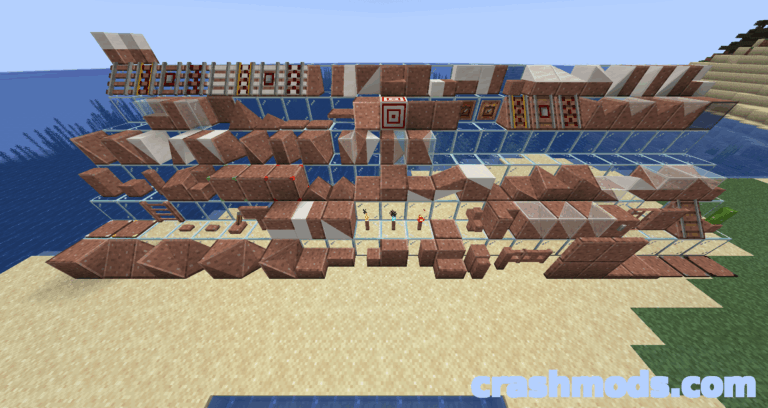
  • Models for all sherds, smithing templates and ingots
  • Place items by sneaking and right-clicking
  • No crafting or setup needed to place items
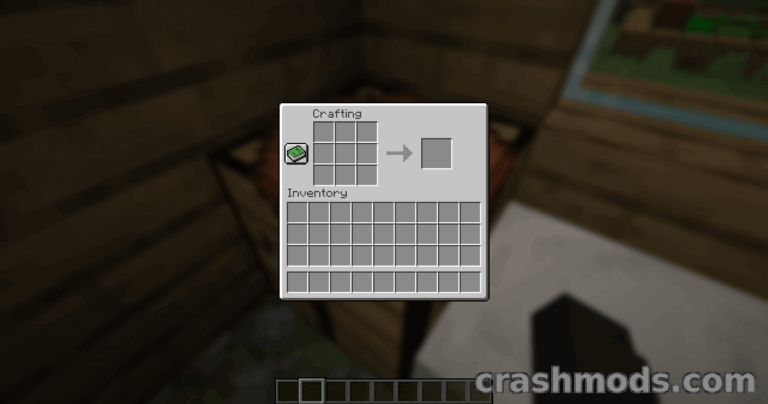
  • New Item Display stand crafted from sticks
  • Item Display rotates to any angle, not just 45 degrees
  • Item Display supports all sherds and smithing templates
  • Vanilla-style models
  • Tested for high mod compatibility
  • NeoForge support
  • For Minecraft 1.21.7
  • Made by FREEDINNER

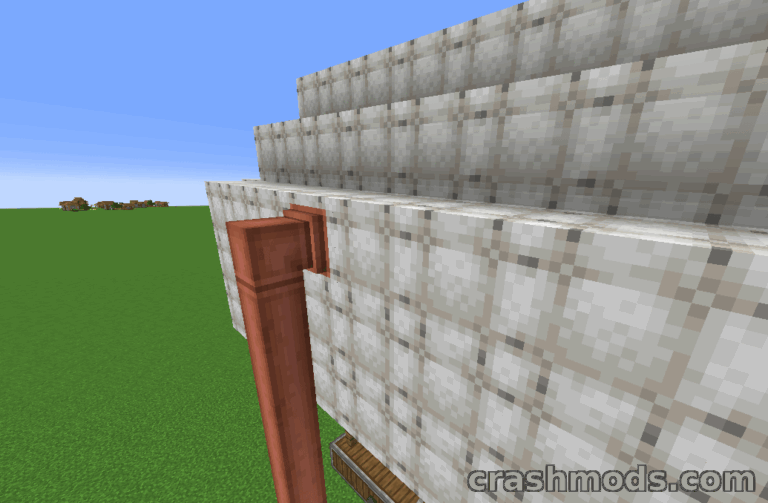
Items Displayed gives builders and adventurers a better way to show off their treasures than plain item frames. Instead of keeping valuables tucked away in chests, you can place them in your base as detailed 3D models that fit right into the vanilla look of Minecraft.

Placing an item is simple: hold it, sneak and right-click, with no crafting or tweaking required. The mod currently includes models for all pottery sherds, smithing templates and ingots, making it easy to decorate a blacksmith, a treasure room or a museum-style display.

The mod also adds the Item Display, crafted from sticks. It works like an armor stand for items, but it can be rotated to any angle rather than in 45 degree steps, and it supports all sherds and smithing templates. More items are planned for future updates, and the mod has been tested to work well alongside other mods.

✅ Description reviewed by the CrashMods Team

Changelog

V3.9.7 — First release.
Frequently asked questions6 questions

Items Displayed – which game and version is it for?

This mod was made for Minecraft (game version: 1.21.7). The mod's own version: V3.9.7. After a major game update, older mods may stop working — check the version before installing.

Items Displayed – how do I install it?

Install the mod loader that matches the mod's Minecraft version (Forge or Fabric), then put the .jar file in the .minecraft/mods folder.

Is the download safe?

We checked the file with VirusTotal: none of the 66 antivirus engines flagged it. The full report opens from the "Verified" badge on the mod's page.

How big is the download?

The mod's file size is about 580.0 KB.

Items Displayed – who made it?

The mod's original creator: FREEDINNER.

Is the mod free?

Yes, downloading from CrashMods is free; registration is not required.

What’s inside the package?745 files · 1.2 MB unpackedScripts & code 41Textures 145Config & text 558Other files 1Show filesHide files

Folders, file names and sizes, read from the downloadable archive.

Scripts & code — names only, these files cannot be opened: AbstractDisplayEntity.class, AbstractDisplayState.class, AbstractEntityItem.class, AbstractItemBlock.class, AbstractStackableBlock.class, ArmorTrimBlock$1.class +35 more

Package
  • MANIFEST.MF25 B
  • neoforge.mods.toml1.7 KB
  • display.mixins.json242 B
  • logo.png71.8 KB
  • pack.mcmeta101 B
1–20 / 20

Download Get the latest version of this mod and enjoy!

Mod version: V3.9.7 Minecraft 1.21.7 2 months ago 580.0 KB
Items Displayed – Place Items as 3D Models in the World V3.9.7 580.0 KB Minecraft Download File

The file is on ModsDrop, our own storage.

  • Scannedwith VirusTotal
  • EU serversFast & reliable
  • Free downloadNo registration needed
  • Latest versionAlways up to date

More Minecraft Furniture and Decorations mods

Uploaded by

RavenByte73
  • 2,992 mod
  • 1 follower
  • 11,249 download
  • Registered 5 months ago

Community screenshots

Screenshots from players using this mod. Add yours — images only (JPG, PNG, WebP).

No community screenshots yet — be the first!

Leave a comment