Skip to content
Join our Discord for updates & support Discord

Armor Chroma for Fabric – Material Icons and Glint for the Armor Bar V8.8

0 downloads
118.3 KB file size
0 comments
0 videos
Minecraft More Minecraft Mods Explore more high-quality Minecraft mods. Browse Mods

—/5, 0 ratings

Your rating

Creator: A5b84

File verified — safe
All 66 security engines found this file clean.
Last checked: 2025-11-11
Security report

Features:

  • Client-side improvement over the vanilla armor bar
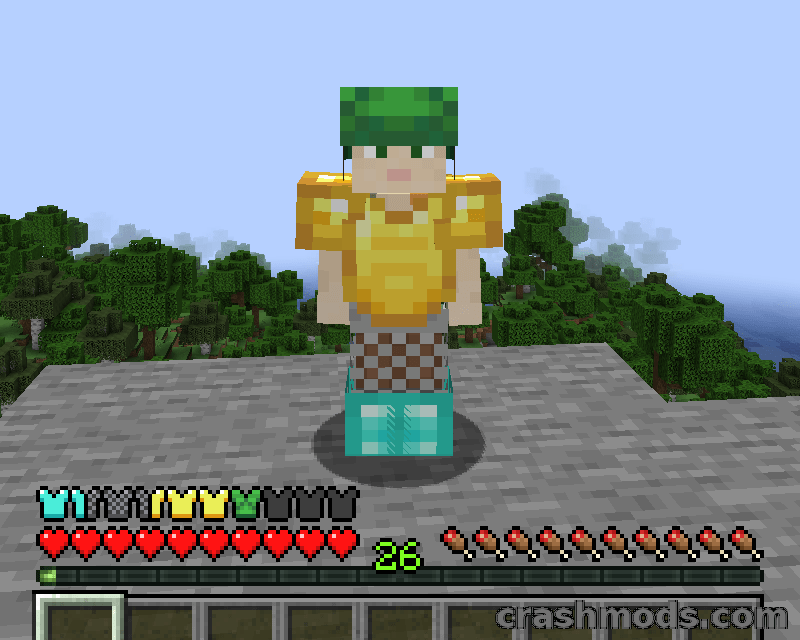
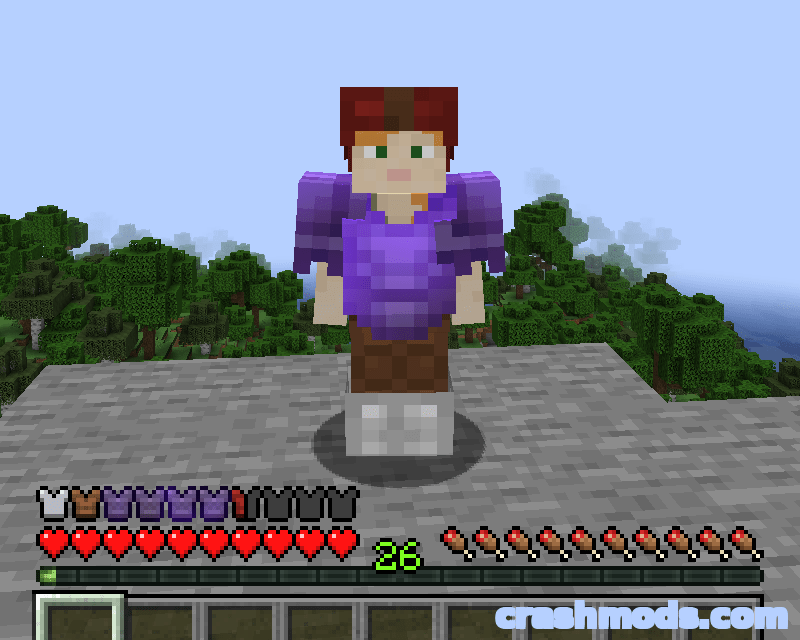
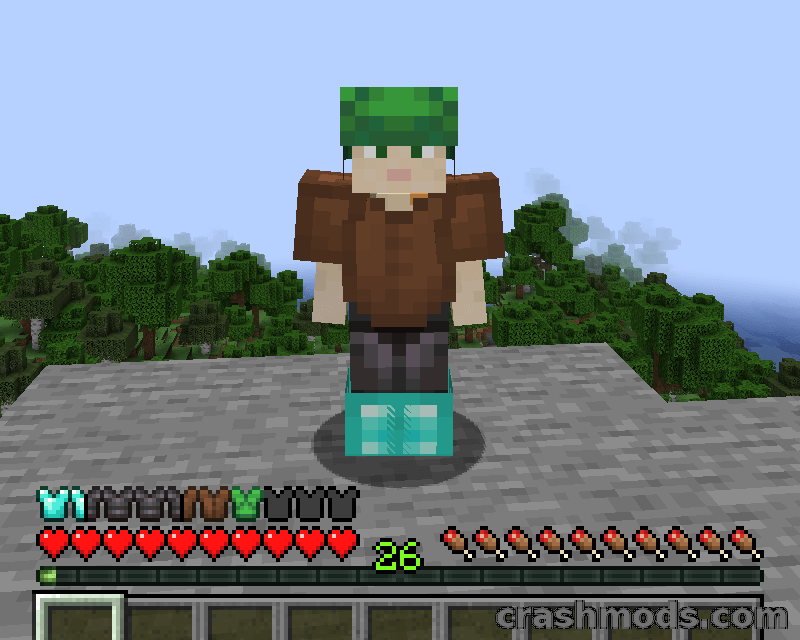
  • Armor icons change with the material of each equipped piece
  • Enchanted armor pieces are drawn with a glint
  • Armor points over 20 shown as extra icon rows or with a colored outline
  • Optional built-in resource pack with alternative icons for vanilla materials
  • Option to reverse the armor order
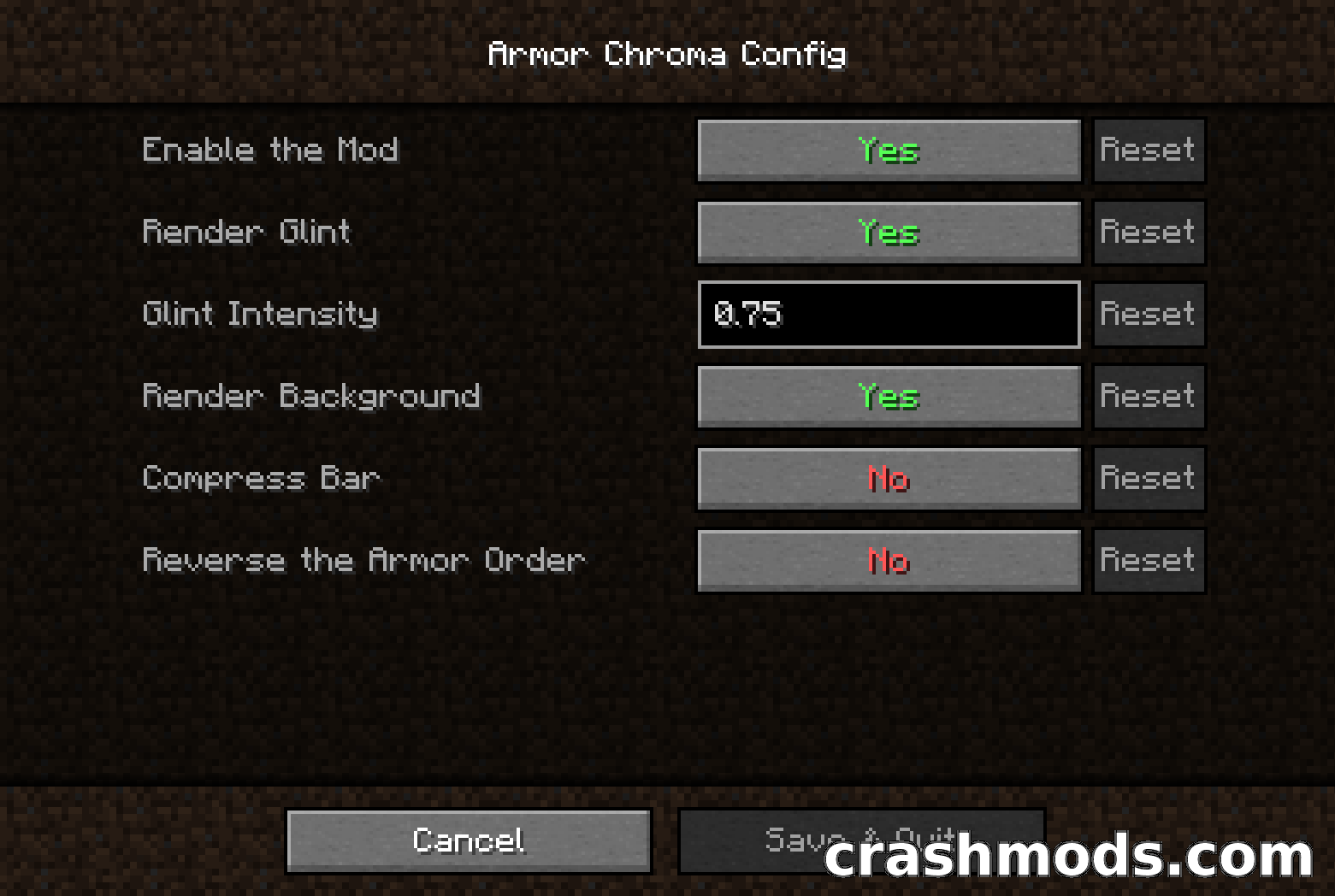
  • Minimal config screen through Mod Menu when Cloth Config is installed
  • Built-in icons for Additional Additions, Botania, Copper Equipment, DragonLoot and Tech Reborn
  • Support for other mods can be added with resource packs
  • Fabric and Quilt support
  • For Minecraft 1.21.1
  • Made by A5b84

The vanilla armor bar tells you how much protection is left, but nothing about what is actually keeping you alive. Armor Chroma for Fabric replaces those identical grey chestplates with icons that follow the material of every equipped piece, so one glance at the Minecraft HUD is enough to tell leather from iron, diamond or netherite.

Enchanted pieces are drawn with a glint, and protection over the usual twenty points is shown either as additional rows of icons or with a colored outline. A minimal options screen is available through Mod Menu when Cloth Config is installed, including the choice to reverse the order the armor is drawn in.

Built-in icons already cover a handful of other mods, among them Additional Additions, Botania, Copper Equipment, DragonLoot and Tech Reborn, and support for further ones can be added with resource packs. An optional built-in pack with alternative icons for the vanilla materials is included as well. Everything happens on the client, on both Fabric and Quilt for Minecraft 1.21.1.

✅ Description reviewed by the CrashMods Team

Changelog

V8.8 — First release.
Frequently asked questions6 questions

Armor Chroma for Fabric – which game and version is it for?

This mod was made for Minecraft (game version: 1.21.5). The mod's own version: V8.8. After a major game update, older mods may stop working — check the version before installing.

Armor Chroma for Fabric – how do I install it?

Install the mod loader that matches the mod's Minecraft version (Forge or Fabric), then put the .jar file in the .minecraft/mods folder.

Is the download safe?

We checked the file with VirusTotal: none of the 66 antivirus engines flagged it. The full report opens from the "Verified" badge on the mod's page.

How big is the download?

The mod's file size is about 118.3 KB.

Armor Chroma for Fabric – who made it?

The mod's original creator: A5b84.

Is the mod free?

Yes, downloading from CrashMods is free; registration is not required.

What’s inside the package?92 files · 153.7 KB unpackedScripts & code 18Textures 34Config & text 38Other files 2Show filesHide files

Folders, file names and sizes, read from the downloadable archive.

Scripts & code — names only, these files cannot be opened: ArmorBarSegment.class, ArmorChroma.class, ArmorChromaConfig$ArmorChromaAutoConfig.class, ArmorChromaConfig.class, ArmorChromaDebugCommand.class, ArmorChromaRenderLayers.class +12 more

Package
  • logo.png28.7 KB
1–20 / 871 / 5

Download Get the latest version of this mod and enjoy!

Mod version: V8.8 Minecraft 1.21.5 2 months ago 118.3 KB
Armor Chroma for Fabric – Material Icons and Glint for the Armor Bar V8.8 118.3 KB Minecraft Download File

The file is on ModsDrop, our own storage.

  • Scannedwith VirusTotal
  • EU serversFast & reliable
  • Free downloadNo registration needed
  • Latest versionAlways up to date

More Minecraft Equipment mods

Uploaded by

RavenByte73
  • 2,999 mod
  • 1 follower
  • 11,606 download
  • Registered 5 months ago

Community screenshots

Screenshots from players using this mod. Add yours — images only (JPG, PNG, WebP).

No community screenshots yet — be the first!

Leave a comment