Skip to content
Join our Discord for updates & support Discord

Respawning Animals – Bedrock-Style Animal Spawning and Despawning V9.7.2

0 downloads
42.9 KB file size
0 comments
0 videos
Minecraft More Minecraft Mods Explore more high-quality Minecraft mods. Browse Mods

—/5, 0 ratings

Your rating

Creator: Fuzs

File verified — safe
All 64 security engines found this file clean.
Last checked: 2026-09-13
Security report

Features:

  • Bedrock Edition style animal spawning for Java Edition
  • Wild animals can despawn when far away from players
  • Animals repopulate areas around active players over time
  • Hunted or cleared areas no longer stay permanently empty
  • Consistent spawning that opens up new farming and automation options
  • Tamed, bred, named and ridden animals automatically become permanent
  • Configured per world through a small set of game rules
  • Must be installed on the server
  • Requires Puzzles Lib
  • NeoForge support
  • For Minecraft 1.21.9
  • Made by Fuzs

Respawning Animals changes how passive mobs behave in Java Edition. Instead of animals existing forever after world generation, they can naturally disappear when they are far away and spawn again around active players, much like they do in Bedrock Edition.

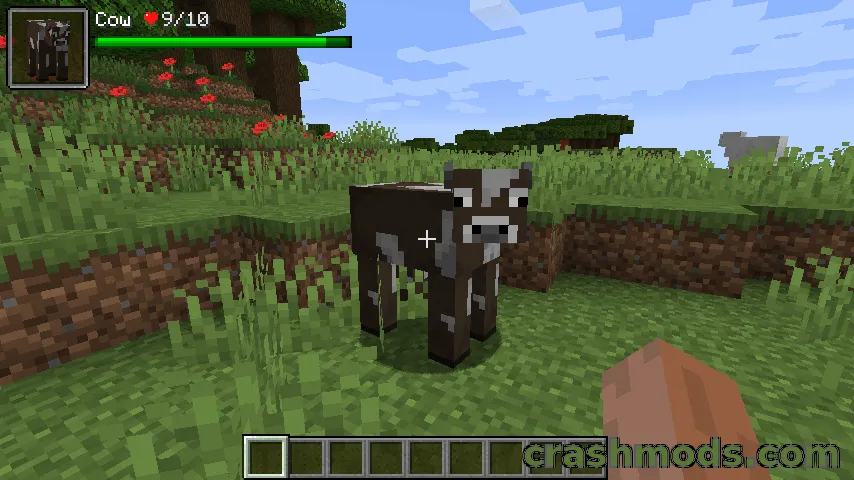
This keeps the world feeling alive. After long exploration trips or heavy hunting, regions are no longer permanently depleted of wildlife, so cows, sheep and other animals return over time while you gather resources, breed livestock or travel.

Animals you care about are protected. Any animal that has been tamed, bred, named, ridden or otherwise interacted with by a player becomes permanent, so pets and farm animals are never lost to despawning.

All settings are handled through world-specific game rules, which means spawning behavior can be adjusted per world without editing configuration files. The mod needs to be installed on the server and depends on Puzzles Lib.

✅ Description reviewed by the CrashMods Team

Changelog

V9.7.2 — First release.
Frequently asked questions6 questions

Respawning Animals – which game and version is it for?

This mod was made for Minecraft (game version: 1.21.9). The mod's own version: V9.7.2. After a major game update, older mods may stop working — check the version before installing.

Respawning Animals – how do I install it?

Install the mod loader that matches the mod's Minecraft version (Forge or Fabric), then put the .jar file in the .minecraft/mods folder.

Is the download safe?

We checked the file with VirusTotal: none of the 64 antivirus engines flagged it. The full report opens from the "Verified" badge on the mod's page.

How big is the download?

The mod's file size is about 42.9 KB.

Respawning Animals – who made it?

The mod's original creator: Fuzs.

Is the mod free?

Yes, downloading from CrashMods is free; registration is not required.

What’s inside the package?27 files · 73.8 KB unpackedScripts & code 12Textures 1Config & text 13Other files 1Show filesHide files

Folders, file names and sizes, read from the downloadable archive.

Scripts & code — names only, these files cannot be opened: AnimalPersistenceHandler.class, AnimalSpawningHandler.class, GameRulesMixin.class, MobNeoForgeAccessor.class, ModEntityTypesTagProvider.class, ModLanguageProvider.class +6 more

Package
  • PlatformMethods.class346 B
  • RespawningAnimals.class4.6 KB
  • accesstransformer.cfg169 B
  • MANIFEST.MF460 B
1–20 / 301 / 2

Download Get the latest version of this mod and enjoy!

Mod version: V9.7.2 Minecraft 1.21.9 2 months ago 42.9 KB
Respawning Animals – Bedrock-Style Animal Spawning and Despawning V9.7.2 42.9 KB Minecraft Download File

The file is on ModsDrop, our own storage.

  • Scannedwith VirusTotal
  • EU serversFast & reliable
  • Free downloadNo registration needed
  • Latest versionAlways up to date

More Minecraft Mobs mods

Uploaded by

RavenByte73
  • 3,270 mod
  • 2 follower
  • 16,276 download
  • Registered 5 months ago

Community screenshots

Screenshots from players using this mod. Add yours — images only (JPG, PNG, WebP).

No community screenshots yet — be the first!

Leave a comment