Skip to content
Join our Discord for updates & support Discord

Chest Tracker (Unofficial Port) – Client-Side Item Search Across Your Containers V5.5.9

—/5, 0 ratings

Your rating

Creator: ponuing

File verified — safe
All 65 security engines found this file clean.
Last checked: 2026-09-07
Security report

Features:

  • Client-side item memory that records what was stored in each container
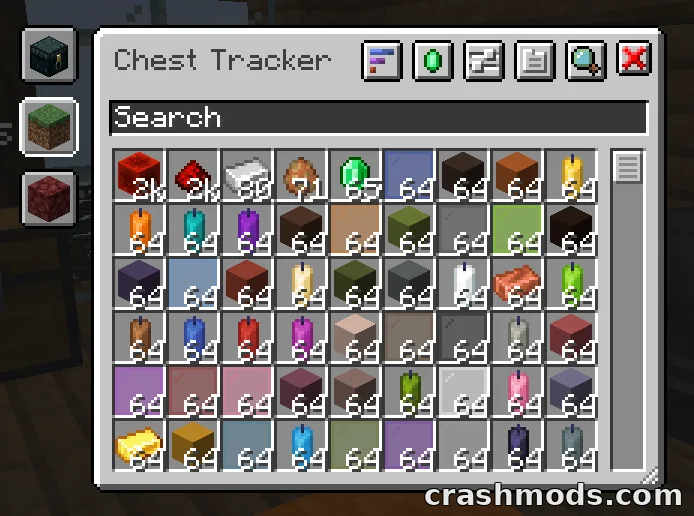
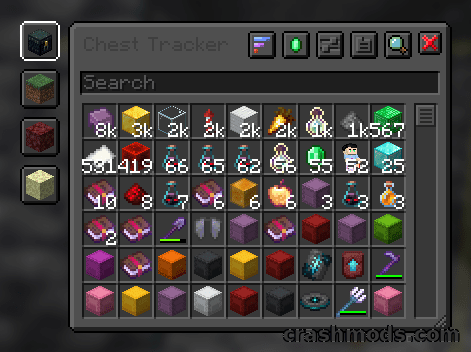
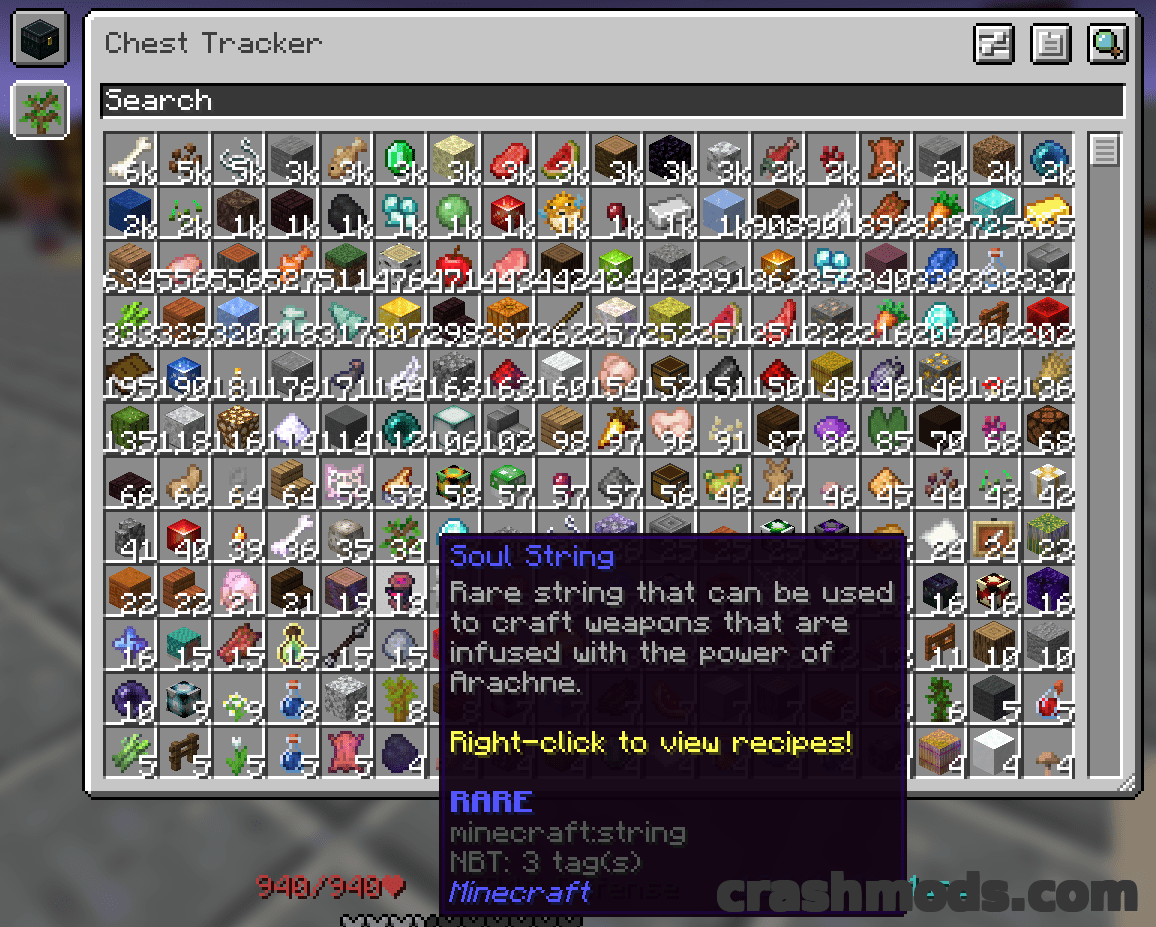
  • Press Y to search by an item stack, or the grave key to open the main interface
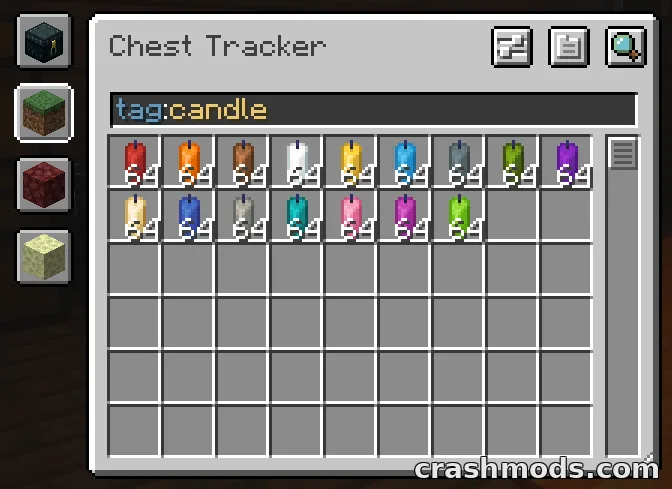
  • Search bar with filters that narrow results inside your current dimension
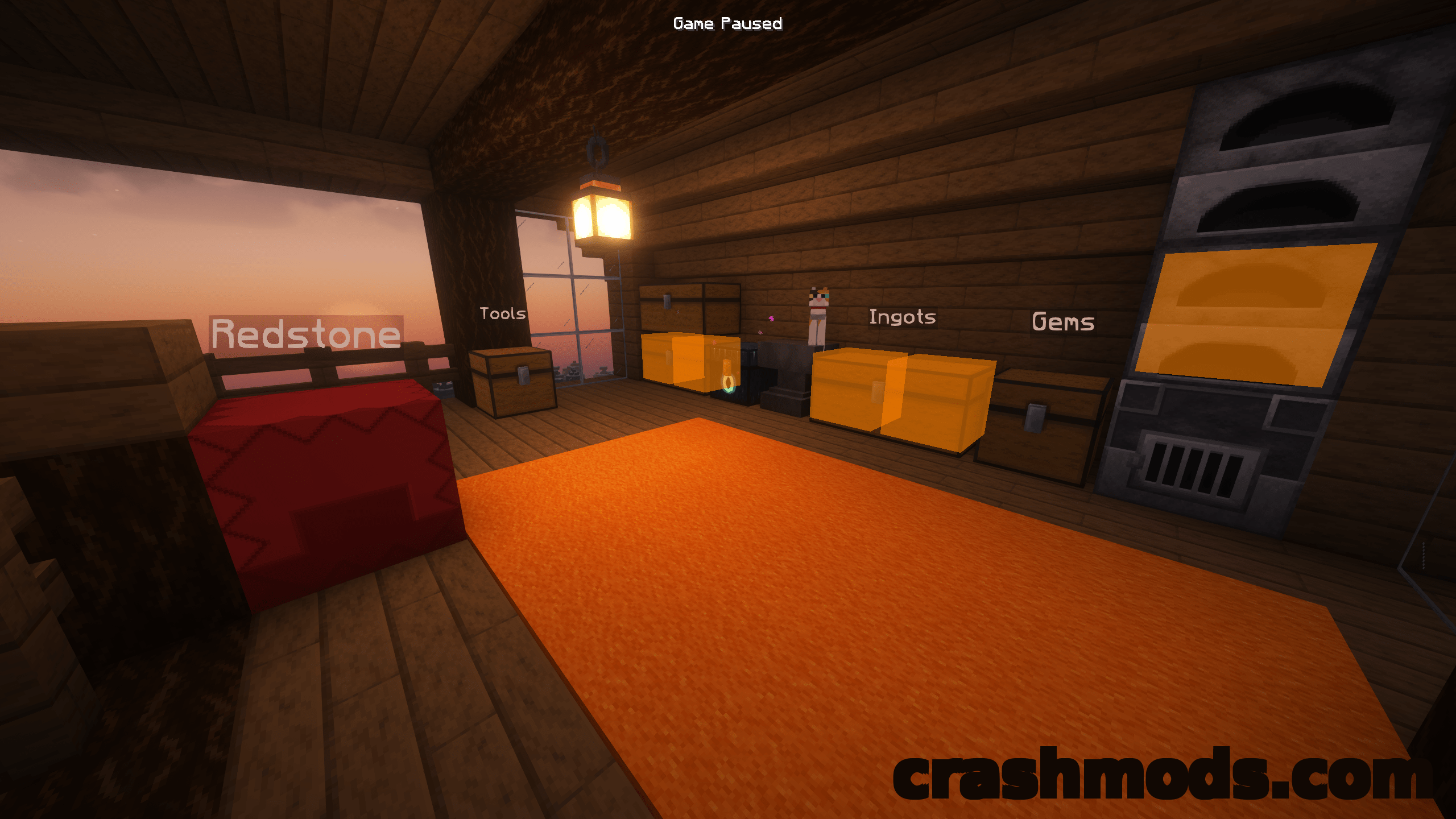
  • Highlights matching containers and shows their names above the chests
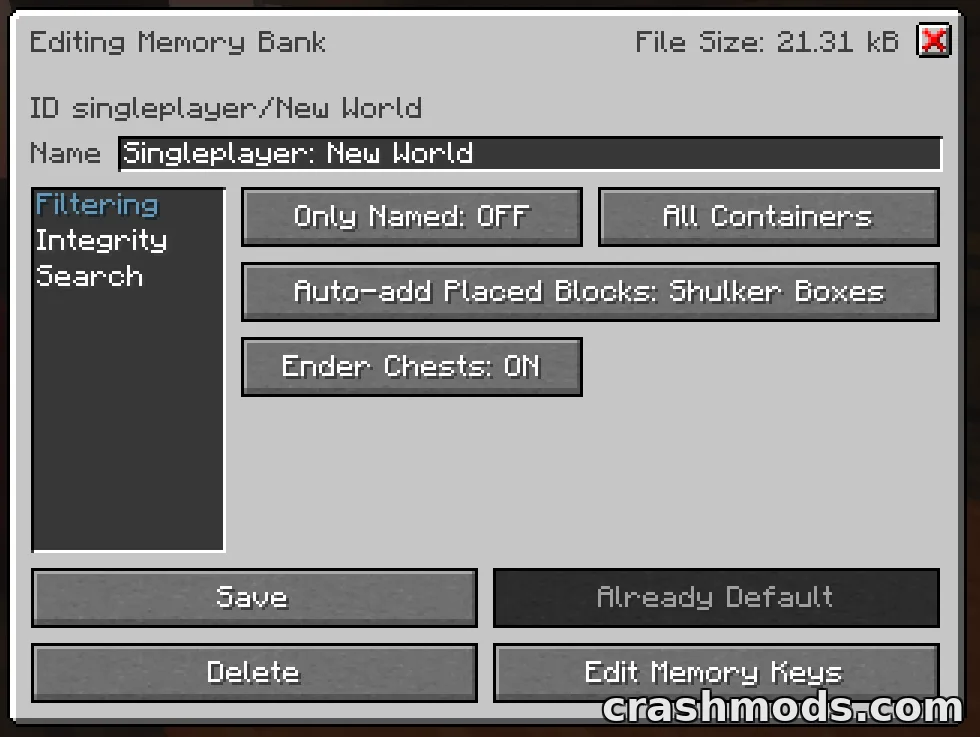
  • Custom container names displayed in the world, toggleable in the memory bank settings
  • Works on multiplayer servers and Realms because data stays on the client
  • Integrations with the REI, JEI and EMI item viewers plus Shulker Box Tooltip, WTHIT, Jade and Litematica
  • Custom handling for Hypixel SkyBlock private islands and Hypixel SMP
  • Requires Fabric API and YACL
  • Fabric and Quilt support
  • For Minecraft 1.21.1
  • Made by ponuing

Chest Tracker solves the problem every long running world eventually runs into: you know you have the item somewhere, you just cannot remember which chest it went into. The mod keeps a record of what it has seen inside your containers and hands it back on request. Pressing Y searches by an item stack, while the grave key opens the main interface, where a search bar and its filters cut the results down inside the dimension you are standing in.

Results are shown in the world rather than only in a list. Matching containers are highlighted and their names float above them, so a search finishes with you walking to the right chest instead of reading coordinates off a screen. Custom container names are displayed as well, and that part can be switched off in the memory bank settings if the labels start to crowd a storage room.

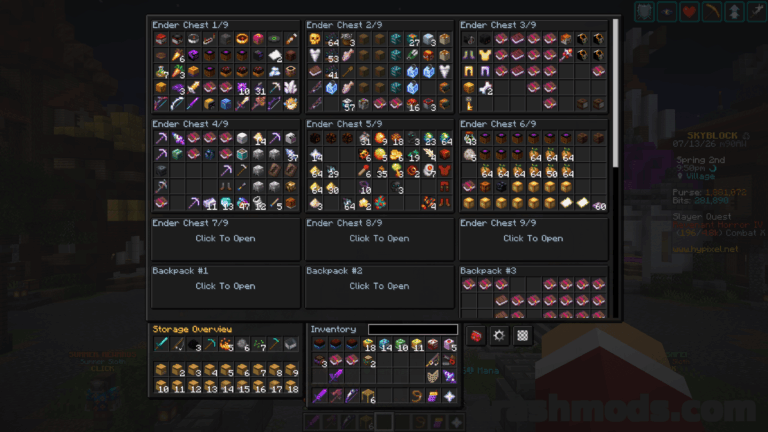
Because everything is saved on the client, the mod works in places a server side solution cannot reach: ordinary multiplayer servers and Realms are both covered, and there is dedicated handling for Hypixel SkyBlock private islands with the ender chest, as well as Hypixel SMP. Integrations tie it into the rest of a modern client setup, with the REI, JEI and EMI item viewers, Shulker Box Tooltip for client side ender chest contents, WTHIT and Jade for whatever container you are looking at, and Litematica for quick search buttons and material lists. It runs on Fabric and Quilt for Minecraft 1.21.1 with Fabric API and YACL alongside it.

✅ Description reviewed by the CrashMods Team

Changelog

V5.5.9 — First release.
Frequently asked questions6 questions

Chest Tracker (Unofficial Port) – which game and version is it for?

This mod was made for Minecraft (game version: 1.21.1). The mod's own version: V5.5.9. After a major game update, older mods may stop working — check the version before installing.

Chest Tracker (Unofficial Port) – how do I install it?

Install the mod loader that matches the mod's Minecraft version (Forge or Fabric), then put the .jar file in the .minecraft/mods folder.

Is the download safe?

We checked the file with VirusTotal: none of the 65 antivirus engines flagged it. The full report opens from the "Verified" badge on the mod's page.

How big is the download?

The mod's file size is about 1.3 MB.

Chest Tracker (Unofficial Port) – who made it?

The mod's original creator: ponuing.

Is the mod free?

Yes, downloading from CrashMods is free; registration is not required.

Download Get the latest version of this mod and enjoy!

Mod version: V5.5.9 Minecraft 1.21.1 1 month ago 1.3 MB
Chest Tracker (Unofficial Port) – Client-Side Item Search Across Your Containers V5.5.9 1.3 MB Minecraft Download File

The file is on ModsDrop, our own storage.

  • Scannedwith VirusTotal
  • EU serversFast & reliable
  • Free downloadNo registration needed
  • Latest versionAlways up to date

More Minecraft Storage mods

Uploaded by

Tabornok3
Tabornok3 LITE
  • 2,191 mod
  • 1 follower
  • 3,280 download
  • Registered 4 months ago

Community screenshots

Screenshots from players using this mod. Add yours — images only (JPG, PNG, WebP).

No community screenshots yet — be the first!

Leave a comment

Stay in the loop

Get the latest mods & updates in your inbox.

✓ Thanks! We will keep you posted.

💬
New mods & updatesBe the first to know.
🛡️
Verified & safeQuality checked by our team.
🎁
Community perksEvents, contests & more.

© 2026 CrashMods — All rights reserved.
Safe & TrustedEvery mod is scanned and reviewed to ensure a safe experience.
SecureYour safety is our priority.