Features:
- Adds a datapacks folder in the game root directory
- Packs appear in the datapack selection list when creating a world
- Loads packs straight from your downloads folder with Cloth Config
- Reads datapacks from any custom folder you set
- Required list applies chosen packs automatically in every world
- Optional list stays off until the datapack enable command is used
- Feature packs can be disabled or set as required
- Copies packs into the world so they keep working without the mod
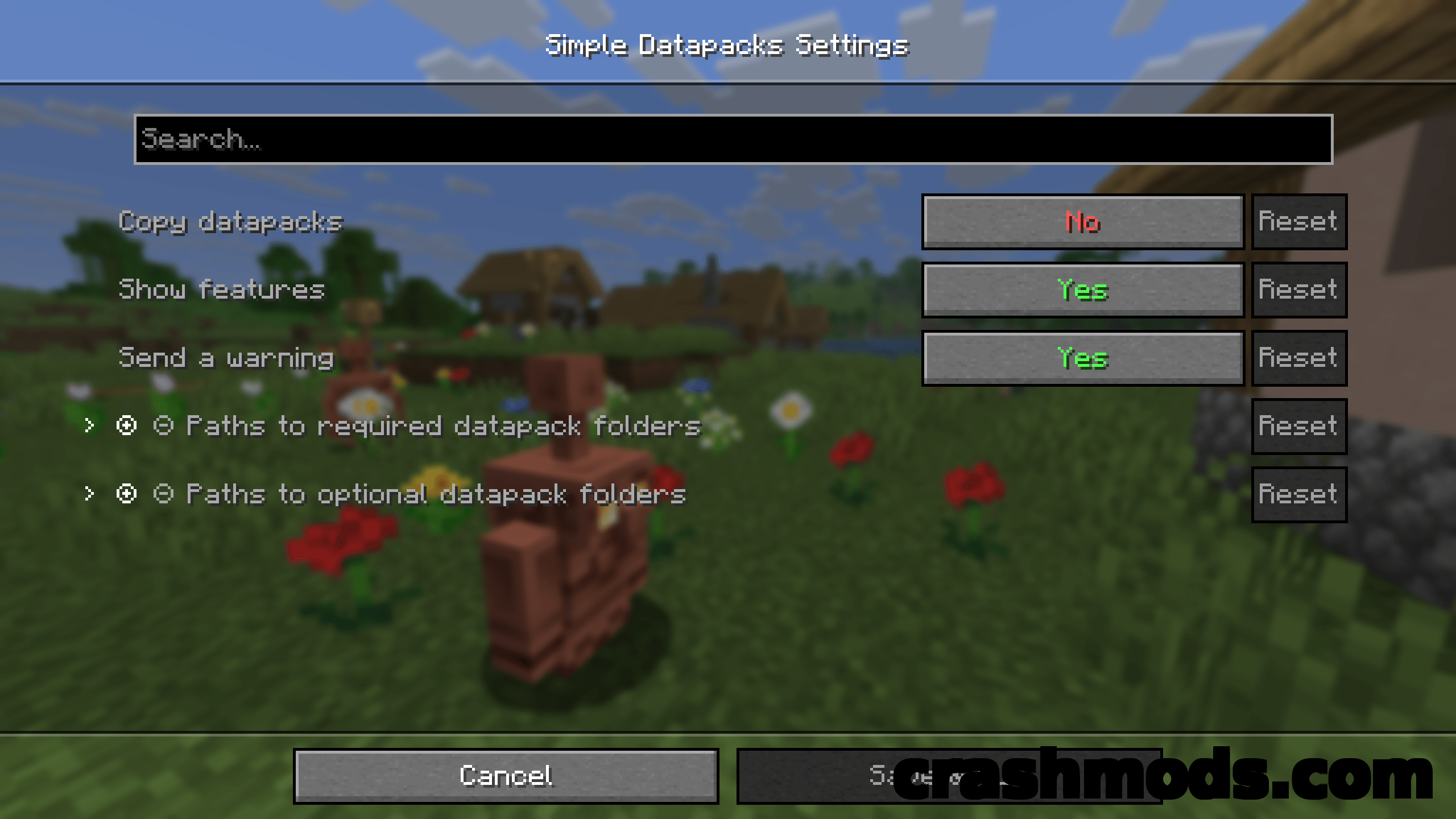
- In game settings through ModMenu and a Cloth Config file
- Runs on servers and applies the whole datapacks folder there
- Fabric and Quilt support for Minecraft 1.17.1
- Made by BizCub
Datapacks can bring a lot of content to Minecraft, yet many players never touch them because installing one is harder than adding a mod or a resource pack. Simple Datapacks removes that hurdle by creating a datapacks folder in the game’s root directory and offering everything inside it when you start a new world.
With the Cloth Config API present the downloads folder is read as well, so a pack becomes selectable straight after downloading. Extra folders can be registered in the settings, either as a full path or as a plain folder name in the game directory, and two separate lists control behaviour: entries on the required list are applied automatically when you enter a world, while optional ones stay inactive until you enable them with the datapack enable command.
Feature packs, the experimental datapacks, can be disabled to keep the selection screen readable, or set as required so they load when the world starts. There is also an option to copy the packs you use into the world folder, which means that world keeps working even if the mod is later removed. Servers are covered as well: since the settings are not accessible there, everything in the datapacks folder is simply applied.