Skip to content
Join our Discord for updates & support Discord

PVP Hittracking – Live Hit Counter and Custom HUD Overlay V8.1.0

—/5, 0 ratings

Your rating

Creator: maxwessels11

File verified — safe
All 65 security engines found this file clean.
Last checked: 2026-01-20
Security report

Features:

  • Lightweight client-side hit tracker for PvP
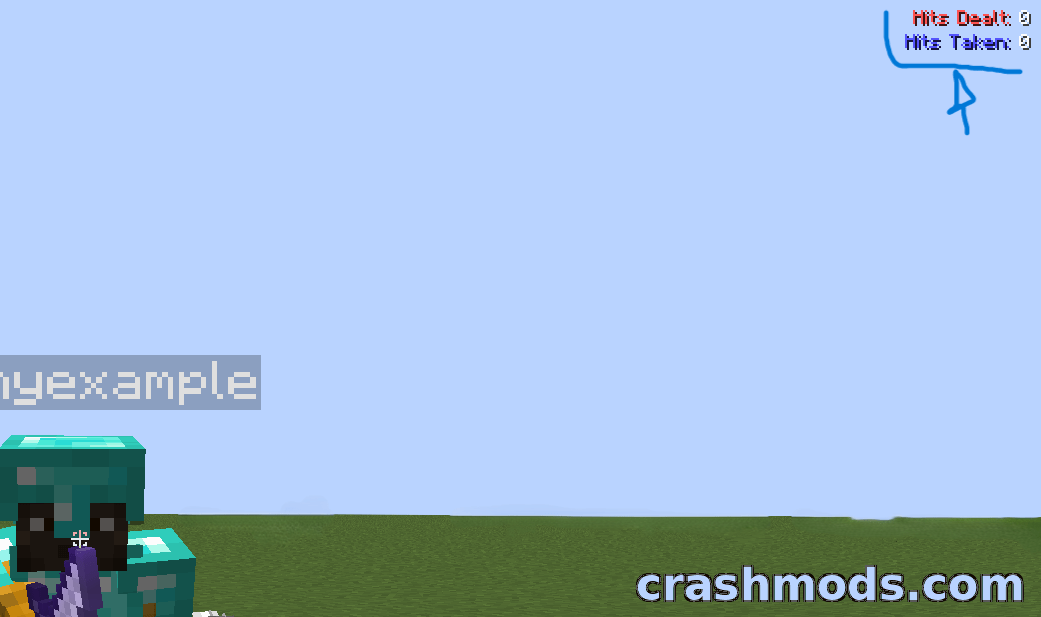
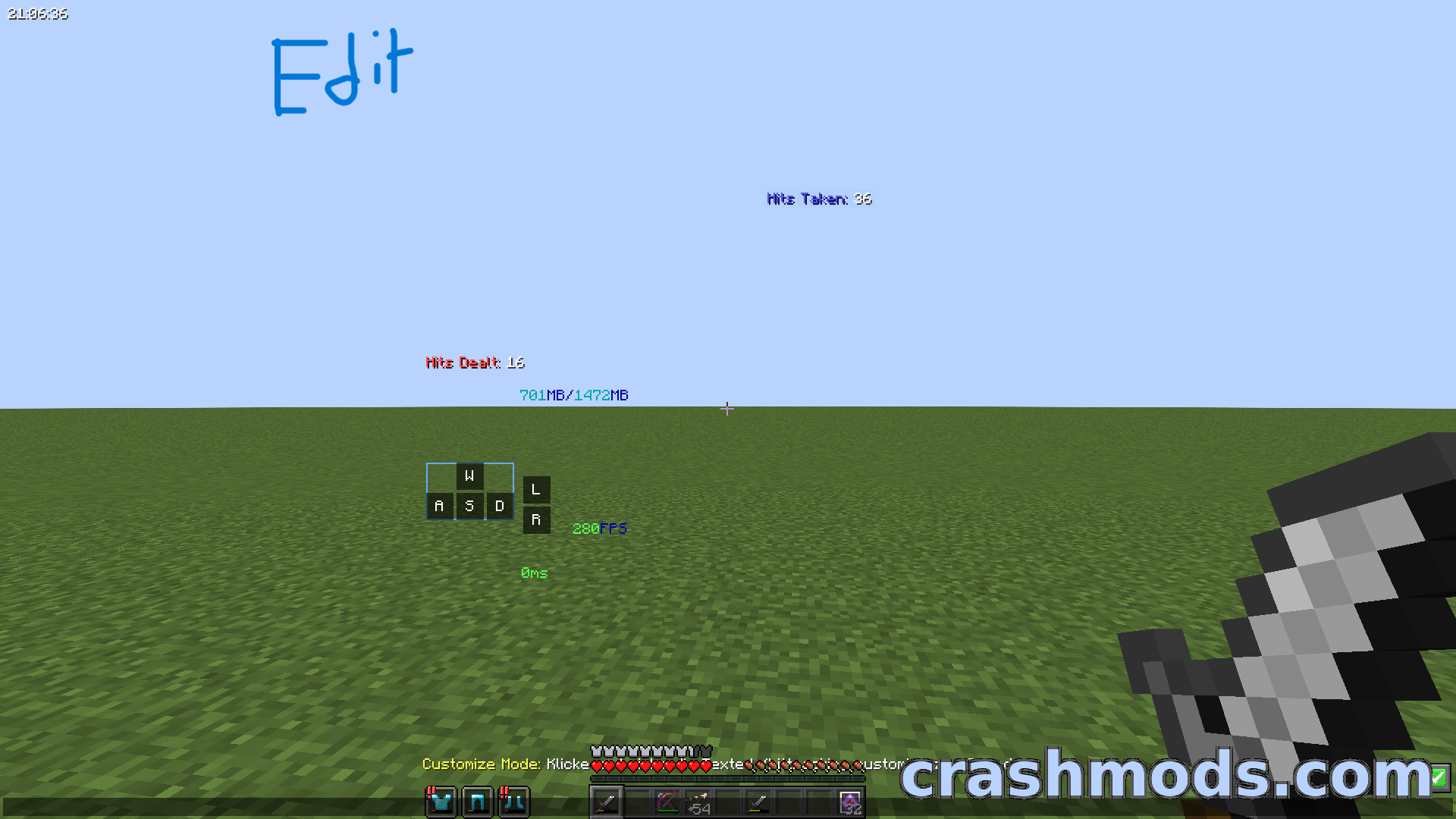
  • Counts in real time how many hits you and your opponent have landed
  • The counter updates instantly during fights
  • Unobtrusive design that does not block gameplay
  • Fully draggable interface that can be placed anywhere on the screen
  • Layout stays resilient across different HUD sizes
  • Tracking is switched on with a chat command
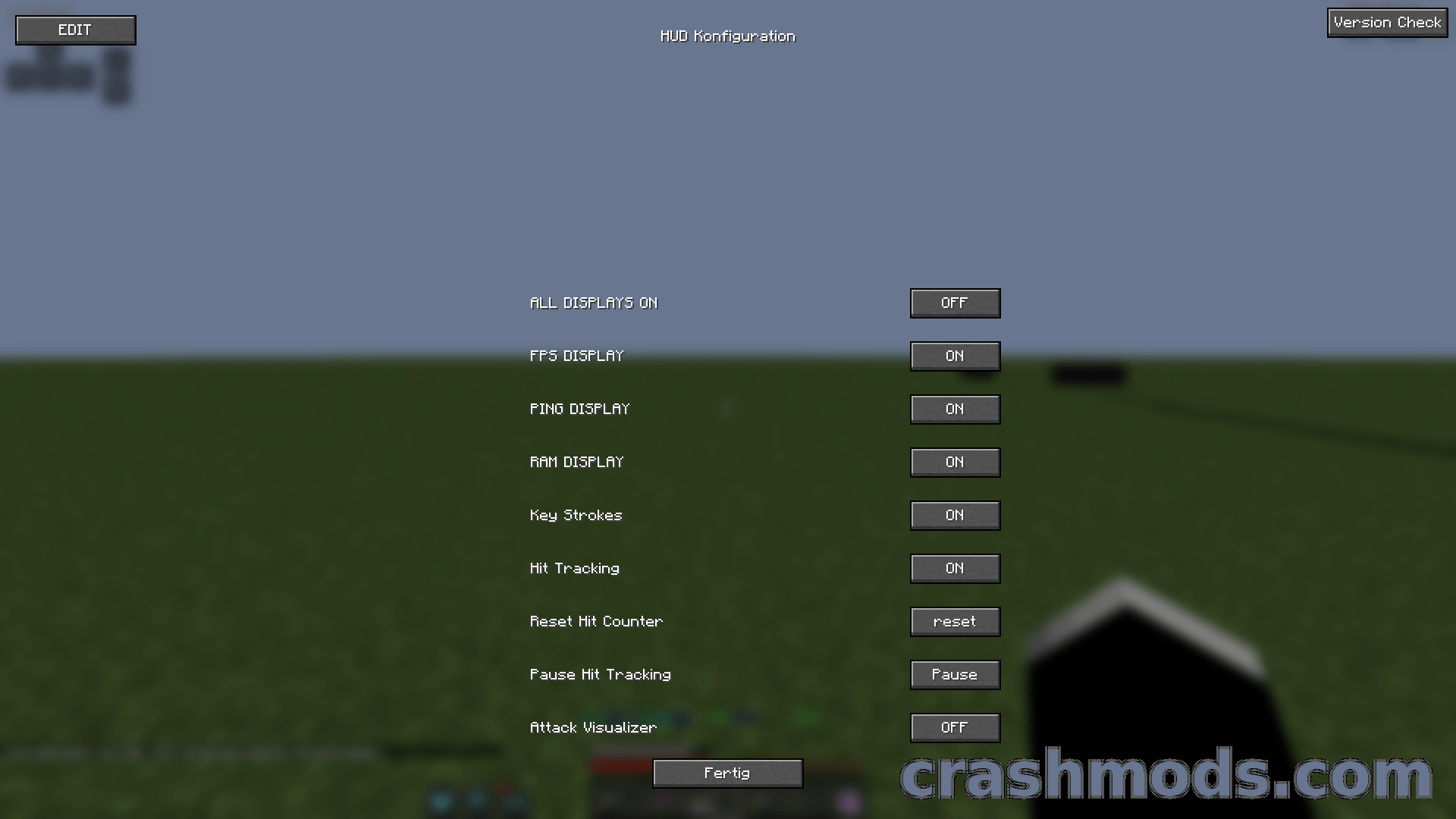
  • Extra custom HUD with FPS ping RAM and keystroke readouts
  • Keybind H opens the HUD
  • Fabric support
  • For Minecraft 1.6.4
  • Made by maxwessels11

PVP Hittracking is a lightweight, client-side overlay for PvP. It shows in real time how many hits you have landed and how many your opponent has landed, and the counter updates instantly during a fight, so combos and exchanges can be read as they happen instead of guessed at afterwards.

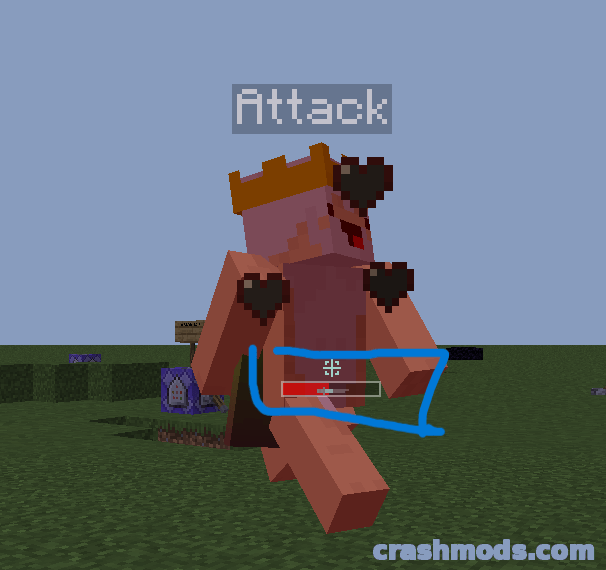
The interface is built to stay out of the way. Every element is draggable through the tracker’s customize command, so the counters can sit wherever they suit your screen, and the layout stays resilient across different HUD sizes. Numeric and visual feedback are both provided, which keeps the information readable in the middle of a fast exchange.

Alongside the tracker comes a separate custom HUD with its own toggle command, covering frame rate, ping, memory use and keystrokes, and it opens on the H key. Tracking itself is switched on with a simple chat command, so both layers can be turned on only when you want them on screen.

✅ Description reviewed by the CrashMods Team

Changelog

V8.1.0 — First release.
Frequently asked questions6 questions

PVP Hittracking – which game and version is it for?

This mod was made for Minecraft (game version: 1.6.4). The mod's own version: V8.1.0. After a major game update, older mods may stop working — check the version before installing.

PVP Hittracking – how do I install it?

Install the mod loader that matches the mod's Minecraft version (Forge or Fabric), then put the .jar file in the .minecraft/mods folder.

Is the download safe?

We checked the file with VirusTotal: none of the 65 antivirus engines flagged it. The full report opens from the "Verified" badge on the mod's page.

How big is the download?

The mod's file size is about 1.6 MB.

PVP Hittracking – who made it?

The mod's original creator: maxwessels11.

Is the mod free?

Yes, downloading from CrashMods is free; registration is not required.

Download Get the latest version of this mod and enjoy!

Mod version: V8.1.0 Minecraft 1.6.4 1 month ago 1.6 MB
PVP Hittracking – Live Hit Counter and Custom HUD Overlay V8.1.0 1.6 MB Minecraft Download File

The file is on ModsDrop, our own storage.

  • Scannedwith VirusTotal
  • EU serversFast & reliable
  • Free downloadNo registration needed
  • Latest versionAlways up to date

More Minecraft Equipment mods

Uploaded by

Tabornok3
Tabornok3 LITE
  • 2,191 mod
  • 1 follower
  • 3,282 download
  • Registered 4 months ago

Community screenshots

Screenshots from players using this mod. Add yours — images only (JPG, PNG, WebP).

No community screenshots yet — be the first!

Leave a comment

Stay in the loop

Get the latest mods & updates in your inbox.

✓ Thanks! We will keep you posted.

💬
New mods & updatesBe the first to know.
🛡️
Verified & safeQuality checked by our team.
🎁
Community perksEvents, contests & more.

© 2026 CrashMods — All rights reserved.
Safe & TrustedEvery mod is scanned and reviewed to ensure a safe experience.
SecureYour safety is our priority.