Skip to content
Join our Discord for updates & support Discord

Exposure – Film Photography with Working Cameras and Photo Printing V1.0.1

—/5, 0 ratings

Your rating

Creator: mortuusars

File verified — safe
All 63 security engines found this file clean.
Last checked: 2026-06-16
Security report

Features:

  • Working camera with a viewfinder for framing shots
  • Load a film roll and release the shutter to capture an image
  • Sneak in the viewfinder to set focal length, shutter speed, flash mode and composition guides
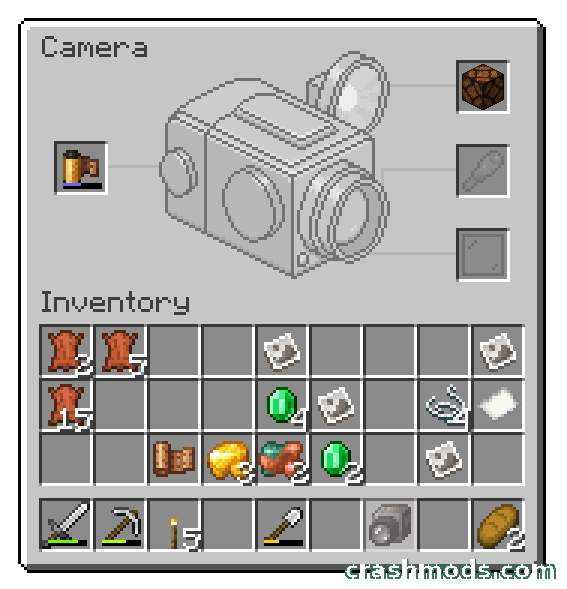
  • Attachments window for loading film and fitting a flash, lens or filter
  • A Redstone Lamp acts as the flash and a Spyglass modifies the lens
  • Glass panes work as filters in front of the lens
  • Simple black and white film or harder to make and process color film
  • A single film roll fits 16 frames
  • Film has to be developed before it can be printed
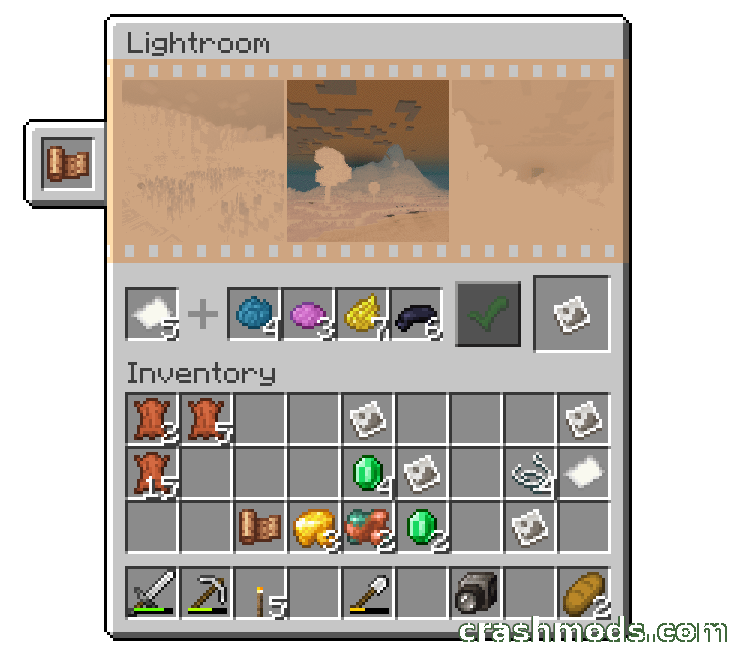
  • Lightroom block prints photographs and previews negatives beforehand
  • Color prints need cyan, magenta and yellow dye on top of paper and black dye
  • Fabric support for Minecraft 1.21.1

Exposure builds a complete film photography workflow into Minecraft. A Film Roll goes into the Camera, the Viewfinder lets you line up the shot, and a press of the shutter exposes the frame — and that is only the beginning, because exposed film still has to be developed and printed before you have anything to hang on a wall.

Holding sneak while looking through the Viewfinder opens the camera controls: focal length, shutter speed, flash mode and composition guides. Using the Camera while sneaking brings up the Attachments window, where the Film Roll goes in, a Redstone Lamp becomes the flash, a Spyglass reworks the lens and glass panes sit in front of it as filters. Each roll holds 16 frames, and you can shoot straightforward black and white film or the more demanding color stock.

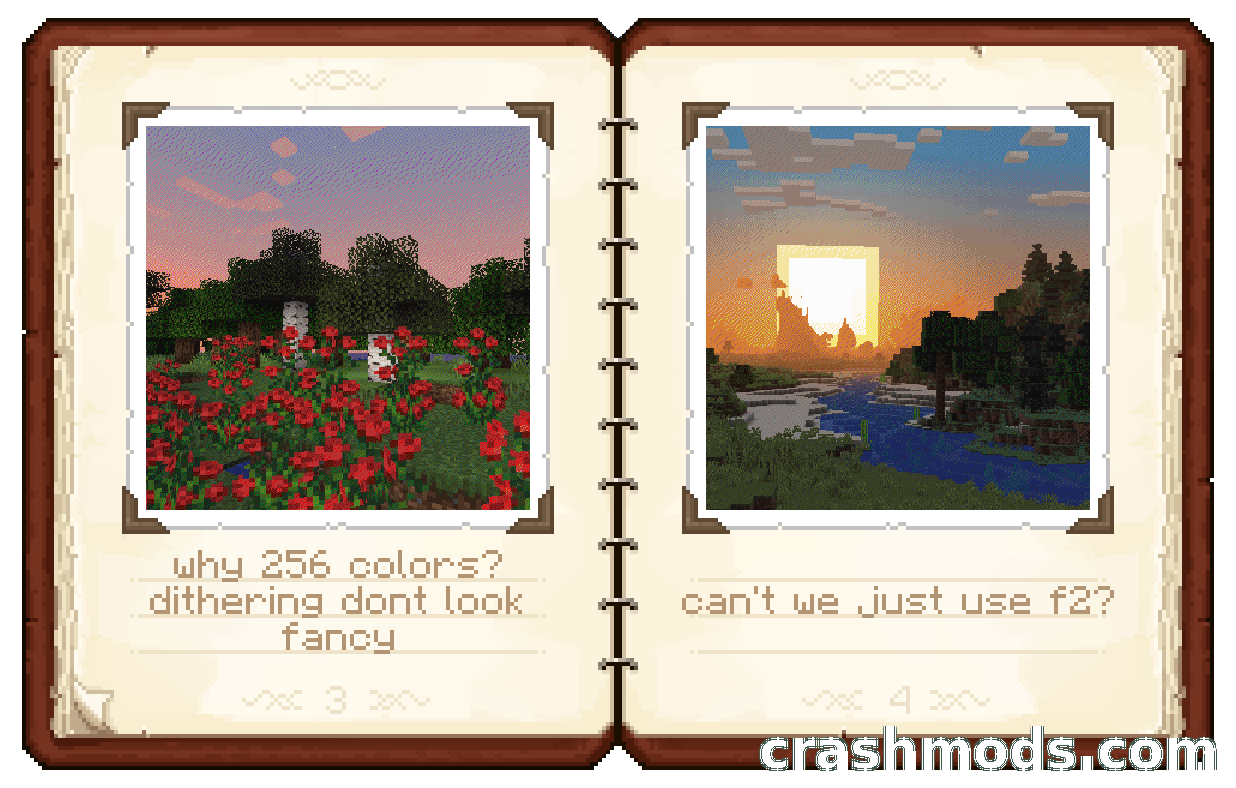
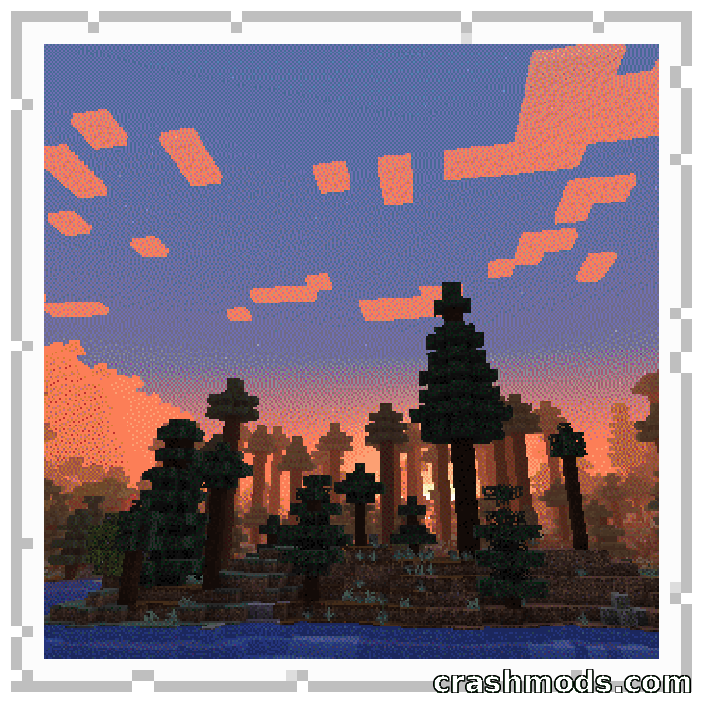
Printing happens at the Lightroom block. Negatives can be previewed there first so you can pick the strongest exposure from a roll, and then a black and white print costs paper and black dye, while a color print additionally needs cyan, magenta and yellow. The finished Photograph is a captured moment you can admire, hang on a wall or share with other players.

✅ Description reviewed by the CrashMods Team

Changelog

V1.0.1 — First release.
Frequently asked questions6 questions

Exposure – which game and version is it for?

This mod was made for Minecraft (game version: 1.21.1). The mod's own version: V1.0.1. After a major game update, older mods may stop working — check the version before installing.

Exposure – how do I install it?

Install the mod loader that matches the mod's Minecraft version (Forge or Fabric), then put the .jar file in the .minecraft/mods folder.

Is the download safe?

We checked the file with VirusTotal: none of the 63 antivirus engines flagged it. The full report opens from the "Verified" badge on the mod's page.

How big is the download?

The mod's file size is about 1.9 MB.

Exposure – who made it?

The mod's original creator: mortuusars.

Is the mod free?

Yes, downloading from CrashMods is free; registration is not required.

Download Get the latest version of this mod and enjoy!

Mod version: V1.0.1 Minecraft 1.21.1 2 months ago 1.9 MB
Exposure – Film Photography with Working Cameras and Photo Printing V1.0.1 1.9 MB Minecraft Download File

The file is on ModsDrop, our own storage.

  • Scannedwith VirusTotal
  • EU serversFast & reliable
  • Free downloadNo registration needed
  • Latest versionAlways up to date

More Minecraft Adventure mods

Uploaded by

Tabornok3
Tabornok3 LITE
  • 2,191 mod
  • 1 follower
  • 3,280 download
  • Registered 4 months ago

Community screenshots

Screenshots from players using this mod. Add yours — images only (JPG, PNG, WebP).

No community screenshots yet — be the first!

Leave a comment

Stay in the loop

Get the latest mods & updates in your inbox.

✓ Thanks! We will keep you posted.

💬
New mods & updatesBe the first to know.
🛡️
Verified & safeQuality checked by our team.
🎁
Community perksEvents, contests & more.

© 2026 CrashMods — All rights reserved.
Safe & TrustedEvery mod is scanned and reviewed to ensure a safe experience.
SecureYour safety is our priority.