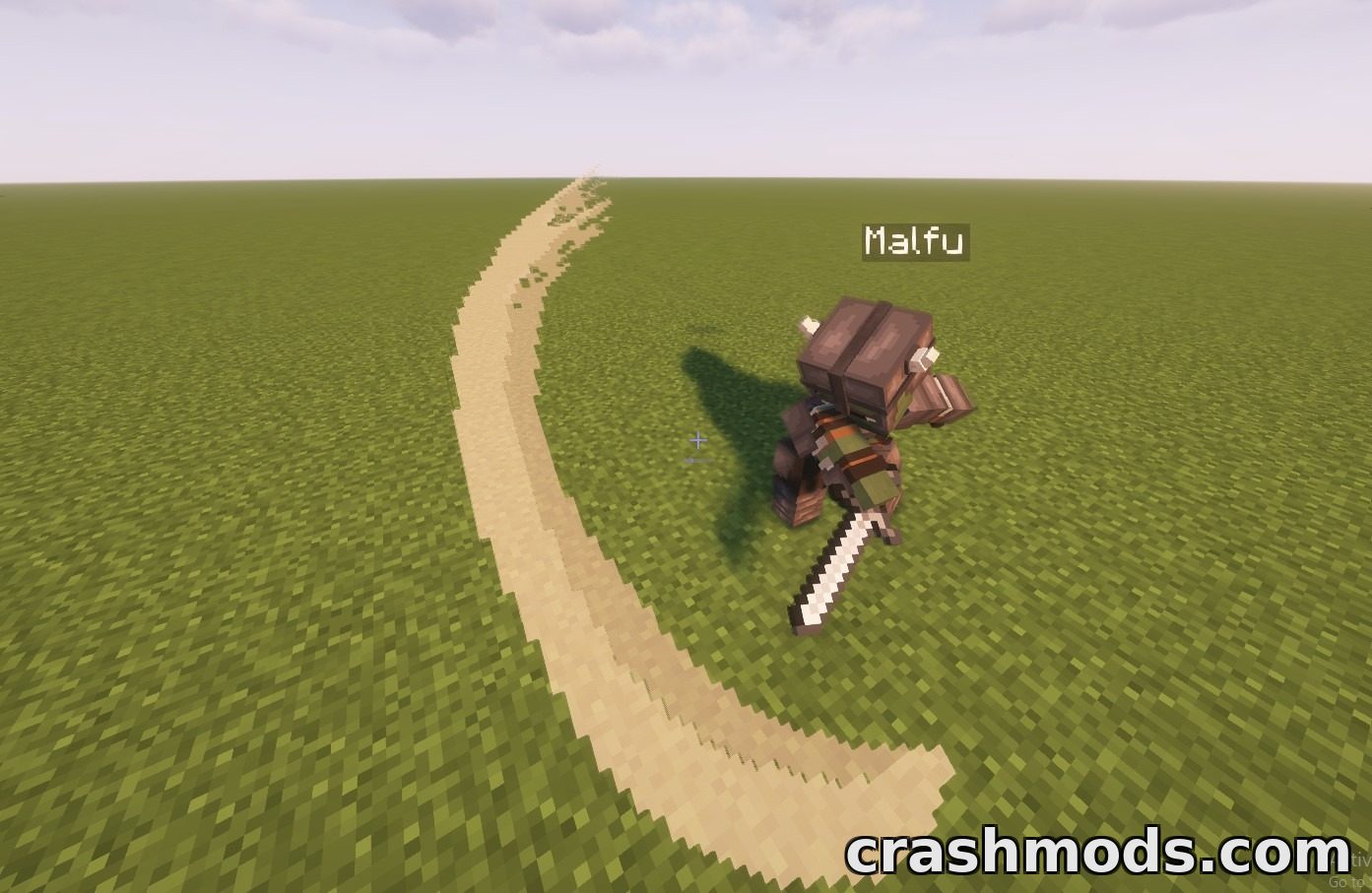
Features:
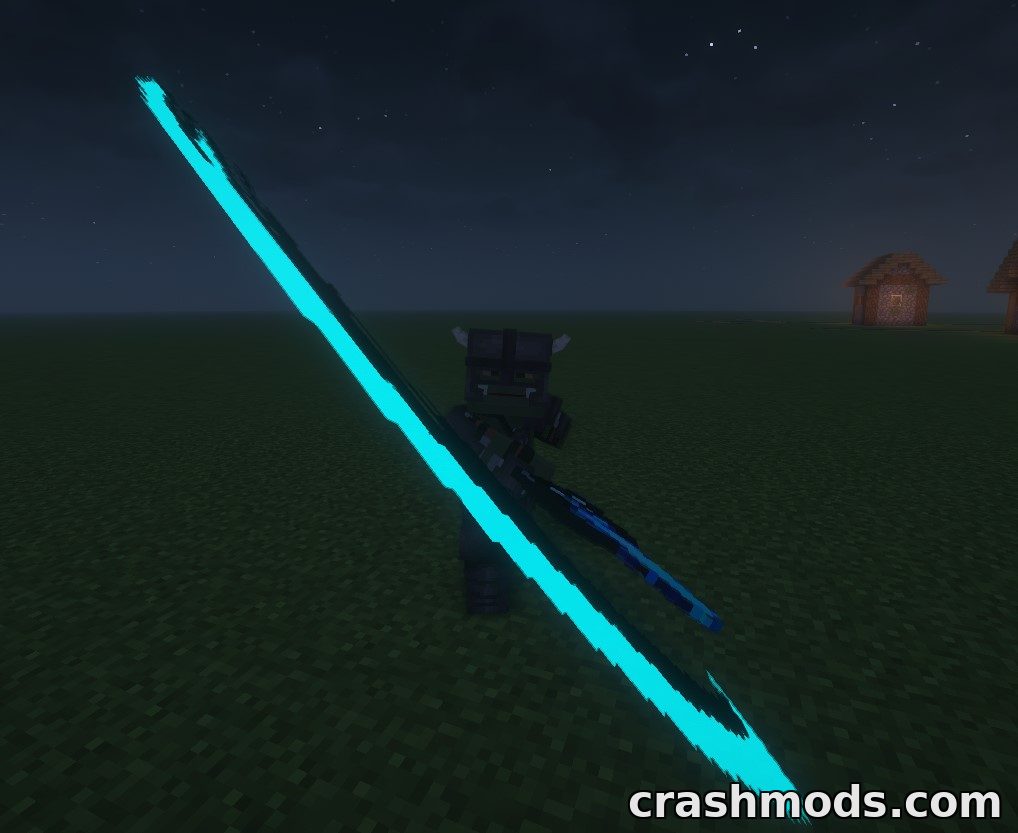
- Slash effect particle spawned after the upswing of a Better Combat attack
- Runs on the client alone, no server installation required
- Five slash shapes available: slash45, slash90, slash180, slash270 and slash360
- Config folder bc_particle holds an on and off switch for the particle
- Separate transparency settings for lit and unlit surroundings
- Placement tuned with x_addition, y_addition, local_yaw, roll_set and pitch_addition values
- More than one particle can be attached to a single attack animation
- particle_settings.json registers which animation shows which slash
- enchantment_settings.json assigns a colour and a light setting to each enchantment
- A weapon settings file does the same for custom weapons
- Setting a colour value to remove hides the particle for that weapon or enchantment
- Fabric support for Minecraft 1.21.1
Melee swings look flat even with an animation mod driving them, because nothing marks the arc the blade actually travelled. This add-on fixes exactly that one thing: after the upswing of a Better Combat attack, a slash effect particle traces the path of the weapon. It is a small, focused visual layer rather than a combat rework, and it works with a client-only installation, so nothing has to be added on the server.
Five slash textures cover different arc lengths, from a short slash45 flick to a full slash360 spin, and animations are matched to them through a settings file so any attack can carry the shape that fits it. Each entry accepts offsets and rotations for horizontal and vertical placement, local yaw, roll and pitch, which means a slash can be nudged until it lines up with the weapon rather than floating beside it. Several particles can be attached to a single animation for layered effects.
Colour is handled the same way. Separate files map enchantments and custom weapons to a colour and a light setting, so an enchanted blade can leave a glowing trail of its own tone, and writing the value remove sets the alpha to zero to switch the effect off for anything that should stay plain. The transparency of the particle can be tuned separately for bright and dark surroundings in the config.
One compatibility note is worth knowing: some particle optimisation mods refuse to render planes very close to the camera, which can hide the slash in first person until culling is disabled on that mod’s side. The slash textures themselves are ordinary assets, so a resource pack can replace them with artwork of your own at any time.