Features:
- EMI add-on that gives every enchantment its own browsable entry
- Shows the enchantment name, its source mod, the maximum level and the items it applies to
- Displays rarity, weight and cost per level
- Lists conflicting enchantments
- Marks whether the enchanting table can produce it and whether villagers sell it
- Flags loot sources such as chests, fishing and mob equipment drops
- Treasure enchantments and curses are clearly labeled
- Checking an item’s uses lists every enchantment it accepts
- Enchanted book entries show the stats behind books with a single enchantment
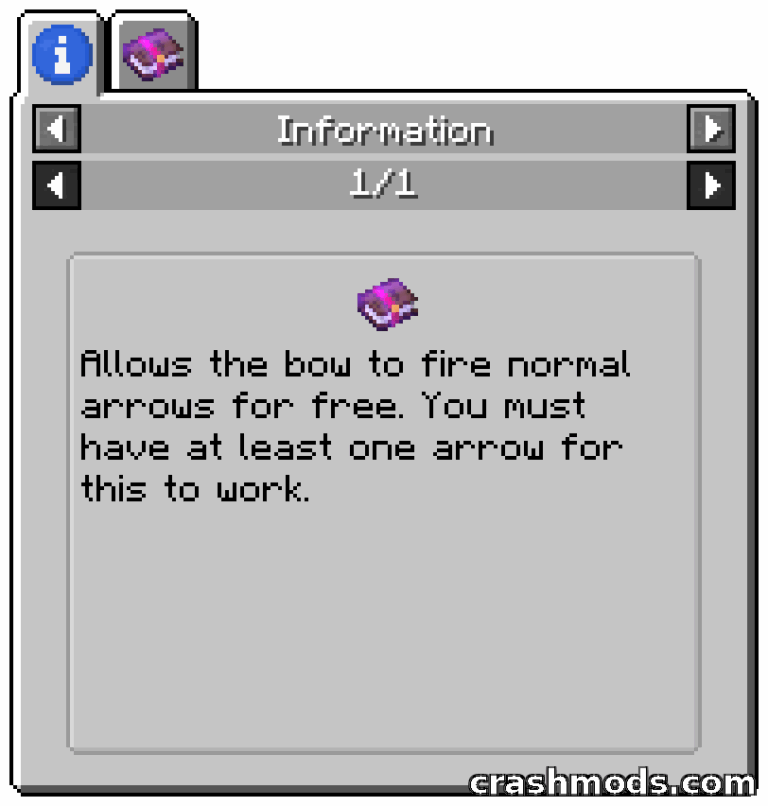
- Shows written descriptions when a mod or resource pack provides them
- Forge support, and the Forge build also runs on NeoForge 1.20.1
- For Minecraft 1.19.2, made by Mephodio
Minecraft keeps most of its enchantment data out of sight, which makes planning gear a guessing game. EMI Enchants pulls that data into the EMI browser so every enchantment gets a proper entry with its name, the mod it comes from, its maximum level, its category and the exact items it can be applied to.
The entries go well past a simple list. Rarity, weight and cost per level sit alongside the basics, conflicting enchantments are spelled out so clashing combinations are visible before they are attempted, and each entry states whether the enchantment can appear at an enchanting table, be bought from a villager, or turn up in chest loot, fishing catches and mob equipment drops. Treasure enchantments, which villagers sell at double price, and curses are marked as such.
Lookups work in both directions. Open the uses of an item and the add-on lists every enchantment that fits it, or inspect an enchanted book to read the stats behind it, currently limited to books that carry a single enchantment. When a mod or resource pack supplies a written description for an enchantment, that text is shown in the entry as well, so modded enchantments stop being a name with no explanation.