Skip to content
Join our Discord for updates & support Discord

Field Painter – Ground State Painting Tool V1.0

—/5, 0 ratings

Your rating

Creator: moji

File verified — safe
All 75 security engines found this file clean.
Last checked: 2026-11-11
Security report

Features:

  • Adds 15 ground-state brushes for field painting
  • Includes stubble, shallow cultivation, cultivated soil, seedbed, plowed soil, rolled seedbed and ridges
  • Supports round and square brush shapes
  • Free-mode button rotates rows by 45 degrees
  • Painting costs range from 1.00 to 2.50 per square metre depending on state
  • Prices are displayed directly on the brush tiles
  • Limited to land you own with landscaping permission
  • Replaces crops and clears weeds, stones and decorative foliage in the brush area
  • Harvested stubble brush uses wheat; grass brushes create real grass
  • Grass-field brush starts young and must grow before harvesting
  • Sown and planted brushes only set soil state, without sowing a crop
  • Retains existing lime and fertilizer levels and preserves terrain elevation

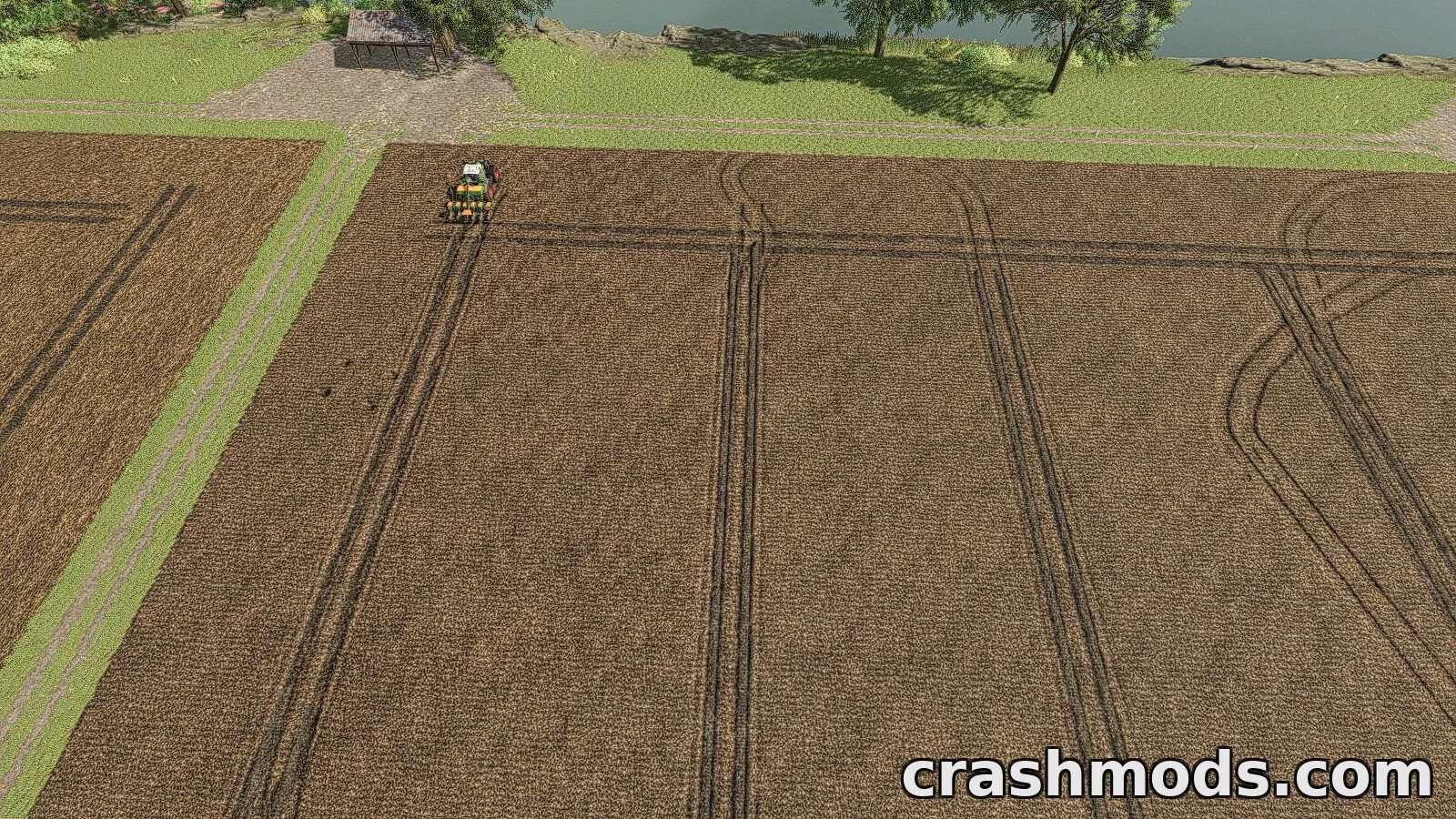
Field Painter is a script mod that brings precise ground-state control to the landscaping system. Instead of relying only on default terrain tools, players can paint realistic field conditions straight onto the land.

The mod adds fifteen different brushes covering stages from harvested stubble to plowed soil and rolled seedbeds. Each brush has its own cost per square metre, and painting automatically clears existing crops, weeds, stones and decorative foliage from the area while keeping fertilizer, lime levels and terrain height intact.

This tool is ideal for players who want more realistic or varied field appearances without manually cultivating every plot, and for those who enjoy fine-tuning their farm's visual detail through the landscaping menu.

✅ Description reviewed by the CrashMods Team

Changelog

V1.0 — First release.
Frequently asked questions6 questions

Field Painter – which game and version is it for?

This mod was made for Farming Simulator 25 (game version: 1.25.x). The mod's own version: V1.0. After a major game update, older mods may stop working — check the version before installing.

Field Painter – how do I install it?

Copy the .zip file to the Documents/My Games/FarmingSimulator2025/mods folder, then enable it in the in-game mod list.

Detailed guide

Is the download safe?

We checked the file with VirusTotal: none of the 75 antivirus engines flagged it. The full report opens from the "Verified" badge on the mod's page.

How big is the download?

The mod's file size is about 611.7 KB.

Field Painter – who made it?

The mod's original creator: moji.

Is the mod free?

Yes, downloading from CrashMods is free; registration is not required.

What’s inside the package?21 files · 814.6 KB unpackedScripts & code 4Textures 16Config & text 1Show filesHide files

Folders, file names and sizes, read from the downloadable archive.

Scripts & code — names only, these files cannot be opened: FieldPainter.lua, FieldPainterBrush.lua, FieldPainterEconomy.lua, FieldPainterEvent.lua

Package
  • cultivated.dds42.8 KB
  • direct_sown.dds42.8 KB
  • grass.dds42.8 KB
  • grass_cut.dds42.8 KB
  • harvest_ready.dds42.8 KB
  • harvest_ready_other.dds42.8 KB
  • FieldPainter.lua15.2 KB
  • FieldPainterBrush.lua3.5 KB
  • FieldPainterEconomy.lua2.2 KB
  • FieldPainterEvent.lua2.6 KB
  • icon_fieldPainter.dds128.1 KB
  • modDesc.xml20.9 KB
1–16 / 16

Download Get the latest version of this mod and enjoy!

Latest Mod version: V1.0 Farming Simulator 25 1.25.x 6 minutes ago 611.7 KB
Field Painter – Ground State Painting Tool V1.0 611.7 KB Farming Simulator 25 Download File

The file is on ModsDrop, our own storage.

  • Scannedwith VirusTotal
  • EU serversFast & reliable
  • Free downloadNo registration needed
  • Latest versionAlways up to date

More Farming Simulator 25 Scripts and Tools mods

Uploaded by

Kiro_8036
Kiro_8036 LITE
  • 871 mod
  • 0 follower
  • 1,731 download
  • Registered 2 months ago

Community screenshots

Screenshots from players using this mod. Add yours — images only (JPG, PNG, WebP).

No community screenshots yet — be the first!

Leave a comment