

Installing a mod in Farming Simulator 25 takes about thirty seconds once you know where the folder is. Finding the folder is the only part that trips people up — so here are the exact paths for Windows and macOS, plus the in-game route that skips file handling entirely.
What a mod actually is
A mod is a packaged set of files the game loads alongside its own content. That can mean machinery that was never in the base game, new buildings and factories, whole maps, or changes to how the game plays.
The standard format is a .zip file, and the game reads it as-is. You do not unpack it.
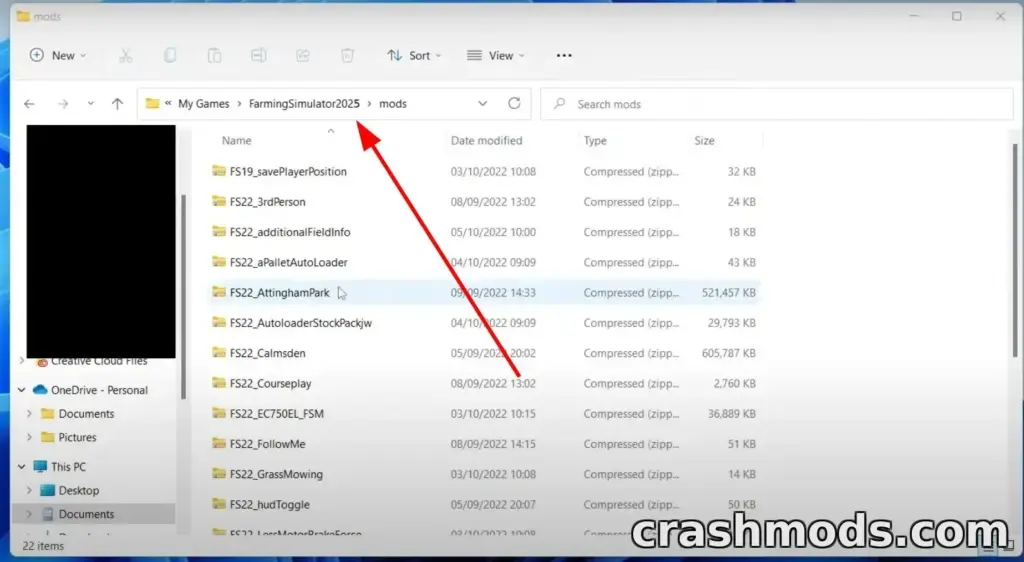
Windows 10 and 11
- Download the mod. Pick what you want from our mod library section and download it.
- Find the file. It will normally be in your Downloads folder — the quickest route is “Show in folder” from your browser’s download list. Copy it with Ctrl+C.
- Paste it into the mods folder:
C:Users[your name]DocumentsMy GamesFarmingSimulator2025mods
That is the whole process. Start the game and the mod is available.
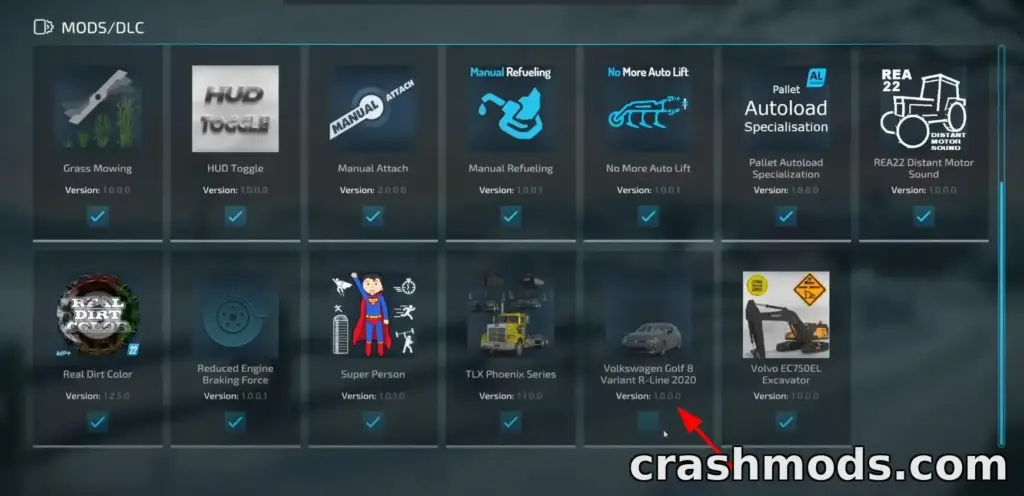
Two things that catch people out
The file must be a .zip. If what you downloaded came as .rar or .7z, unpack it — inside you will normally find the actual .zip, and that is what goes in the folder.
German installs use a different folder name. If you have the German version, look for Landwirtschafts Simulator 2025 instead of FarmingSimulator2025 in the same location.
macOS
Same idea, different path — and the path depends on where you bought it.
App Store install:
~/Library/Containers/com.focus-home.farmingsim2025/Data/Library/Application Support/FarmingSimulator2025/mods
Steam or any other install:
/Library/Application Support/FarmingSimulator2025/mods
Drop the .zip in and you are done.
No mods folder?
It does not exist until the game has run once. Launch Farming Simulator 25, let it reach the main menu, quit, and the folder will be there.
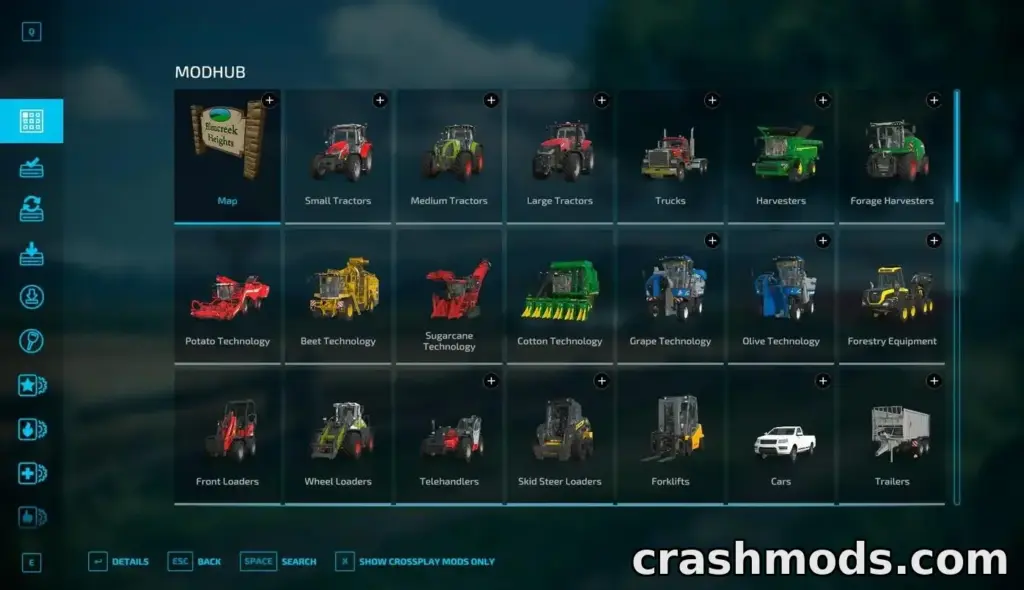
The in-game ModHub
If you would rather not touch files at all, the game has a built-in store.
- Launch Farming Simulator 25.
- From the main menu, open DOWNLOADABLE CONTENT.
- Pick a category, then the mod you want.
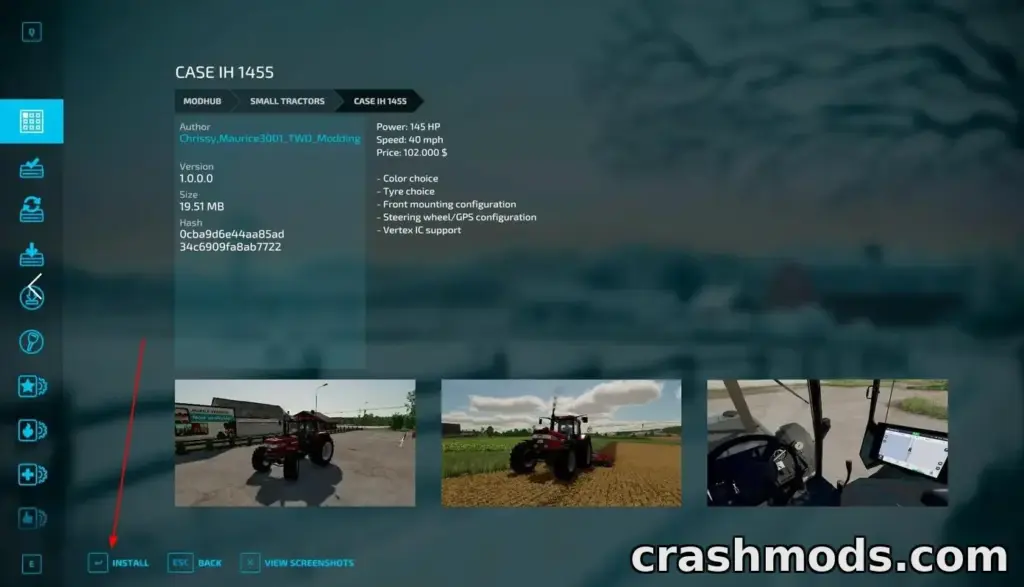
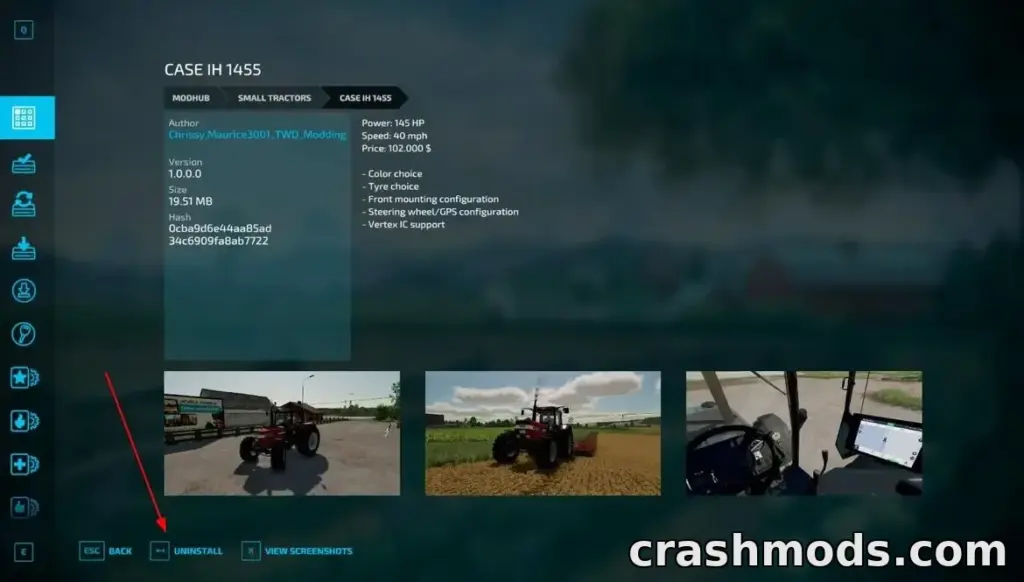
- Click Install.
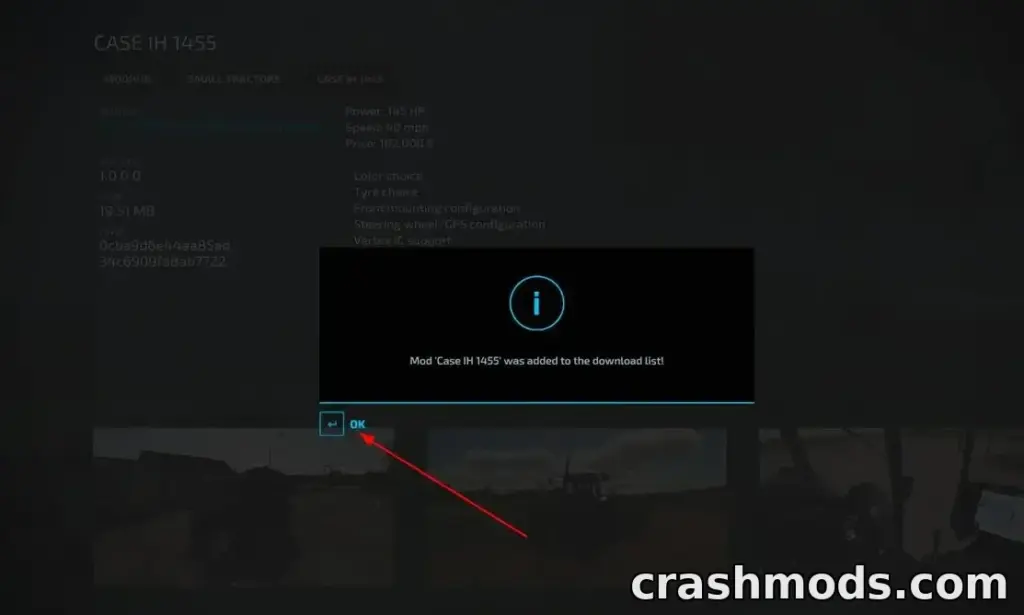
You get a confirmation message when it finishes, and the same page carries an Uninstall button if you change your mind.
ModHub or manual?
ModHub is easier and safer — no files to manage, one-click removal.
The limitation is coverage. Not every modder publishes there, so a lot of the best work never appears in it. If you are looking for something specific, or something from a particular author, you will end up doing it manually.
In practice most players use both: ModHub for convenience, manual installs for everything else.
Browse the mod library we host, the wider mod library for other titles in the series, or read more FS25 guides.
