Skip to content
Join our Discord for updates & support Discord

Left 2 Die – High-Stakes AI Director Survival V2.5.1

—/5, 0 ratings

Your rating

Creator: Zkies

File verified — safe
All 75 security engines found this file clean.
Last checked: 2026-11-02
Security report

Features:

  • Adds an AI Director that reacts to noise, heat, and threat levels
  • Extends police-style vehicle response to all vehicles, including new Farmtruck and Armytruck alarms
  • Introduces lockpicking for tier 3-4 crates, safes, ATMs, and random vehicles
  • Alarm system now also covers T4/T5 chests and ATMs, with buses excluded
  • Improved vehicle lights and alarm battery-drain simulation
  • Adds special infected types: fast aggressive infected, Boomer, and Suicide
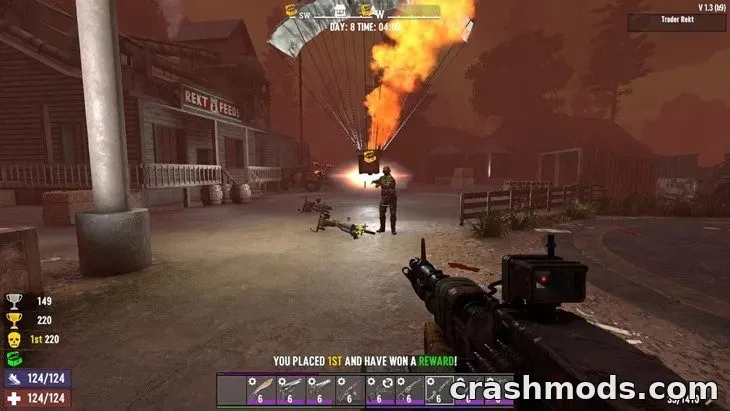
  • One-time radio events trigger airdrops, treasure quests, and infected-kill quests
  • Three-tier Pipe Bomb Attractor for sound-based zombie luring
  • Incendiary Ammunition Box with shared charges found in airdrops and trader stock
  • New horde spawn patterns for events: circle, pincer, and three-sided formations
  • Settings.xml options let players disable heat, noise, kill, or the entire threat system
  • Compatible with several zombie variant mods and other listed compatible mods

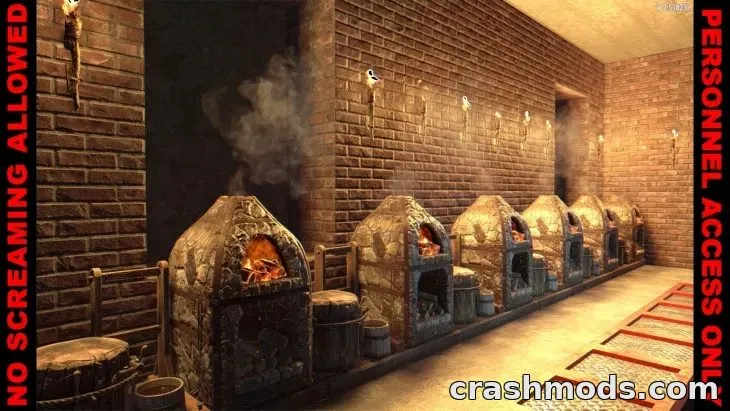
Left 2 Die is a gameplay overhaul for 7 Days to Die that turns exploration into a high-stakes survival challenge. It introduces an AI Director that tracks the player's noise, heat, and threat levels, escalating danger the louder and more aggressive you play.

The mod expands police-style vehicle alarms to every vehicle type, adds risk-reward lockpicking for crates, safes, and ATMs, and introduces new special infected like the Boomer and Suicide. Radio events can trigger cinematic airdrops and quests, while new tools like the Pipe Bomb Attractor and Incendiary Ammunition Box add fresh tactical options. New horde spawn patterns also change how enemies approach during events.

It's built for players who want a tenser, more reactive survival experience in multiplayer or singleplayer, with customizable settings to tone down or disable specific threat systems as needed.

✅ Description reviewed by the CrashMods Team

Changelog

V2.5.1:
- Lockpick difficulty moved to separate addon: Biome & Tier Lockpick System
- Improved vehicle lights and alarm behavior with dying-battery simulation
- New alarm system extended to vehicles, T4/T5 chests, and ATMs
- Buses excluded from the new alarm system
- Added two new alarm-enabled vehicles: Farmtruck and Armytruck
- Added settings.xml options to disable heat, noise, kill, or the entire threat system
- Added new horde spawn system with multiple event-based spawn patterns
Frequently asked questions6 questions

Left 2 Die – which game and version is it for?

This mod was made for 7 Days to Die (game version: V2). The mod's own version: V2.5.1. After a major game update, older mods may stop working — check the version before installing.

Left 2 Die – how do I install it?

Follow the installation steps in the mod's description.

Is the download safe?

We checked the file with VirusTotal: none of the 75 antivirus engines flagged it. The full report opens from the "Verified" badge on the mod's page.

How big is the download?

The mod's file size is about 344.7 MB.

Left 2 Die – who made it?

The mod's original creator: Zkies.

Is the mod free?

Yes, downloading from CrashMods is free; registration is not required.

Download Get the latest version of this mod and enjoy!

Latest Mod version: V2.5.1 7 Days to Die V2 4 hours ago 344.7 MB
Left 2 Die – High-Stakes AI Director Survival V2.5.1 344.7 MB 7 Days to Die Download File

The file is on ModsDrop, our own storage.

  • Scannedwith VirusTotal
  • EU serversFast & reliable
  • Free downloadNo registration needed
  • Latest versionAlways up to date

More 7 Days to Die Gameplay mods

Uploaded by

AxelDrift57
  • 418 mod
  • 0 follower
  • 1,304 download
  • Registered 3 months ago

Community screenshots

Screenshots from players using this mod. Add yours — images only (JPG, PNG, WebP).

No community screenshots yet — be the first!

Leave a comment