

Utility mods are the quiet workhorses of a Minecraft setup. They don’t add new dimensions or bosses, they just smooth out something you already do: pressing buttons, writing books, checking your clicks per second, or figuring out what structure you just walked into. Install a few of these and your base game starts feeling tidier without changing how it plays.
When picking from a list like this, match the mod loader to your setup first, since some of these need Forge, Fabric, Quilt or NeoForge specifically. Check the stated Minecraft version too, because utility mods tend to be tied tightly to a single release. After that it’s mostly about taste: do you want something purely cosmetic, something that saves clicks, or something that changes how a whole system like books or beds works.
1. Infinity Buttons – Large, Secret and Emergency Redstone Buttons
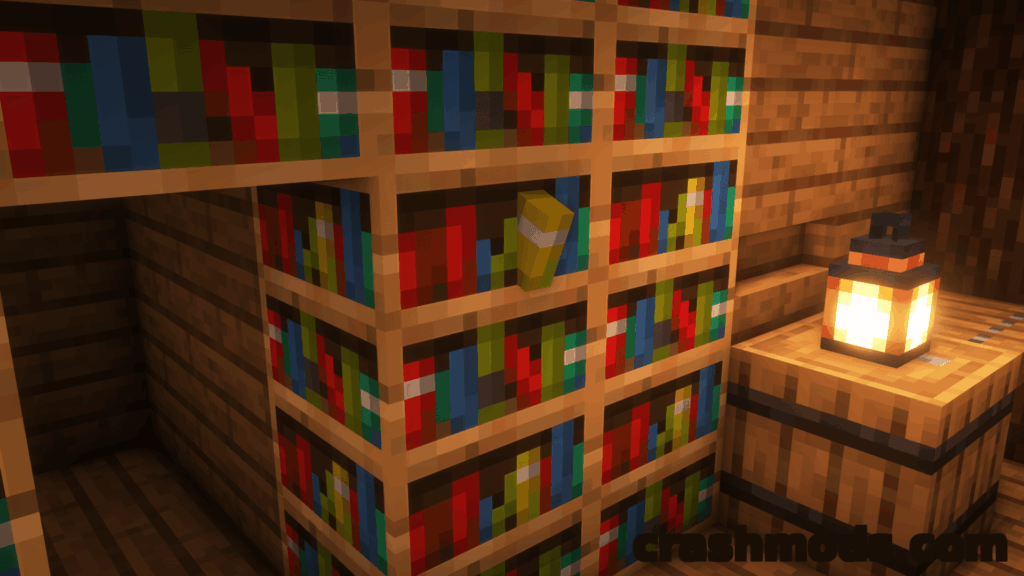
This one expands the humble button into a whole toolkit. You get oversized buttons that are easier to hit, material-specific variants, and emergency buttons in every color plus a rainbow option that sound an alarm when pressed. There are also secret buttons that blend into bookshelves, bricks and planks, staying hidden even with Jade running, plus torch buttons, lantern buttons, console and lamp buttons, and a working doorbell.
It suits anyone building redstone contraptions or just wanting buttons that look like they belong in the scene rather than stuck on as an afterthought. On Forge it needs Cloth Config API installed alongside it.
Download Infinity Buttons – Large, Secret and Emergency Redstone Buttons on CrashMods · Game version: 1.16.5
2. Better Beds – JSON Bed Models with Resource Pack Support

Better Beds swaps out the bed’s block entity renderer for plain JSON block models, which means resource packs can finally reskin beds like any other block. The bundled models copy the vanilla bed exactly so nothing changes visually until you add a pack, and the included examples give you a starting point for your own.
It’s a client-side mod aimed at people who care about resource pack flexibility and a bit of rendering overhead. Modded beds using the default renderer need their own model files to look right, and it doesn’t play nice with Bedspreads.
Download Better Beds – JSON Bed Models with Resource Pack Support on CrashMods · Game version: 1.21.4
3. CPSDisplay – On-Screen Clicks Per Second Counter with Full Text Customization

CPSDisplay draws a live clicks-per-second readout over the game, with modes for left clicks, right clicks, both, or fully custom text up to 999 characters. You can color it with vanilla-style formatting codes, run a rainbow animation, and adjust scale, background opacity and margin until it fits your HUD.
It’s built for players who want to track their own clicking pace, whether for PvP practice or just curiosity. The overlay is dragged into position with a live preview, and settings open with a rebindable key or a chat command.
Download CPSDisplay – On-Screen Clicks Per Second Counter with Full Text Customization on CrashMods · Game version: 1.9.4
4. Image2Map – Turn Images into Maps with Live Preview
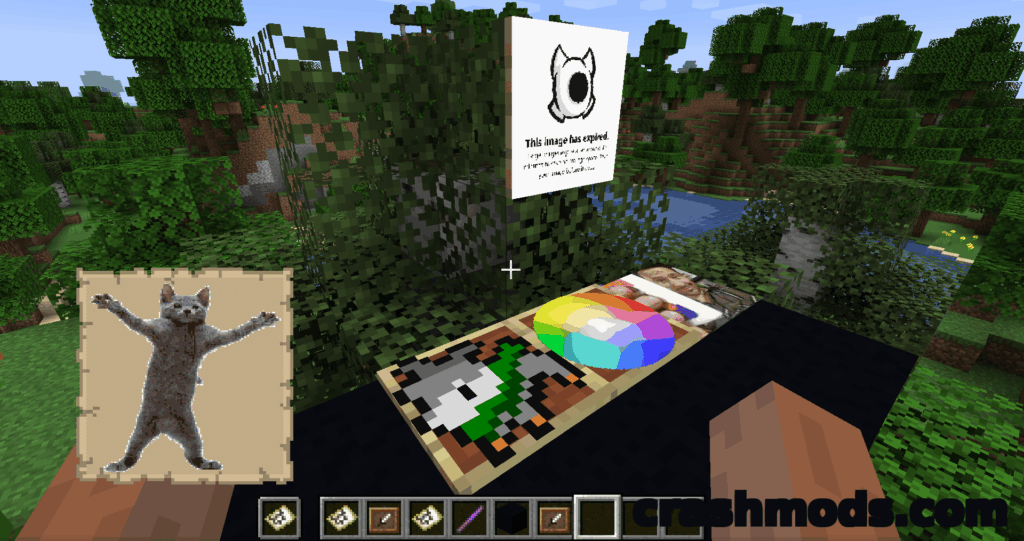
Image2Map renders an image file directly onto in-game maps, with a create command that lets you set custom width and height in pixels and an optional dithering mode for smoother gradients. A live preview lets you check size and dithering before committing the result to actual map items.
Bigger images get split into a bundle of maps, and clicking the top-left frame with that bundle places every piece correctly across walls, floors or ceilings. It’s handy for anyone decorating a build with logos or artwork, and since it’s vanilla compatible on the server side, players without the mod can still see the results.
Download Image2Map – Turn Images into Maps with Live Preview on CrashMods · Game version: 1.21.6
5. Dream Relics – Curios Accessories and Utility Relics
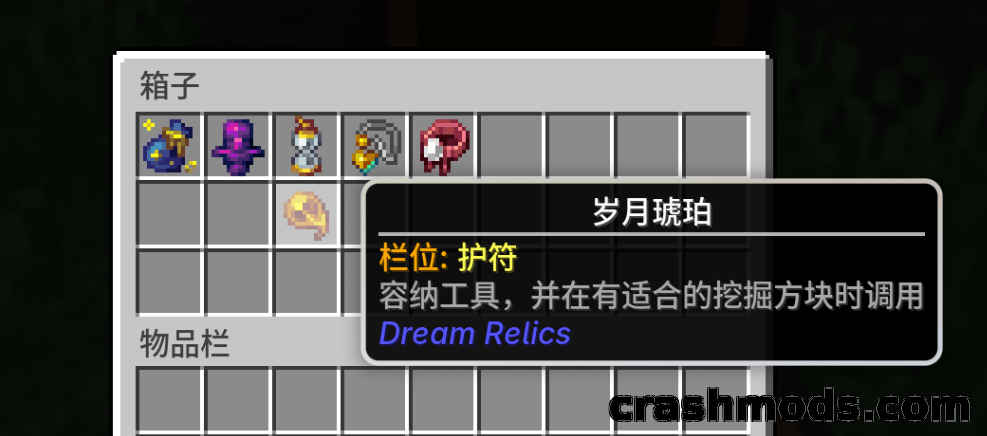
Dream Relics adds a long list of wearable accessories through Curios API slots, covering necklaces, rings, bracelets and standalone trinkets. Some pieces are purely useful, like the Soul Mirror that returns you to your death or respawn point, the Liminal Key that moves enchantments between items, and the Flawless Gem that repairs durability and strips negative enchantments.
It suits players who like gear progression built around small passive bonuses rather than combat items. You’ll need Curios API installed for any of the accessories to actually equip.
Download Dream Relics – Curios Accessories and Utility Relics on CrashMods · Game version: 1.21.1
6. Scholar – Two-Page Book Editing and Colored Books
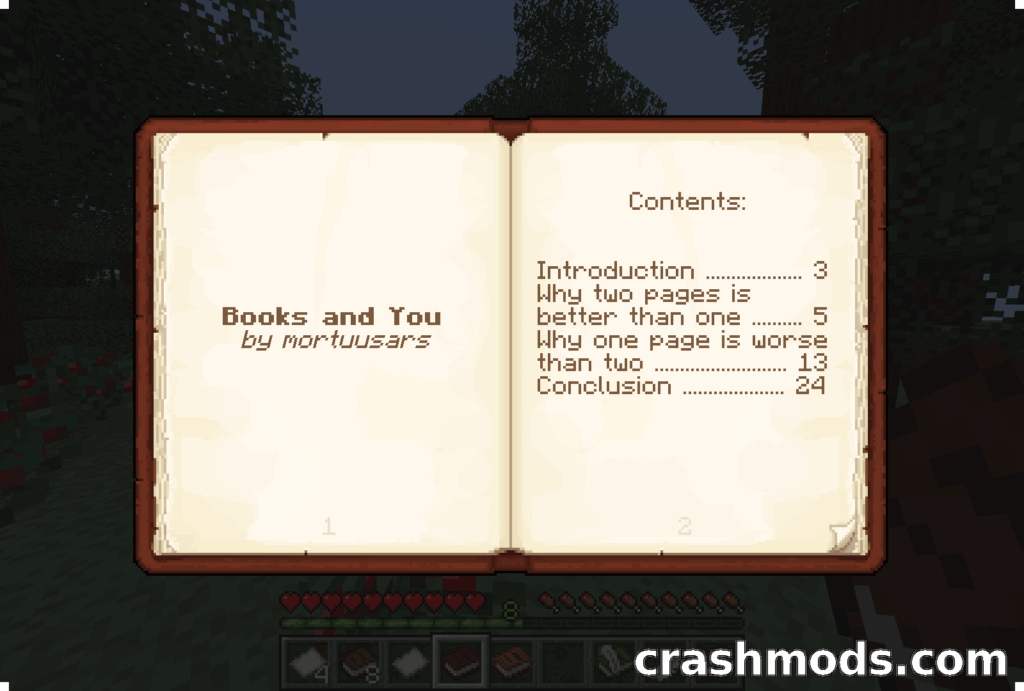
Scholar rebuilds the book editing, viewing and signing screens so you can see and edit two pages at once instead of flipping back and forth. It adds a formatting toolbar with shortcuts, lets you edit books straight from a lectern, and supports importing or exporting book text as plain files.
On top of that you can dye books any color the way you’d dye leather armor, and tooltips now show up for books sitting on lecterns or chiseled bookshelves. Anyone who writes a lot of in-game lore or documentation will feel the difference immediately.
Download Scholar – Two-Page Book Editing and Colored Books on CrashMods · Game version: 26.2
7. Entity Texture Features (ETF) – Emissive Random and Custom Entity Textures

ETF brings the OptiFine texture format to mobs, animals and player skins, supporting random textures, emissive glow effects and simple blinking animations. It reads existing OptiFine-style resource packs directly, so packs built for that format work without rewriting them.
It’s compatible with Entity Model Features and the older CEM mod, and works alongside Sodium and Iris Shaders depending on the shader pack in use. Resource pack authors get a lot more control over how individual entities look without touching code.
Download Entity Texture Features (ETF) – Emissive Random and Custom Entity Textures on CrashMods · Game version: 26.2
8. WITS (What Is This Structure?) – Command to Identify Structures at Your Location

WITS does one thing: run /wits and it prints the registry names of every structure at your exact position. It works in singleplayer and on servers, and once installed server-side it works for every connected player, including those running vanilla with no mods at all.
Operators get an extended /witsop command with dimension and coordinate parameters, while regular players are kept to the basic version. It can find anything the vanilla locate command can, though smaller features like dungeons and desert wells fall outside what it detects.
Download WITS (What Is This Structure?) – Command to Identify Structures at Your Location on CrashMods · Game version: 26.1.2
9. Crosshair Indicator – Clearer Attack Feedback on Your Crosshair

Crosshair Indicator changes how your crosshair looks the moment you can actually land a hit on a player’s hitbox, putting that feedback right where you’re already looking. It builds on the same idea as the vanilla attack indicator but isn’t limited to fully charged attacks.
It’s a tiny download, around 0.01 MB, aimed squarely at PvP players who want a more readable cue during a fight. Simple, focused, and easy to forget is even installed until a fight gets close.
Download Crosshair Indicator – Clearer Attack Feedback on Your Crosshair on CrashMods · Game version: 26.2
10. Wynntils – Maps, Overlays and Quality of Life Tools for Wynncraft

Wynntils bundles a large set of quality of life tools built specifically around the Wynncraft server experience. It covers chat improvements like coordinates and message filtering, combat aids such as auto attack and low health indicators, a full map package with minimap and waypoints, and HUD overlays for party status, raids and daily objectives.
There’s also inventory tooling for item comparison and container search, plus trade market features like bulk selling and price conversion. It’s a dense toolkit aimed at players who spend real time in that server’s economy and content rather than general survival worlds.
Download Wynntils – Maps, Overlays and Quality of Life Tools for Wynncraft on CrashMods · Game version: 1.12.2
Tips for utility mods in Minecraft
- Match the mod loader exactly, since Forge, Fabric, Quilt and NeoForge builds are not interchangeable even for the same mod.
- Back up your world save before adding anything that touches rendering, books or world generation, just in case something conflicts.
- Install one mod at a time when you can, so if something breaks you know which one caused it.
- Keep dependencies like Curios API or Cloth Config API updated alongside the mods that need them, since a mismatch there is a common cause of crashes.
- Check that a mod’s stated Minecraft version lines up with your game version before relying on it in a long-running world.
Browse all Minecraft mods on CrashMods
