Skip to content
Join our Discord for updates & support Discord

Lizard Mulcher – Flail Mower Implement V1.0.1

—/5, 0 ratings

Your rating

Creator: VertexDezign

File verified — safe
All 74 security engines found this file clean.
Last checked: 2026-11-10
Security report

Features:

  • Shreds all types of plants
  • Resets grass plants to growth state 1
  • Fertilizes fields when plants are tall enough (works well with Precision Farming DLC)
  • Removes haulm from potatoes or beets
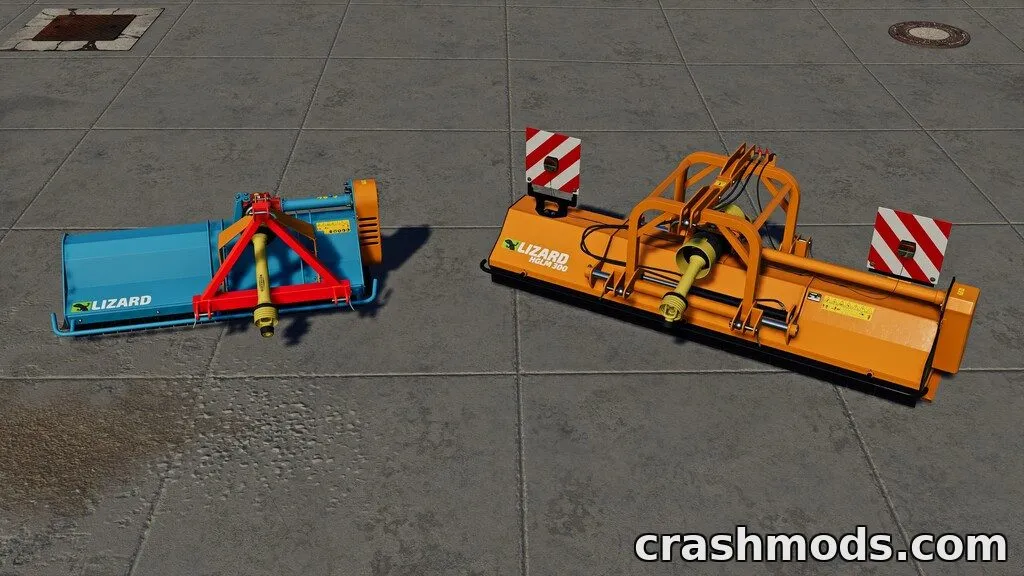
  • EFGC Series: 2 m working width, 20 PS / 14.7 kW power requirement
  • HGLM 300: 3 m working width, 70 PS / 51.5 kW power requirement
  • Two configurations available with different working widths and power needs

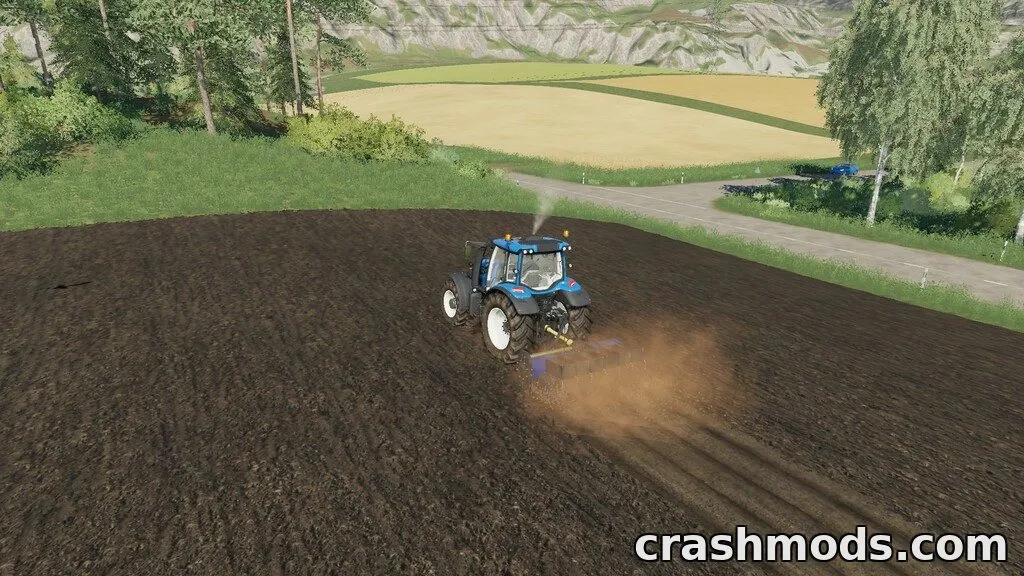
The Lizard Mulcher is a flail mower implement designed for shredding plant remains while mowing, making it useful for stubble cultivation, general field maintenance, and haulm removal.

It adds two configurations to the game: the EFGC Series with a 2 meter working width and a 20 PS (14.7 kW) power requirement, and the larger HGLM 300 with a 3 meter working width needing 70 PS (51.5 kW). The implement can also fertilize fields once plants reach a certain size, working especially well alongside the Precision Farming DLC.

This mulcher suits players who want a versatile tool for clearing crop residue, maintaining grass growth stages, and preparing fields for the next planting cycle.

✅ Description reviewed by the CrashMods Team

Changelog

V1.0.1:
- Fixed Seasons growth bug
- Fixed missing specular map on HGLM300 decals
- Fixed color names
Frequently asked questions6 questions

Lizard Mulcher – which game and version is it for?

This mod was made for Farming Simulator 19 (game version: 1.7.x). The mod's own version: V1.0.1. After a major game update, older mods may stop working — check the version before installing.

Lizard Mulcher – how do I install it?

Copy the .zip file to the Documents/My Games/FarmingSimulator20xx/mods folder (the folder for your game version), then enable it in the in-game mod list.

Is the download safe?

We checked the file with VirusTotal: none of the 74 antivirus engines flagged it. The full report opens from the "Verified" badge on the mod's page.

How big is the download?

The mod's file size is about 8.6 MB.

Lizard Mulcher – who made it?

The mod's original creator: VertexDezign.

Is the mod free?

Yes, downloading from CrashMods is free; registration is not required.

What’s inside the package?28 files · 15.5 MB unpackedScripts & code 23D models 4Textures 11Config & text 7Other files 4Show filesHide files

Folders, file names and sizes, read from the downloadable archive.

Scripts & code — names only, these files cannot be opened: mulcher.lua, mulcherDensityUtil.lua

Package
  • mulcher.lua18.4 KB
  • mulcherDensityUtil.lua21.4 KB
  • front2ChamberLight_05.i3d2.4 KB
  • front2ChamberLight_05.i3d.shapes26.3 KB
  • front2ChamberLight_05_left.xml244 B
  • front2ChamberLight_05_right.xml245 B
  • rear2ChamberLight_05.i3d2.6 KB
  • rear2ChamberLight_05.i3d.shapes26.3 KB
  • rear2ChamberLight_05_left.xml274 B
  • rear2ChamberLight_05_right.xml275 B
  • couplingHitch_normal.dds682.8 KB
  • couplingHitch_specular.dds170.8 KB
  • lizardEFGCSeries_decals.dds682.8 KB
  • lizardEFGCSeries_normal.dds2.7 MB
  • lizardEFGCSeries_specular.dds682.8 KB
  • lizardHGLM300_decals.dds682.8 KB
  • lizardHGLM300_normal.dds2.7 MB
1–20 / 311 / 2

Download Get the latest version of this mod and enjoy!

Latest Mod version: V1.0.1 Farming Simulator 19 1.7.x just now 8.6 MB
Lizard Mulcher – Flail Mower Implement V1.0.1 8.6 MB Farming Simulator 19 Download File

The file is on ModsDrop, our own storage.

  • Scannedwith VirusTotal
  • EU serversFast & reliable
  • Free downloadNo registration needed
  • Latest versionAlways up to date

More Farming Simulator 19 Implements & Tools mods

Uploaded by

NeroVex284
NeroVex284 LITE
  • 413 mod
  • 0 follower
  • 2,058 download
  • Registered 6 months ago

Community screenshots

Screenshots from players using this mod. Add yours — images only (JPG, PNG, WebP).

No community screenshots yet — be the first!

Leave a comment