Skip to content
Join our Discord for updates & support Discord

Dashboard Live – Custom Board Computer Displays V3.2.9

—/5, 0 ratings

Your rating

Creator: Glowins Modschmiede

File verified — safe
All 65 security engines found this file clean.
Last checked: 2026-08-27
Security report

Features:

  • Adds custom readouts to board computers and dashboards in tractors of any brand
  • Front and rear linkage status plus attached implements and trailers
  • Fill levels, PTOs, the active implement, folding status and tipping status with tipping side
  • Compass heading as four points, eight points or degrees
  • Field number, weight of the loaded fill quantity and a real-time clock
  • Radio on and off with station and volume adjustable by button
  • Minimap of the surrounding area shown in the dashboard
  • Combine readouts for fill level, straw chopper, cutting height, transfer tube position and overloading
  • Bale size and bale counter for balers and wrappers, plus front loader tool position
  • Short and permanent zoom on the shift keys and space bar, with dark mode and acoustic signals
  • Engine temperature, fuel and air consumption synchronized from server to clients in multiplayer
  • Made by Glowins Modschmiede

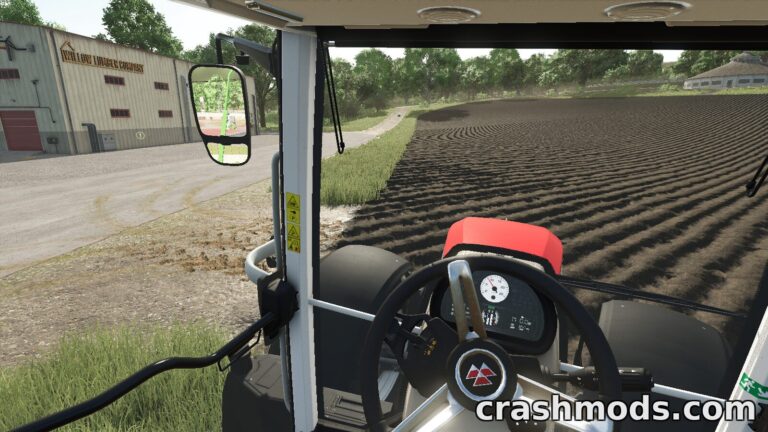
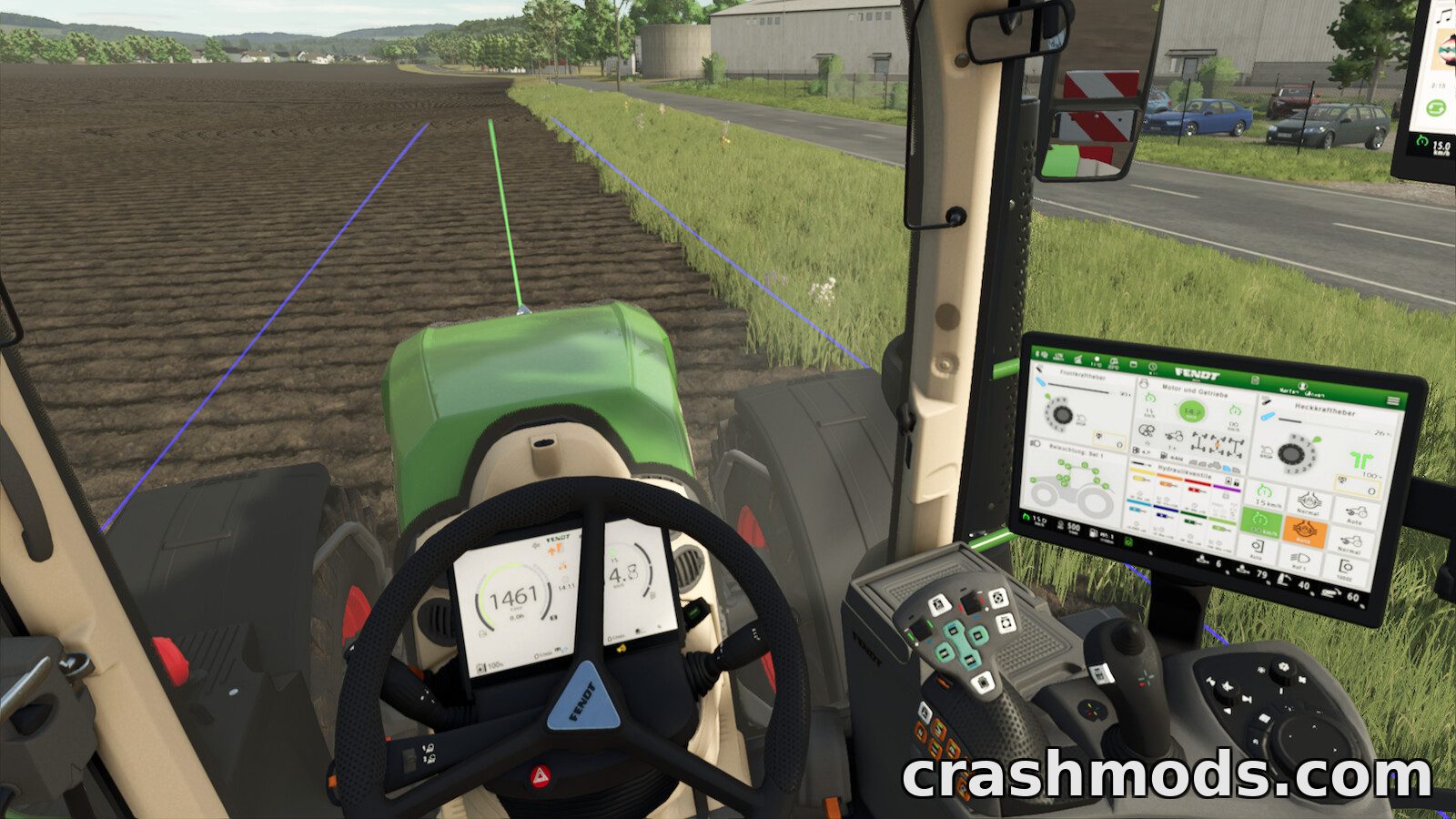
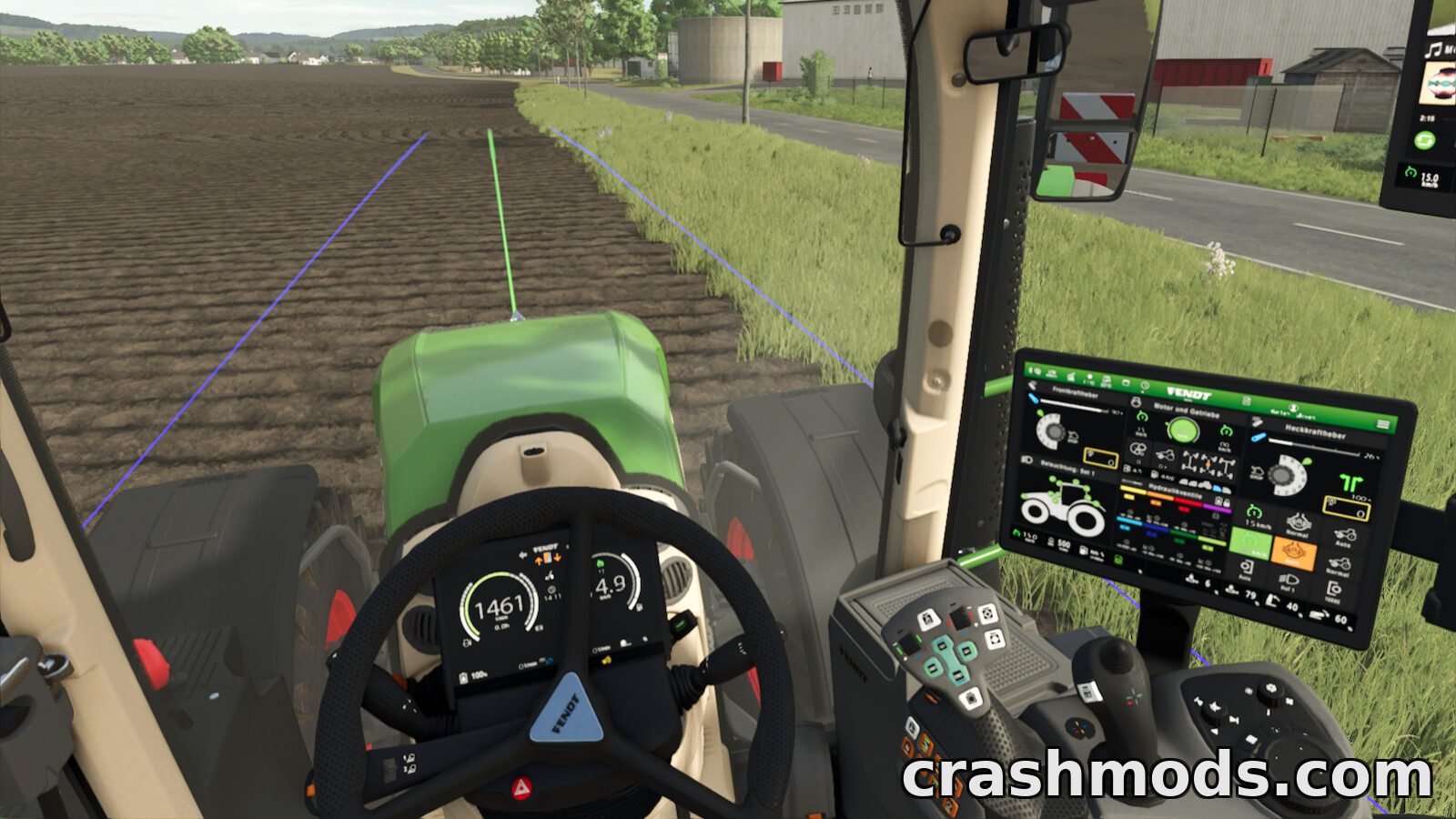
Dashboard Live, DBL for short, turns the board computers and dashboards of Farming Simulator 25 tractors into configurable information screens, and it does so no matter which brand the machine carries.

From the base game it can display front and rear linkage status, attached devices and trailers, filling levels, PTOs, the currently active implement, the folding and unfolding process, tipping status and tipping side, compass heading as four points, eight points or degrees, the field number, the weight of the loaded fill quantity, a real-time clock and full radio control down to station and volume. A minimap of the surrounding area can be shown in the dashboard as well.

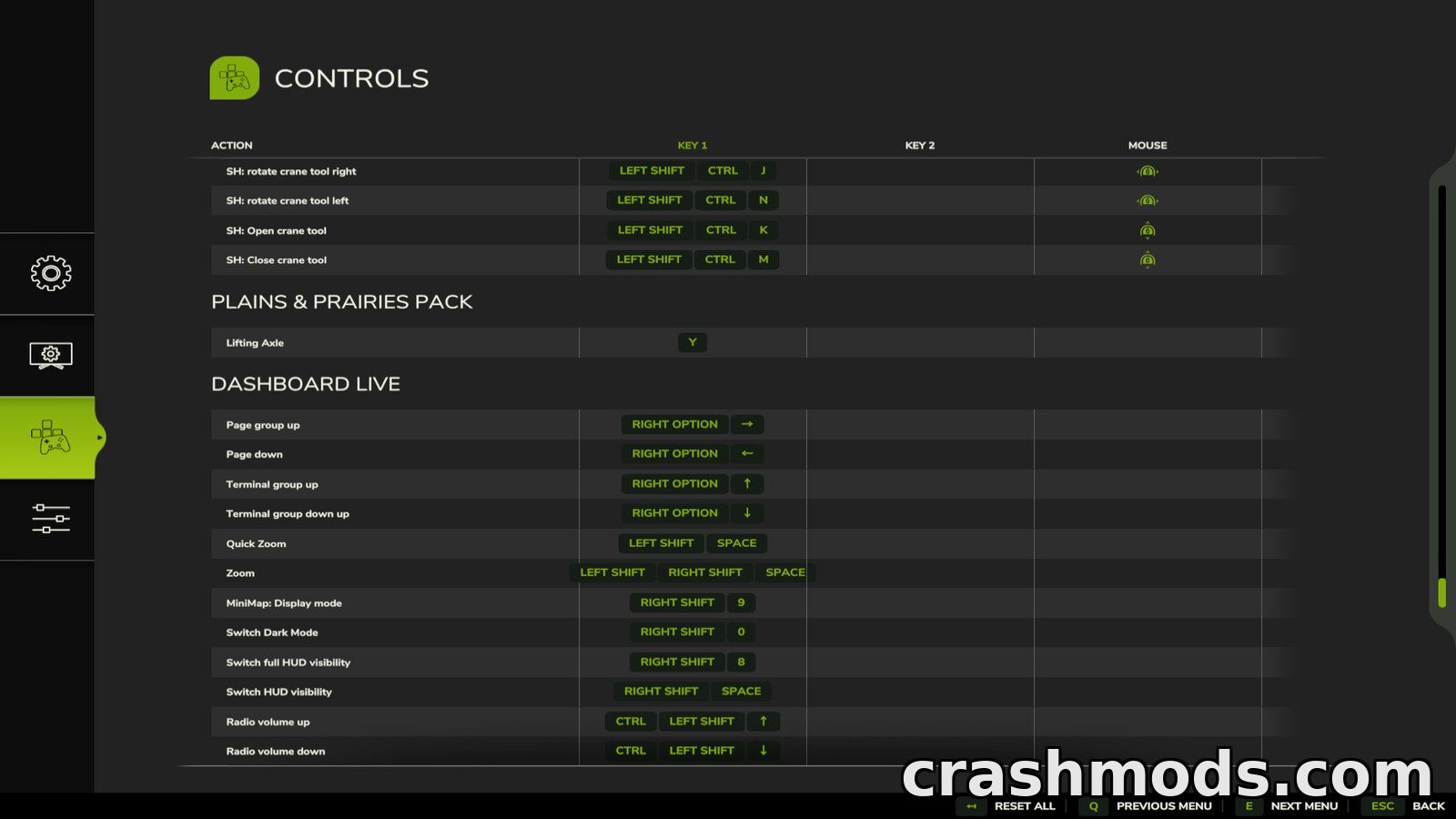
Specialised readouts follow the machine you are sitting in. Threshers get a filling indicator, straw chopper and swath status, cutting height, transfer tube position and an active overloading display, balers and wrappers get bale size and a bale counter, and front loaders show the tool position. A dark mode and acoustic signals round out the presentation, while a zoom function makes small displays readable: left shift with space for a short zoom, both shift keys with space to toggle a permanent zoom, and the right Alt key with the arrow keys to scroll through pages where the vehicle supports it.

Optional support extends to VehicleControlAddon for differential locks, all-wheel drive, hold speed, GPS status and wheel slip, Enhanced Vehicle for differential locks and all-wheel drive, Headland Management for status and field or pre-turn mode, CombineXP for tonnes per hour, engine load, yield and high moisture warnings, and CVTaddon for speed steps, acceleration and braking ramps and various warning states. In multiplayer the engine temperature, fuel and air consumption are synchronized from the server to the clients. Vehicles have to be prepared for DashboardLive in advance to use the displays, and an installation guide plus documentation are included.

✅ Description reviewed by the CrashMods Team

Changelog

V3.2.9
- 2.0.1.0: zoom function improved and adapted to patch 1.10; radio display and controls added; improved support for Interactive Control; compatibility with the Rhoenplateau crossplay map; division by zero condition with the fill level fixed; audio path for mod vehicles fixed.
- 2.0.2.0: fill level of the overload target added; the crosshair color used for Interactive Control support can be changed through a crosshair file in the mod settings directory.
- 2.1.0.0: ISOBUS support so trailers and implements can bring their own terminals or screens; fixes for the GENERIC and GENERIC_BOLD fonts; syntax checks for dashboard entries; conditions can now compare strings and are supported by the dbl.cc value type; Real GPS integration; items can be active on several pages; heading text expanded; fix for the nil condition in the AI steering server synchronisation; engine temperature is now saved and the engine heats up and cools down without being entered; compatibility with the realism addon gearbox parking brake; a button to release all engaged parking brakes; animation support; dashboard values can be stored temporarily and combined with other values.
- 2.1.0.1: terminals no longer stay dark in multiplayer after another client joins; duplicate factor of 100 in the slip calculation fixed, which had triggered the slip alert in John Deere terminals too often; incorrect return values that caused multiple log warnings fixed; DashboardLive warnings moved to developer warnings.
Frequently asked questions6 questions

Dashboard Live – which game and version is it for?

This mod was made for Farming Simulator 25. The mod's own version: V3.2.9. After a major game update, older mods may stop working — check the version before installing.

Dashboard Live – how do I install it?

Copy the .zip file to the Documents/My Games/FarmingSimulator2025/mods folder, then enable it in the in-game mod list.

Detailed guide

Is the download safe?

We checked the file with VirusTotal: none of the 65 antivirus engines flagged it. The full report opens from the "Verified" badge on the mod's page.

How big is the download?

The mod's file size is about 504.7 KB.

Dashboard Live – who made it?

The mod's original creator: Glowins Modschmiede.

Is the mod free?

Yes, downloading from CrashMods is free; registration is not required.

Download Get the latest version of this mod and enjoy!

Mod version: V3.2.9 Farming Simulator 25 2 months ago 504.7 KB
Dashboard Live – Custom Board Computer Displays V3.2.9 504.7 KB Farming Simulator 25 Download File

The file is on ModsDrop, our own storage.

  • Scannedwith VirusTotal
  • EU serversFast & reliable
  • Free downloadNo registration needed
  • Latest versionAlways up to date

More Farming Simulator 25 Scripts and Tools mods

Uploaded by

RavenByte73
  • 2,880 mod
  • 1 follower
  • 7,139 download
  • Registered 5 months ago

Community screenshots

Screenshots from players using this mod. Add yours — images only (JPG, PNG, WebP).

No community screenshots yet — be the first!

Leave a comment