Skip to content
Join our Discord for updates & support Discord

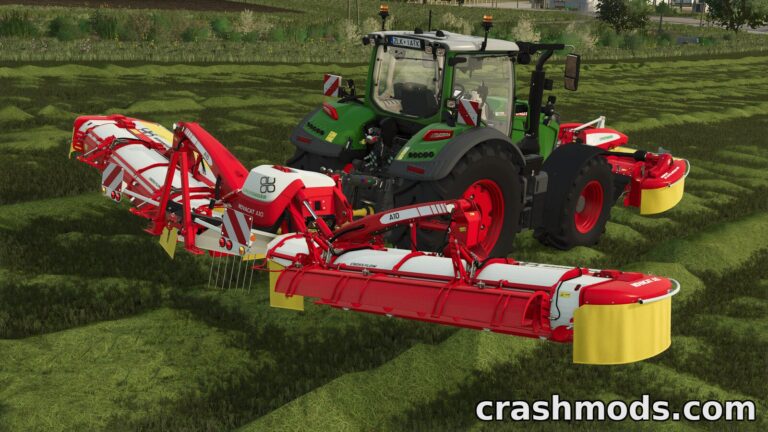
Bednar BatWing – Versatile Mowing & Mulching Implement V1.1

—/5, 0 ratings

Your rating

Creator: GMNGjoy

File verified — safe
All 74 security engines found this file clean.
Last checked: 2026-11-10
Security report

Features:

  • Six selectable work modes: Mower, Brush Hog, Swather, Mulcher, Stump Grinder, and Destroyer
  • Mower mode cuts with wide spreading
  • Brush Hog mode combines mowing with stump grinding
  • Swather mode leaves a drop swath behind the machine
  • Mulcher mode handles standard mulching tasks
  • Stump Grinding mode works as a dedicated grinder
  • Destroyer mode merges mulching and stump grinding in one pass
  • Working width of 7.0 meters
  • Working speed of up to 25 kph
  • Requires 125 hp to operate
  • In-game price of $40,000
  • Updated stump grinder and destroyer modes add front-mounted cutters for taller stumps, plus new visual grinding effects

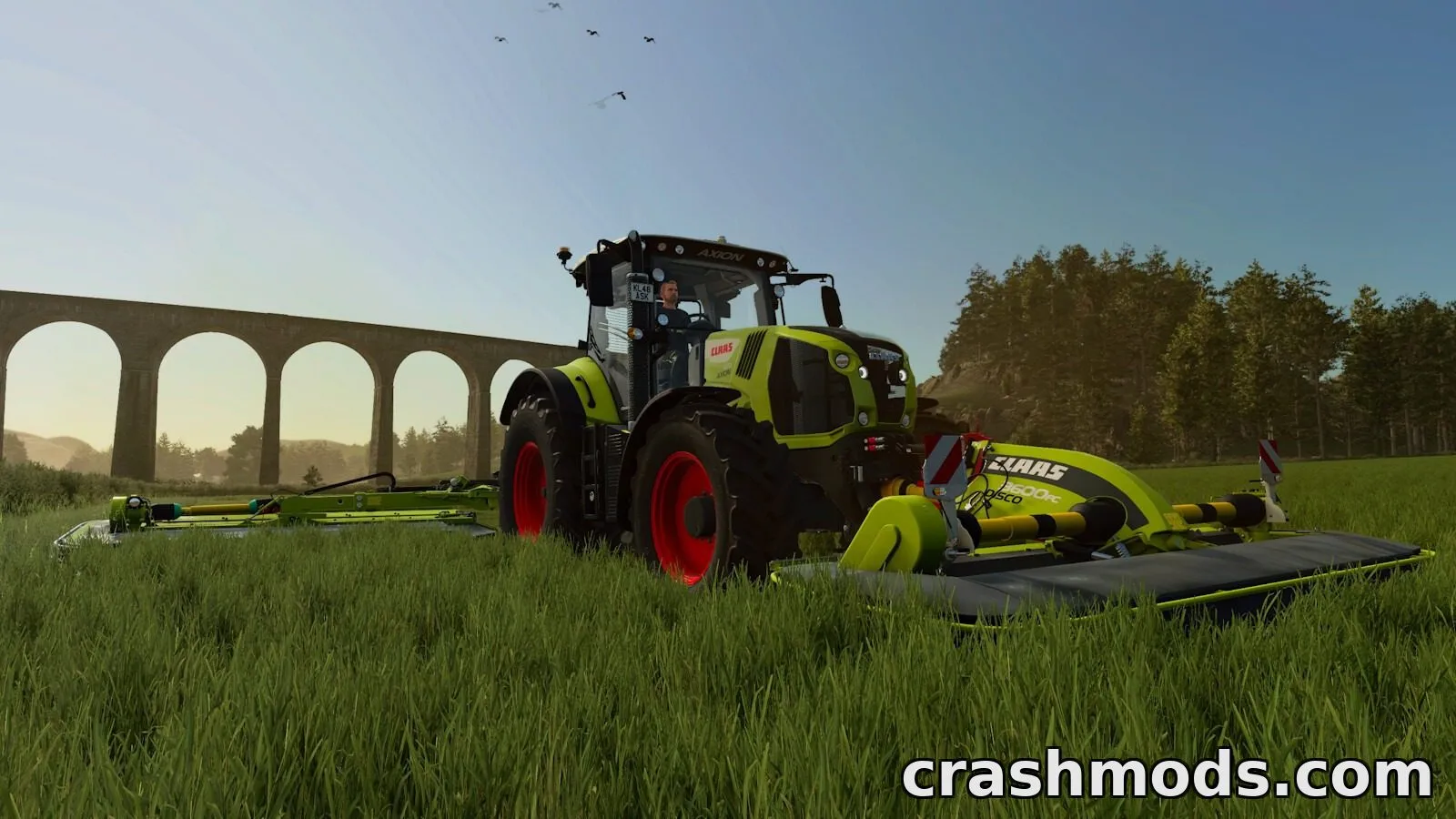
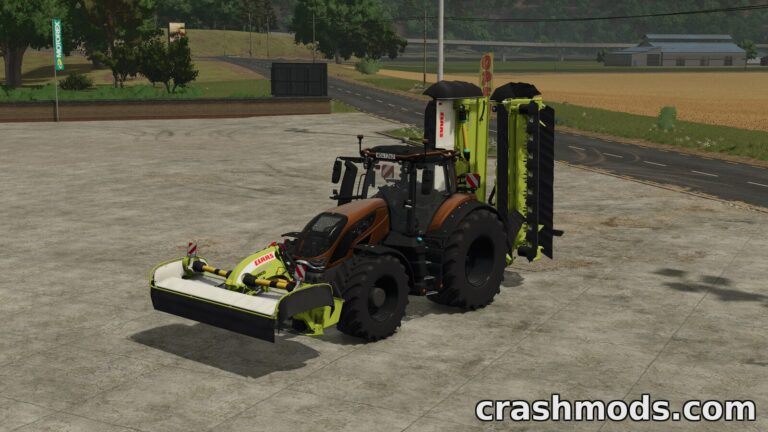
The Bednar BatWing MM8000 is a do-it-all implement built for operators who want one machine to handle several grassland tasks. Instead of switching equipment, players can change its work mode on the fly to mow, mulch, swath, or grind stumps as the job demands.

In the game it adds six distinct operating modes, each suited to a different task: standard mowing with wide spreading, brush hog mowing combined with stump grinding, swath-dropping mowing, straightforward mulching, standalone stump grinding, and a destroyer mode that mulches and grinds stumps together. With a 7.0 meter working width and a working speed of up to 25 kph, it's designed to clear ground efficiently, provided the tractor pulling it has at least 125 hp.

This implement suits players managing overgrown fields, pastures, or wooded areas who want flexibility without owning multiple separate machines.

✅ Description reviewed by the CrashMods Team

Changelog

V1.1:
- Updated Stump Grinder and Destroyer modes to add cutters in front of the machine for handling taller stumps
- Added visual stump grinder effects to related modes
Frequently asked questions6 questions

Bednar BatWing – which game and version is it for?

This mod was made for Farming Simulator 25 (game version: 1.25.x). The mod's own version: V1.1. After a major game update, older mods may stop working — check the version before installing.

Bednar BatWing – how do I install it?

Copy the .zip file to the Documents/My Games/FarmingSimulator2025/mods folder, then enable it in the in-game mod list.

Detailed guide

Is the download safe?

We checked the file with VirusTotal: none of the 74 antivirus engines flagged it. The full report opens from the "Verified" badge on the mod's page.

How big is the download?

The mod's file size is about 4.6 MB.

Bednar BatWing – who made it?

The mod's original creator: GMNGjoy.

Is the mod free?

Yes, downloading from CrashMods is free; registration is not required.

What’s inside the package?12 files · 6.1 MB unpacked3D models 1Textures 3Config & text 7Other files 1Show filesHide files

Folders, file names and sizes, read from the downloadable archive.

Package
  • mm8000.i3d52.7 KB
  • mm8000.i3d.shapes4.3 MB
  • mm8000Decals_diffuse.dds1.3 MB
  • l10n_de.xml1.3 KB
  • l10n_en.xml1.2 KB
  • l10n_fr.xml1.3 KB
  • l10n_pl.xml1.3 KB
  • icon_mm8000_batwing.dds128.1 KB
  • maps_fruitTypes.xml1.4 KB
  • mm8000_batwing.xml71.0 KB
  • modDesc.xml4.6 KB
  • store_mm8000_batwing.dds256.1 KB
1–14 / 14

Download Get the latest version of this mod and enjoy!

Mod version: V1.1 Farming Simulator 25 1.25.x 2 days ago 4.6 MB
Bednar BatWing – Versatile Mowing & Mulching Implement V1.1 4.6 MB Farming Simulator 25 Download File

The file is on ModsDrop, our own storage.

  • Scannedwith VirusTotal
  • EU serversFast & reliable
  • Free downloadNo registration needed
  • Latest versionAlways up to date

More Farming Simulator 25 Implements and Tools › Mowers mods

Uploaded by

Kiro_8036
Kiro_8036 LITE
  • 1,131 mod
  • 1 follower
  • 1,818 download
  • Registered 2 months ago

Community screenshots

Screenshots from players using this mod. Add yours — images only (JPG, PNG, WebP).

No community screenshots yet — be the first!

Leave a comment