Skip to content
Join our Discord for updates & support Discord

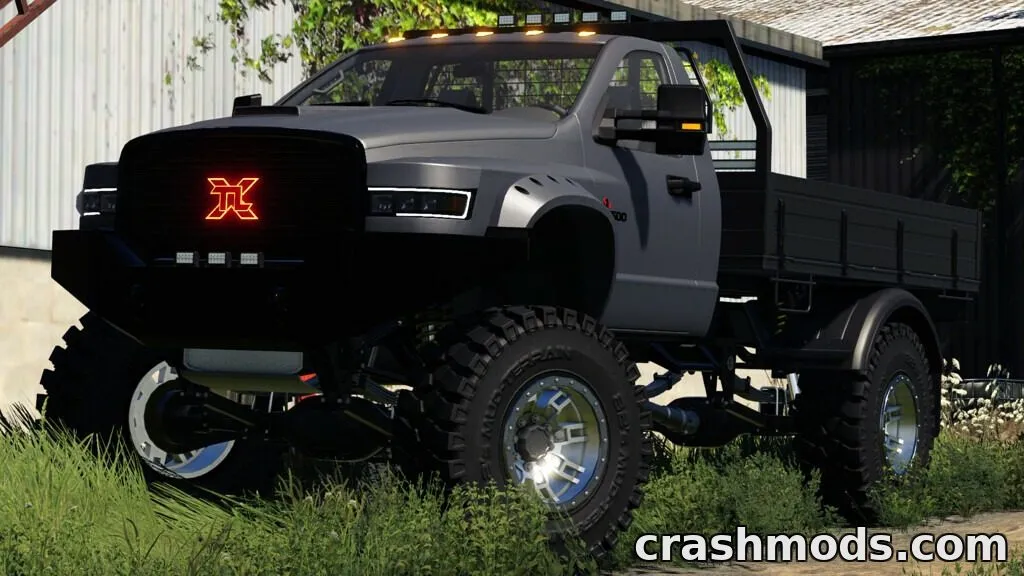
TLX 3500 Series – Customizable Pickup Truck V1.1

—/5, 0 ratings

Your rating

Creator: 82Studio

File verified — safe
All 73 security engines found this file clean.
Last checked: 2026-11-08
Security report

Features:

  • Two body versions: Crew Cab and Single Cab
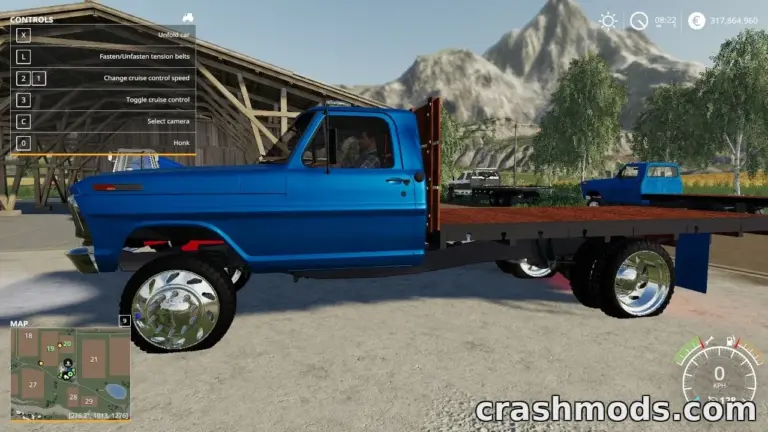
  • Crew Cab beds: Pickup bed, Flatbed, Tipper
  • Single Cab beds: Pickup bed XL, Flatbed XL, Prospector XL
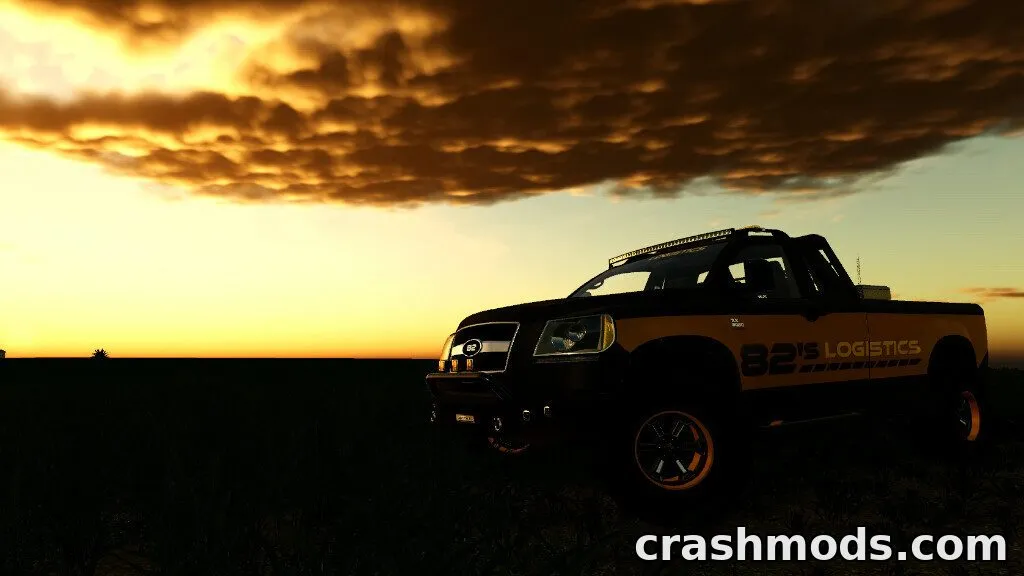
  • Special editions: Stock, Metalized, Black Belle, Copperhead, Silver Bullet
  • Choice of mirrors, bumpers, lighting and headlight colors
  • Over 30 wheel options plus a dedicated Prospector wheel brand
  • Attacher choices: Stock mount or Plow Mount
  • Engine options: 7.3L Diesel or 6.2L Supercharged
  • Base price set at 28,000 in-game currency
  • Adjustable body width and gate configurations
  • Fuel transport feature available on pickup beds

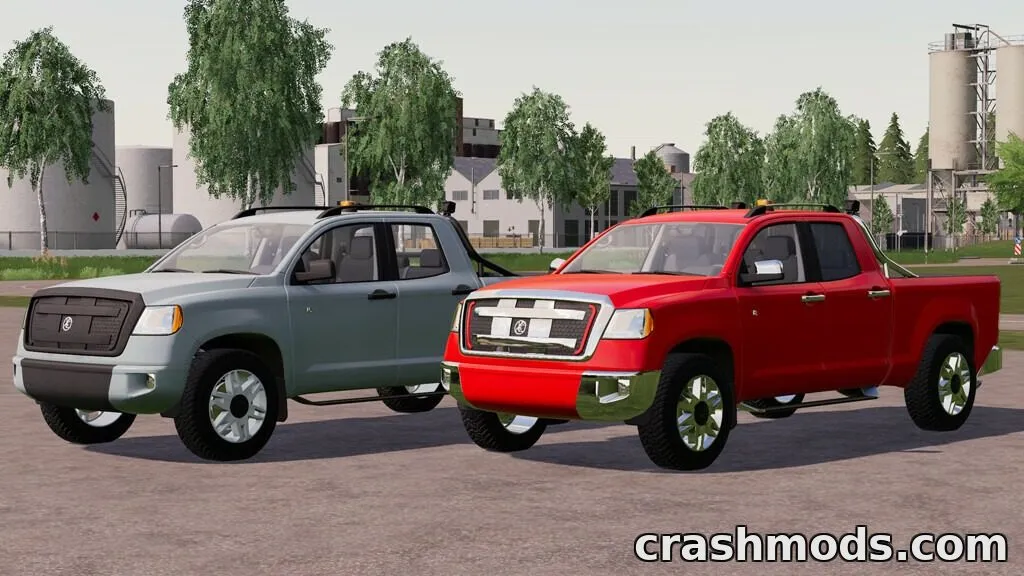
The TLX 3500 Series expands on its predecessor with a completely redesigned pick-up truck offering two distinct cab layouts, Crew Cab and Single Cab, each with its own set of bed and attachment options.

Owners can mix and match special editions, mirrors, bumpers, lighting, headlight colors and a huge selection of wheels to build a truck that matches their style. Engine choices range from a 7.3L diesel to a 6.2L supercharged unit, and attachments include a plow mount for work use.

With added features like fuel transport, adjustable width and new Prospector wheels and rims, this truck suits players who want a highly customizable utility vehicle for both farm work and personal styling.

✅ Description reviewed by the CrashMods Team

Changelog

V1.1:
- Added Single Cab configuration
- Added Pickup bed XL
- Added fuel transport to both pickup bed versions
- Added Prospector XL bed
- Added new Prospector wheel brand
- Added new rims for Mud-Terrain, Swampers and Prospector tires
Frequently asked questions6 questions

TLX 3500 Series – which game and version is it for?

This mod was made for Farming Simulator 19 (game version: 1.7.x). The mod's own version: V1.1. After a major game update, older mods may stop working — check the version before installing.

TLX 3500 Series – how do I install it?

Copy the .zip file to the Documents/My Games/FarmingSimulator20xx/mods folder (the folder for your game version), then enable it in the in-game mod list.

Is the download safe?

We checked the file with VirusTotal: none of the 73 antivirus engines flagged it. The full report opens from the "Verified" badge on the mod's page.

How big is the download?

The mod's file size is about 80.7 MB.

TLX 3500 Series – who made it?

The mod's original creator: 82Studio.

Is the mod free?

Yes, downloading from CrashMods is free; registration is not required.

What’s inside the package?226 files · 115.0 MB unpacked3D models 35Textures 88Sounds 6Config & text 62Other files 35Show filesHide files

Folders, file names and sizes, read from the downloadable archive.

Package
  • flatbed3500.i3d42.2 KB
  • flatbed3500.i3d.shapes1.5 MB
  • flatbed3500.xml42.1 KB
  • pickupbed3500.i3d84.9 KB
  • pickupbed3500.i3d.shapes2.3 MB
  • pickupbed3500.xml83.4 KB
  • body_metal_mat_specular.dds2.7 MB
  • body_plastic_mat_specular.dds682.8 KB
  • cablight1.i3d4.2 KB
  • cablight1.i3d.shapes16.4 KB
  • cablight2.i3d4.2 KB
  • cablight2.i3d.shapes13.6 KB
  • 3500.xml518 B
  • 3500_gears.xml14.5 KB
  • 3500_idle.ogg186.9 KB
1–20 / 531 / 3

Download Get the latest version of this mod and enjoy!

Latest Mod version: V1.1 Farming Simulator 19 1.7.x 7 minutes ago 80.7 MB
TLX 3500 Series – Customizable Pickup Truck V1.1 80.7 MB Farming Simulator 19 Download File

The file is on ModsDrop, our own storage.

  • Scannedwith VirusTotal
  • EU serversFast & reliable
  • Free downloadNo registration needed
  • Latest versionAlways up to date

More Farming Simulator 19 Cars mods

Uploaded by

NeroVex284
NeroVex284 LITE
  • 328 mod
  • 0 follower
  • 1,989 download
  • Registered 6 months ago

Community screenshots

Screenshots from players using this mod. Add yours — images only (JPG, PNG, WebP).

No community screenshots yet — be the first!

Leave a comment