Skip to content
Join our Discord for updates & support Discord

Crafted In – Workstation Info Display V1.0.9

—/5, 0 ratings

Your rating

Creator: Djtriplexmr

File verified — safe
All 75 security engines found this file clean.
Last checked: 2026-11-03
Security report

Features:

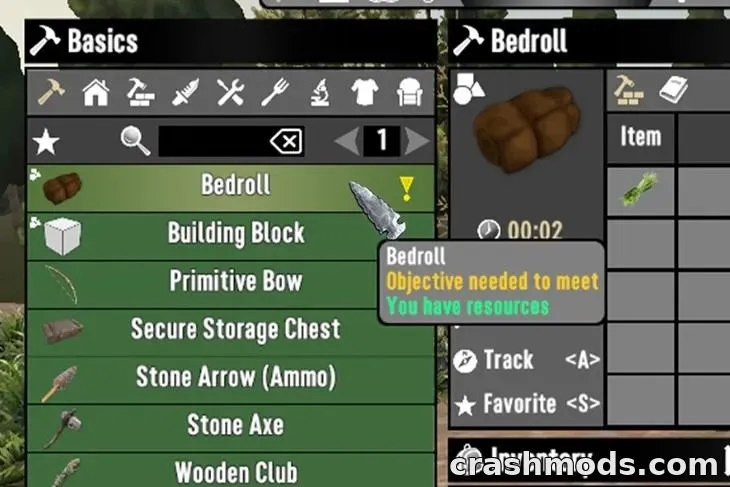
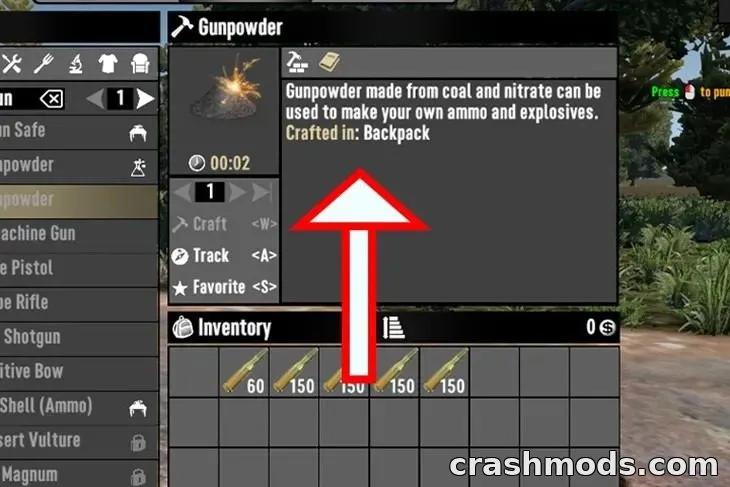
  • Shows which work area is needed to craft each item
  • Adds workstation names directly into item descriptions
  • Works with any number of work areas, even a thousand
  • Separates multiple workstation names with commas
  • Functions on both server and client side
  • Requires EAC to be disabled to work properly
  • Lightweight file, only 26 KB in size
  • Built for game version V3

Crafted In is a small UI mod for 7 Days to Die that solves a common annoyance: not knowing where an item is actually crafted. Instead of digging through menus, the mod simply tells you.

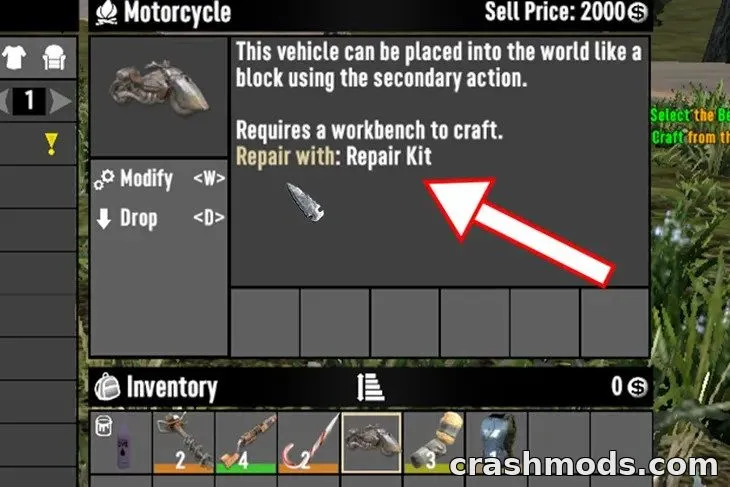
Once installed, every craftable item's description will list the name of the work area or areas where it's made. If an item can be produced in more than one work area, the mod lists them all, separated by commas, no matter how many work areas you have set up.

This is a handy quality-of-life addition for players who manage large bases with many different crafting stations and don't want to waste time searching for the right one. It works the same way whether you're playing on a server or in a single client, as long as EAC is turned off.

✅ Description reviewed by the CrashMods Team

Changelog

V1.0.9 — First release.
Frequently asked questions6 questions

Crafted In – which game and version is it for?

This mod was made for 7 Days to Die (game version: V3). The mod's own version: V1.0.9. After a major game update, older mods may stop working — check the version before installing.

Crafted In – how do I install it?

Follow the installation steps in the mod's description.

Is the download safe?

We checked the file with VirusTotal: none of the 75 antivirus engines flagged it. The full report opens from the "Verified" badge on the mod's page.

How big is the download?

The mod's file size is about 26.2 KB.

Crafted In – who made it?

The mod's original creator: Djtriplexmr.

Is the mod free?

Yes, downloading from CrashMods is free; registration is not required.

What’s inside the package?10 files · 49.2 KB unpackedScripts & code 2Textures 3Config & text 5Show filesHide files

Folders, file names and sizes, read from the downloadable archive.

Scripts & code — names only, these files cannot be opened: Ramos_CraftedIn.dll, XMRCoreApi.dll

Package
  • Localization.csv535 B
  • Localization.txt532 B
  • LICENSE.md4.4 KB
  • ModInfo.xml381 B
  • Ramos_CraftedIn.dll12.0 KB
  • XMRCoreApi.dll17.0 KB
1–11 / 11

Download Get the latest version of this mod and enjoy!

Mod version: V1.0.9 7 Days to Die V3 2 weeks ago 26.2 KB
Crafted In – Workstation Info Display V1.0.9 26.2 KB 7 Days to Die Download File

The file is on ModsDrop, our own storage.

  • Scannedwith VirusTotal
  • EU serversFast & reliable
  • Free downloadNo registration needed
  • Latest versionAlways up to date

More 7 Days to Die UI mods

Uploaded by

ShadowMint42
  • 450 mod
  • 0 follower
  • 1,894 download
  • Registered 3 months ago

Community screenshots

Screenshots from players using this mod. Add yours — images only (JPG, PNG, WebP).

No community screenshots yet — be the first!

Leave a comment