Skip to content
Join our Discord for updates & support Discord

Composttea – Compost-Based Fertilizer Add-On V1.3

—/5, 0 ratings

Your rating

Creator: TF 2020 MODS

File verified — safe
All 74 security engines found this file clean.
Last checked: 2026-11-18
Security report

Features:

  • Adds composttea as a new liquid fertilizer fill type usable on any map
  • Composttea pallet (disposable): price 250, capacity 2000 l
  • Composttea Profi (returnable pallet): price 500, capacity 2000 l
  • Composttea Import placeable object: price 8500
  • Composttea Storage placeable object: price 8500, capacity 21000 l
  • Composttea Export placeable object: price 8500
  • Invisible silo extension object: price 20000, capacity 100000 l
  • Accepted at all points of sale that buy wheat, barley and canola
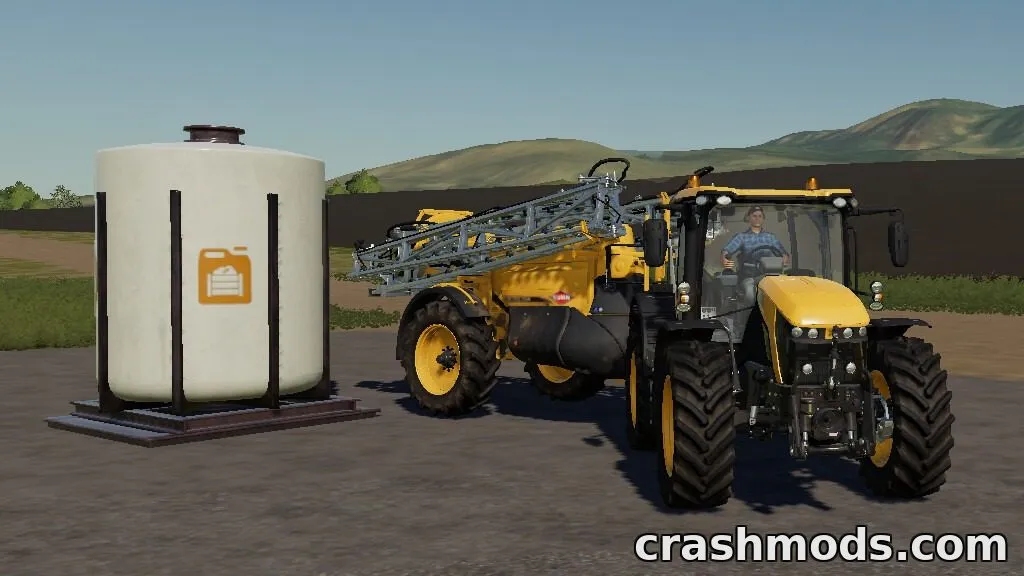
  • Compatible field sprayers and liquid fertilizer trailers automatically support composttea
  • Requires 5 other mods: GlobalCompany, HS 10.5 Tank Trailers, Kuhn Interactive Sprayers, Hardi Interactive Sprayers, AI Fertilizer Extension

Composttea introduces a brand-new fertilizer type to the game, based on compost dissolved in water with minerals and sugar beet syrup. It needs the listed companion mods installed to function correctly.

The pack includes disposable and returnable pallets, import, storage and export placeables, plus a hidden silo extension object so players can store and trade composttea just like other liquid fertilizers. Field sprayers and compatible trailers can use it directly on crops.

It's aimed at players who want more variety in their fertilizer management and extra ways to generate income through dedicated trading buildings rather than relying only on standard map outlets.

Required mods: this mod needs the following 5 mods to work: GlobalCompany (by LS-Modcompany / kevink98, aPuehri, Eribus), HS 10.5 Tank Trailers (by TF 2020 MODS), Kuhn Interactive Sprayers (by TF 2020 MODS), Hardi Interactive Sprayers (by TF 2020 MODS), AI Fertilizer Extension (by TF 2020 MODS). Install them too.

✅ Description reviewed by the CrashMods Team

Changelog

V1.3:
- Added pallet unloading support (requires Global Company)
Frequently asked questions6 questions

Composttea – which game and version is it for?

This mod was made for Farming Simulator 19 (game version: 1.7.x). The mod's own version: V1.3. After a major game update, older mods may stop working — check the version before installing.

Composttea – how do I install it?

Copy the .zip file to the Documents/My Games/FarmingSimulator20xx/mods folder (the folder for your game version), then enable it in the in-game mod list.

Is the download safe?

We checked the file with VirusTotal: none of the 74 antivirus engines flagged it. The full report opens from the "Verified" badge on the mod's page.

How big is the download?

The mod's file size is about 2.2 MB.

Composttea – who made it?

The mod's original creator: TF 2020 MODS.

Is the mod free?

Yes, downloading from CrashMods is free; registration is not required.

What’s inside the package?33 files · 10.6 MB unpackedScripts & code 33D models 4Textures 11Config & text 11Other files 4Show filesHide files

Folders, file names and sizes, read from the downloadable archive.

Scripts & code — names only, these files cannot be opened: composttea.lua, GC_Checker.lua, manureSystemVehicle.lua

Package
  • l10n_de.xml160 B
  • l10n_en.xml160 B
  • compostTea_Effect_Materialholder.i3d1.9 KB
  • compostTea_Effect_Materialholder.i3d.shapes1.3 KB
  • hud_fill_compostTea.dds64.1 KB
1–8 / 371 / 5

Download Get the latest version of this mod and enjoy!

Latest Mod version: V1.3 Farming Simulator 19 1.7.x 4 minutes ago 2.2 MB
Composttea – Compost-Based Fertilizer Add-On V1.3 2.2 MB Farming Simulator 19 Download File

The file is on ModsDrop, our own storage.

  • Scannedwith VirusTotal
  • EU serversFast & reliable
  • Free downloadNo registration needed
  • Latest versionAlways up to date

Uploaded by

NeroVex284
NeroVex284 LITE
  • 785 mod
  • 0 follower
  • 2,399 download
  • Registered 6 months ago

Community screenshots

Screenshots from players using this mod. Add yours — images only (JPG, PNG, WebP).

No community screenshots yet — be the first!

Leave a comment