

Equipment mods are the ones that change how your gear behaves or how you see it on screen. That covers everything from durability tracking and vein mining to firearms, camera tricks and small visual tweaks to enchanted items. Some run purely client-side and add convenience, others change how servers handle mining or combat.
When picking from a list like this, match the mod loader (Fabric, Forge, NeoForge or Quilt) to your game version first, then check if a mod needs a separate library or dependency to run. Client-side mods are usually safe to add without asking a server owner, but anything that automates actions or gives an edge in PvP is worth checking against server rules before you install it.
1. Fast Xp – Throw XP Bottles Faster

Fast Xp is a small client-side mod that speeds up how quickly you can throw experience bottles. Instead of one bottle per click, it resends the use action every tick while you hold right-click, so a full stack empties almost instantly. It works automatically whether the bottles are in your main hand or your offhand.
It suits players who grind XP bottles for enchanting or trading and don’t want to click repeatedly. Since it alters a normal action’s speed, check your server’s rules before using it on multiplayer, as it may count as an unfair advantage on some.
Download Fast Xp – Throw XP Bottles Faster on CrashMods · Game version: 1.21.6
2. Durability Viewer Updated – Armor and Tool Durability HUD

Durability Viewer Updated puts armor and tool condition right on your screen with color-coded numbers that shift from green to red as gear wears down. Nearly new items show damage taken instead of remaining durability, which is handy for watching Mending progress, and a warning sound fires before something breaks.
It also tracks empty inventory slots and remaining potion effect time, and settings are adjusted through Mod Menu. Good fit for anyone who hates checking tooltips constantly during long mining or combat sessions.
Download Durability Viewer Updated – Armor and Tool Durability HUD on CrashMods · Game version: 1.21.8
3. Tiers – PvP Tier Display on Name Tags
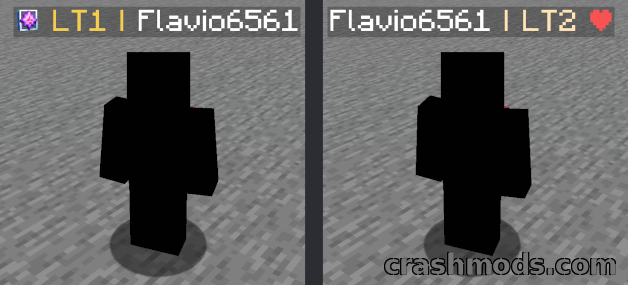
Tiers is built for the PvPTiers community and shows a player’s tier directly on their name tag. You can auto-detect a kit, pull up a nearby player’s stats, or search rankings, peaks and regions through a dedicated screen, with several gamemodes available to cycle through.
It’s aimed at players active in kit PvP who want ranking info without leaving the game. The mod runs client-side and works on regular multiplayer servers, with icon and color presets matching familiar tier list styles.
Download Tiers – PvP Tier Display on Name Tags on CrashMods · Game version: 1.21.10
4. VeinMiner – Mine the Whole Vein in One Break

VeinMiner breaks an entire connected vein from a single swing instead of one block at a time. It runs server-side, so every connected client benefits even without installing anything themselves, and it comes preconfigured for common ores and pickaxes.
Block groups let you extend the behavior to other materials, and settings like cooldown, chain length and search radius are all adjustable. It’s a solid pick for server owners who want faster mining without handing out a separate client mod.
Download VeinMiner – Mine the Whole Vein in One Break on CrashMods · Game version: 26.2
5. Timeless and Classics Guns – Animated Firearms with Attachments and Skins

This mod adds more than fifty firearms, each with its own tier, stats and dedicated animations, plus attachments like scopes, grips and magazines that change how a weapon handles. Skins let you swap a gun’s color and model, and damage, recoil and fire rate can all be tuned through datapacks.
It’s a standalone project now, no longer tied to Crayfish’s gun mod, which makes it a better long-term pick if you want firearms without extra baggage. Forge support covers 1.18.x, and it needs Framework on 1.18.2 or Obfuscate on 1.16.5 to function.
Download Timeless and Classics Guns – Animated Firearms with Attachments and Skins on CrashMods · Game version: 1.18.x
6. Rescale (Aspect Ratio) – Forced Stretched Resolution and View Model Editor
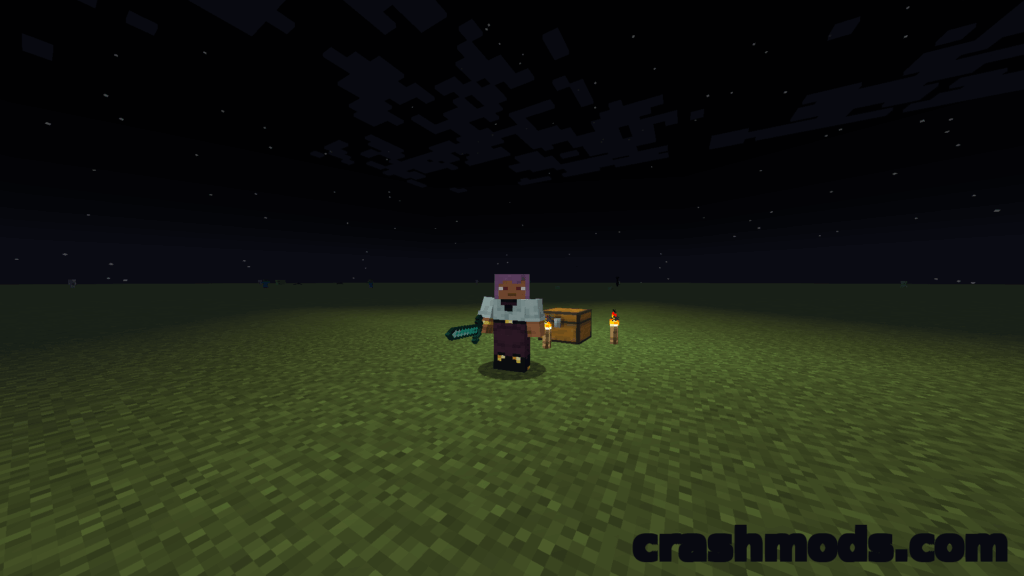
Rescale forces a chosen aspect ratio, including 4:3, 5:4 or custom values, while keeping your native resolution underneath. The image gets stretched so player models appear noticeably wider, a look some players prefer over the standard view.
Alongside that, a built-in editor lets you reposition and resize the first-person hands, opened with the Insert key and adjusted with Ctrl plus arrow keys. It needs Cloth Config API and runs on NeoForge for 1.21.1.
Download Rescale (Aspect Ratio) – Forced Stretched Resolution and View Model Editor on CrashMods · Game version: 1.21.1
7. VeinMiner Enchantment – Vein Mining Locked Behind a Custom Enchantment
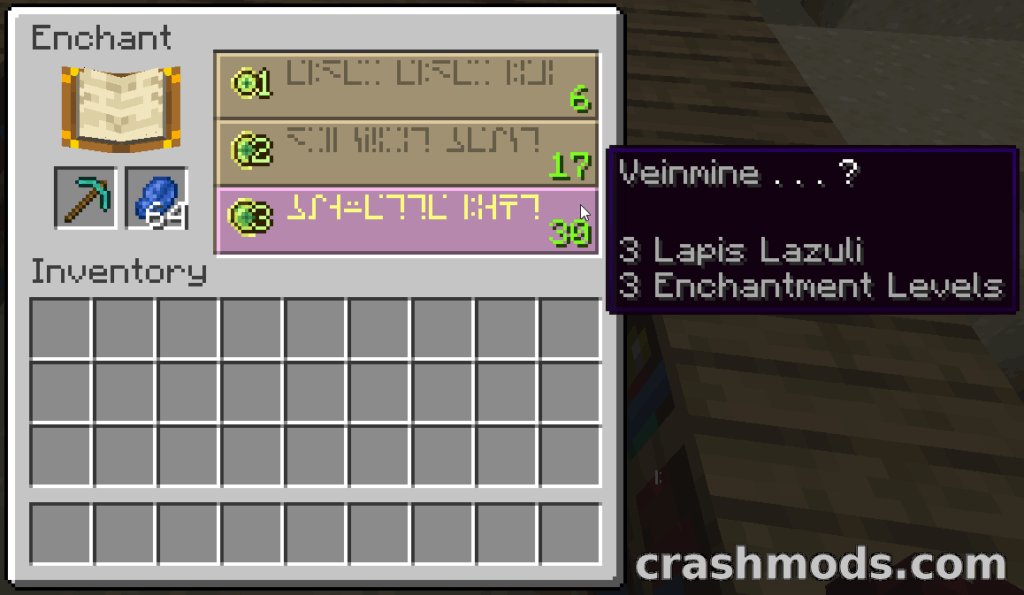
This add-on introduces a Veinmine enchantment that gates vein mining behind enchanting tables rather than giving everyone the ability outright. The base VeinMiner mod still has to be installed for this to do anything, and existing block rules carry over once the enchantment is applied.
A weight setting controls how often it shows up at the enchanting table, and it can stack with other enchantments on the anvil at a set level cost. Wide platform support makes it an easy fit for servers already running VeinMiner.
Download VeinMiner Enchantment – Vein Mining Locked Behind a Custom Enchantment on CrashMods · Game version: 1.21.1
8. First-person Model – Third-person Body in First-person View

First-person Model swaps the usual floating hands for your full third-person body, so looking down actually shows your character rather than empty air. Every third-person animation becomes visible from this view, and F6 toggles back to the vanilla camera whenever you want it.
It’s purely visual and doesn’t touch the camera position, so there’s no gameplay advantage involved. It relies on the Not Enough Animations dependency for proper animation fitting, and it may conflict with other mods that replace the player model.
Download First-person Model – Third-person Body in First-person View on CrashMods · Game version: 26.2
9. FreeCam – Detached Flying Camera with F6 Follow View
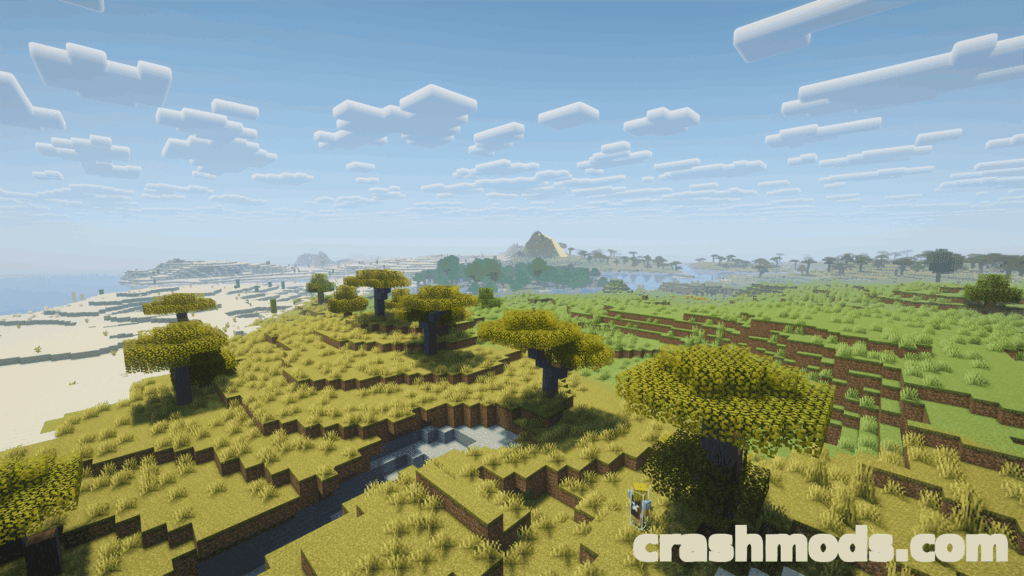
FreeCam separates the camera from your character using its own entity, letting you fly through blocks within render distance while your player stays put and unfrozen. The F6 follow mode pulls the camera back behind you for a wider view, automatically adjusting when walls get in the way.
Flight speed, follow distance and collision behavior are all configurable, and you keep full movement control while in follow mode. It’s a good option for screenshots, exploring builds, or just seeing your character from outside the usual first-person view.
Download FreeCam – Detached Flying Camera with F6 Follow View on CrashMods · Game version: 1.6.4
10. Enchantment Glint Outline – Customisable Outlines for Enchanted Items
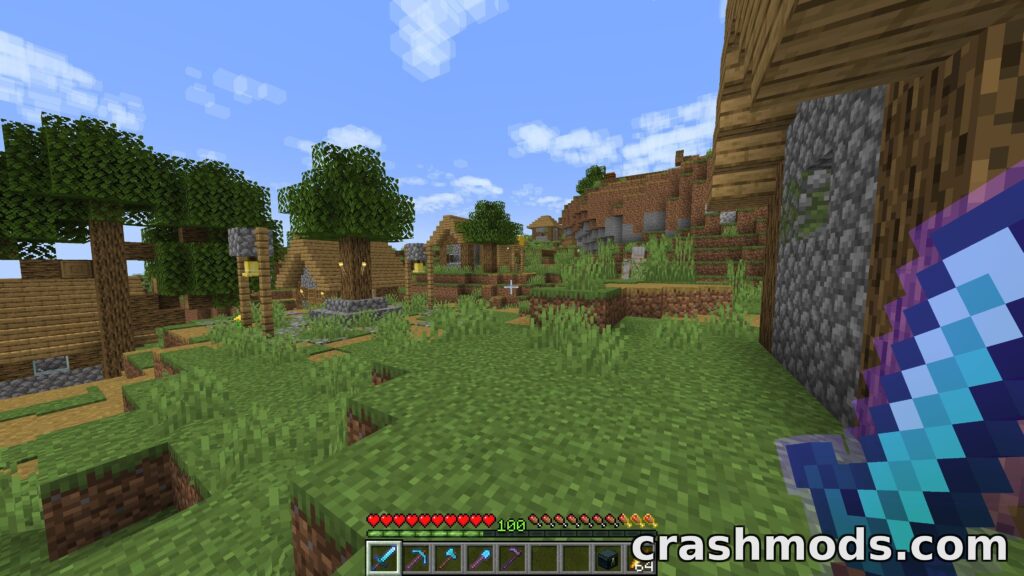
Enchantment Glint Outline adds a visible outline around enchanted items, taking cues from a look popularized on Bedrock resource packs. Styles and colors can be customized, and the outline works with custom item models and glint textures from resource packs too.
It plays nicely with vanilla shaders and Sodium, though heavier rendering mods like full shader packs may cause conflicts. Settings are managed through Mod Menu and YACL, so toggling the effect on or off takes a few clicks.
Download Enchantment Glint Outline – Customisable Outlines for Enchanted Items on CrashMods · Game version: 1.21.10
Tips for equipment mods in Minecraft
- Back up your world or save folder before adding any new mod, especially ones that touch block breaking or rendering.
- Match each mod’s required loader, whether that’s Fabric, Forge, NeoForge or Quilt, to the exact game version you’re running.
- Install any listed dependencies first, since mods that rely on a library or framework won’t load without it.
- On multiplayer servers, check the rules before using client-side mods that automate actions or show extra information, as some are restricted even if they work technically fine.
- If something fails to load, remove mods one at a time to isolate which one is causing the conflict rather than reinstalling everything at once.
Browse all Minecraft mods on CrashMods
