Skip to content
Join our Discord for updates & support Discord

Adviser Bottom Bar HUD – Compact Left-Side Layout V1.2

—/5, 0 ratings

Your rating

Creator: Distiller

File verified — safe
All 75 security engines found this file clean.
Last checked: 2026-10-27
Security report

Features:

  • Removes the default tachometer from the UI
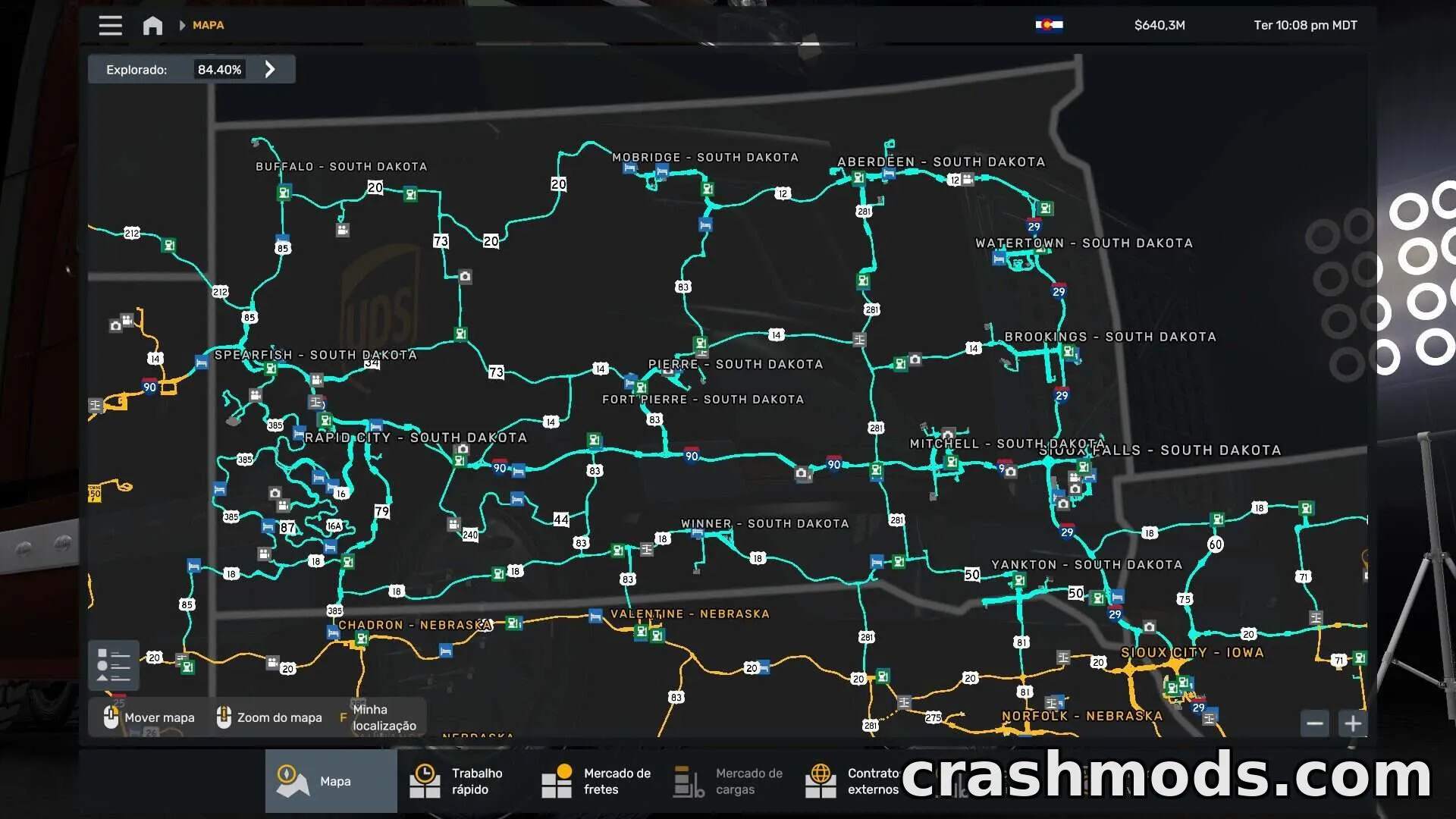
  • Moves the map display to the top left corner
  • Shrinks the map for a more compact view
  • Reorganizes static notification indicators along the bottom
  • Displays fuel, lights, and turn signal indicators in the bottom bar
  • Shows gear and cruise control status along the bottom
  • Includes speed and speed limit display
  • Shows in-game time
  • Includes the fatigue monitor
  • Moves the company running line bar to the top
  • Tested on screen resolutions up to 5760×1080
  • Requires game version 1.59 or higher

This HUD modification reworks the on-screen interface layout, giving drivers a cleaner and more organized view of essential information. The default tachometer is removed, and the map is relocated to the top left corner in a smaller size, freeing up more screen space.

All other key data is consolidated along the bottom of the screen, including notification lights, fuel and light indicators, turn signals, gear position, cruise control, current speed, speed limit, game time, and the fatigue monitor. The company running line bar, which normally displays route information, has also been moved up to the top bar alongside the map.

This layout is suited for players who prefer a minimalist, bottom-focused HUD arrangement and want their map tucked neatly in a corner rather than taking up central screen space. It has been tested on wide displays up to 5760×1080 resolution.

✅ Description reviewed by the CrashMods Team

Changelog

V1.2 — First release.
Frequently asked questions6 questions

Adviser Bottom Bar HUD – which game and version is it for?

This mod was made for American Truck Simulator (game version: 1.59.x). The mod's own version: V1.2. After a major game update, older mods may stop working — check the version before installing.

Adviser Bottom Bar HUD – how do I install it?

Copy the .scs or .zip file to the Documents/American Truck Simulator/mod folder, then enable it in your profile's Mod Manager.

Is the download safe?

We checked the file with VirusTotal: none of the 75 antivirus engines flagged it. The full report opens from the "Verified" badge on the mod's page.

How big is the download?

The mod's file size is about 135.4 KB.

Adviser Bottom Bar HUD – who made it?

The mod's original creator: Distiller.

Is the mod free?

Yes, downloading from CrashMods is free; registration is not required.

Download Get the latest version of this mod and enjoy!

Latest Mod version: V1.2 American Truck Simulator 1.59.x 7 hours ago 135.4 KB
Adviser Bottom Bar HUD – Compact Left-Side Layout V1.2 135.4 KB American Truck Simulator Download File

The file is on ModsDrop, our own storage.

  • Scannedwith VirusTotal
  • EU serversFast & reliable
  • Free downloadNo registration needed
  • Latest versionAlways up to date

More American Truck Simulator UI mods

Uploaded by

RavenByte73
  • 2,516 mod
  • 1 follower
  • 5,206 download
  • Registered 4 months ago

Community screenshots

Screenshots from players using this mod. Add yours — images only (JPG, PNG, WebP).

No community screenshots yet — be the first!

Leave a comment