

Gameplay mods are the ones that change how your farm actually runs day to day, not just what it looks like. The mods below touch time management, loading work, dirt and dust realism, sleeping rules, contract missions and precision farming tools. Together they cover a wide range of what a long save might need, from skipping dead time to planning your fieldwork around real forecasts.
When picking from a list like this, think about what slows you down most right now. If waiting around is the problem, a time scale or sleep mod solves it directly. If loading pallets and bales by hand gets old, go for the autoload option. Check file size and whether a mod needs a companion mod or DLC base, since a few here work best paired with something else or replace a vanilla system outright.
1. Better Time Scale

This script mod stacks extra time scales on top of the vanilla options, adding speeds up to 25000x using the same 7 and 8 keys you already use. It is meant for skipping nights, waiting out downtime, or letting crops and grass grow between sessions without sitting through it all.
It is a tiny file with no setup required, and it leaves the standard speeds untouched, so you are only adding options rather than replacing anything. Good pick for anyone testing maps or mods who needs time to move fast on demand.
Download Better Time Scale – Extra Time Scales up to 25000x on CrashMods
2. Universal Autoload

Universal Autoload adds an autoload specialisation to flatbed trailers so pallets, big bags, IBC tanks, square bales and lumber get loaded automatically instead of by hand. It installs itself on a long list of base game and Platinum DLC trailers and vehicles, and it sorts mixed pallets by size for tighter stacking.
You can load by material or container type, restrict loading to full pallets only, or just grab everything at once. It even works with the player on foot when the trailer isn’t hooked up, which makes yard work a lot less fiddly.
Download Universal Autoload – Auto-Load Pallets, Bales and Logs on CrashMods
3. Real Dirt Fix
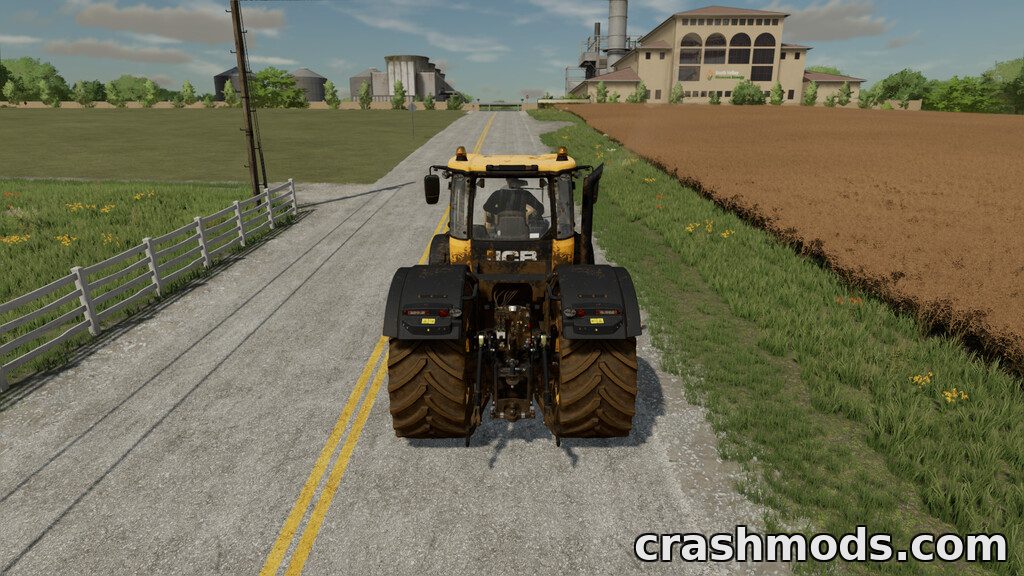
Real Dirt Fix stops rain, grass and road driving from wiping the dirt off your vehicles, so mud you pick up in the field actually stays on. It is a small change aimed purely at realism rather than any new mechanic.
The mod author recommends pairing it with Real Dirt Color and Real Dirt Color Tracks for the full look. It’s a lightweight script that should sit fine on any map in single or multiplayer.
Download Real Dirt Fix – Vehicles Stay Dirty in Rain and on Roads on CrashMods
4. More Productions Possible

This mod doubles the number of productions you can place in a save, taking the limit from 60 up to 120. Useful if you are building out a serious production chain and keep hitting the ceiling.
Keep in mind the original limit exists for a reason: running a large number of active productions at once can put a dent in performance, so scale up gradually rather than maxing it out from the start.
Download More Productions Possible – 120 Productions per Save on CrashMods
5. Dusty Lands Extension

Dusty Lands Extension pumps up the dust kicked up by tillage tools, seeders, balers, mowers, combines and even wheels, with the amount tied to how long it’s been since rain or snow. Each implement class can be tuned separately through the game menu, and you can scale the whole effect up or down to taste.
It’s aimed at anyone who wants fieldwork to look and feel dustier without touching anything else. Settings are adjustable rather than fixed, so you can dial it back on windy maps or crank it for dry season atmosphere.
Download Dusty Lands Extension – More Dust from Every Implement on CrashMods
6. FS22 Sleep Anywhere

Sleep Anywhere removes the need to find a farmhouse or dedicated sleeping spot. Your character can rest on foot wherever you happen to be on the map.
It’s a small convenience mod built for long play sessions where walking back to a bed just wastes time. Simple to use: trigger sleep on foot and keep going.
Download FS22 Sleep Anywhere – Free Sleep Anywhere on CrashMods
7. E-DriveLaner

E-DriveLaner is a helper tool that lays down tramlines and drive lanes while you seed, showing a hologram display and attach-point arrows so you know exactly where the lane goes. It mounts on the front loader console or front and rear trailer attachments, which keeps your 3-point hitches free for the seeder itself.
It works fully with 3-point mounted seeders and has a more limited, straight-lines-only mode with trailed seeders. Track width and offset are adjustable, there are two monitor display options, and it comes with a manual row counter and a purchase price of 1,000 dollars in-game.
Download E-DriveLaner – Tramline Helper for Seeders on CrashMods
8. John Deere RTK Stations Pack
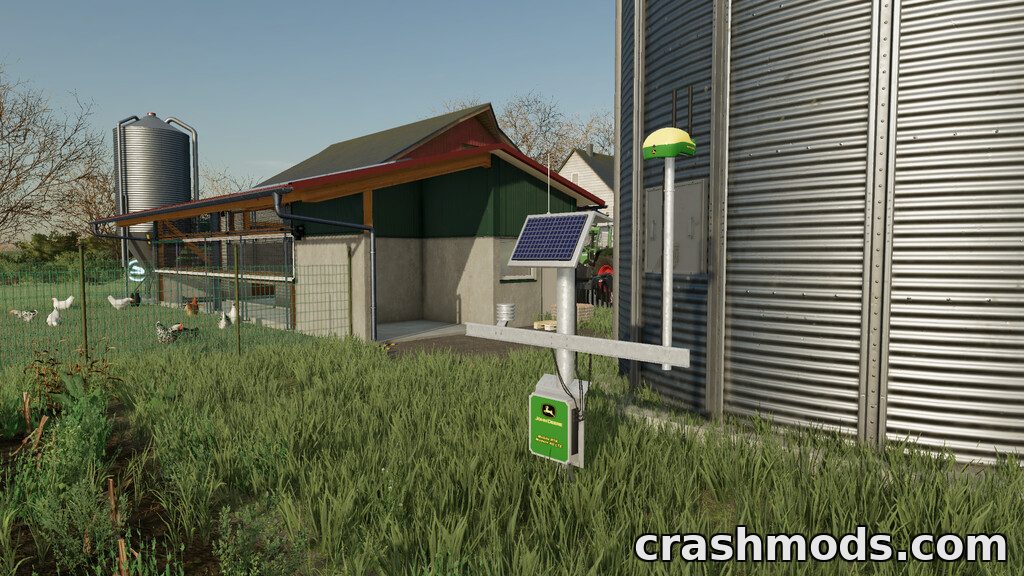
This pack adds John Deere branded RTK stations that your farm can connect to for a noticeably more accurate weather forecast. Once connected, you get a better read on upcoming conditions to plan sowing, spraying and harvest around.
Two stations are available, priced at 5,000 and 10,000 dollars, each with a daily upkeep cost of 10 dollars. Worth it if you plan fieldwork tightly and want fewer surprises from the weather.
Download John Deere RTK Stations Pack – More Accurate Weather Forecast on CrashMods
9. FS22 Collect Straw At Missions

This mod lets you collect straw from fields that are part of active contract missions, using either a baler or a forage wagon. Normally that straw would just be left behind once the mission field is cleared.
It’s a straightforward gameplay tweak that squeezes more value out of contract work without changing how missions themselves function. Good for anyone who runs a lot of contracts and hates wasting leftover straw.
Download FS22 Collect Straw At Missions on CrashMods
10. Precision DLC

Precision DLC is a free expansion from GIANTS Software that adds smart-farming mechanics: soil sampling across four soil types, crop sensors that adjust yield, and spot-spraying sprayers that only apply fertilizer where it’s actually needed. It brings a dedicated Precision Farming tab with a filterable soil map plus an economic and environmental scoring system that reacts to the choices you make.
Equipment like the John Deere R732i PowrSpray with a 24 m boom and the ISARIA Scout and ISARIA PRO Active tools tie directly into these systems. It also extends seed rate and crop sensor support to custom mod fruit types, so it plays well beyond just the base crops.
Download Precision DLC – Soil Sampling, Crop Sensors and Spot Spraying on CrashMods
Tips for gameplay mods in Farming Simulator 22
- Read each mod’s listed requirements before installing, especially ones that mention companion mods or DLC vehicles, so you don’t end up missing half the intended effect.
- Install one gameplay mod at a time and test it in a save before stacking several together, since script mods that touch similar systems can sometimes conflict.
- Back up your save folder before adding anything that changes core mechanics like time scale or production limits, in case you want to roll back.
- Keep an eye on performance when running mods that increase simulation load, such as raised production limits or heavier dust effects, particularly on larger maps.
- Check mod menu settings after installing, since several of these let you adjust intensity or behavior rather than forcing one fixed setup.
Browse all Farming Simulator 22 mods on CrashMods
