

Realism mods for American Truck Simulator tend to fall into a few buckets: weather and lighting, traffic behavior, economy tweaks, and scenery detail. Some rework how rain and reflections look on the road, others strip out repetitive AI vehicles so custom packs can take over, and a few touch things like fuel prices or delivery schedules to make the job feel closer to actual trucking.
When picking from a list like this, check what each mod actually changes versus what it depends on. Some are standalone and drop in cleanly, others are built to sit alongside a companion pack or need a specific load order to work right. Reading the compatibility notes before installing saves you from chasing down conflicts later.
1. Realistic Rain Reflections Standalone Free
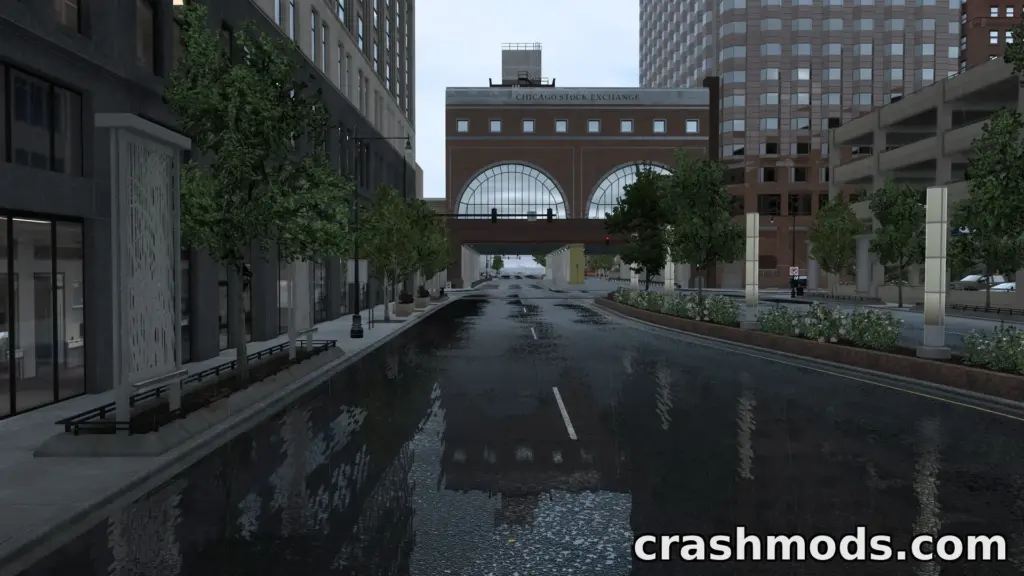
This one reworks how wet roads and rain look, with sharper reflections, puddle effects and reworked windshield rain. It runs as a standalone mod, so it doesn’t need a base weather overhaul to function, and it can sit alongside other weather mods without conflict.
It also touches truck headlights so nighttime road textures hold up better under the new wet-road look. Good pick if you mainly want sharper visuals during rain without rebuilding your whole weather setup.
Download Realistic Rain Reflections Standalone Free on CrashMods · Game version: 1.60.x
2. Realistic Weather System ATS
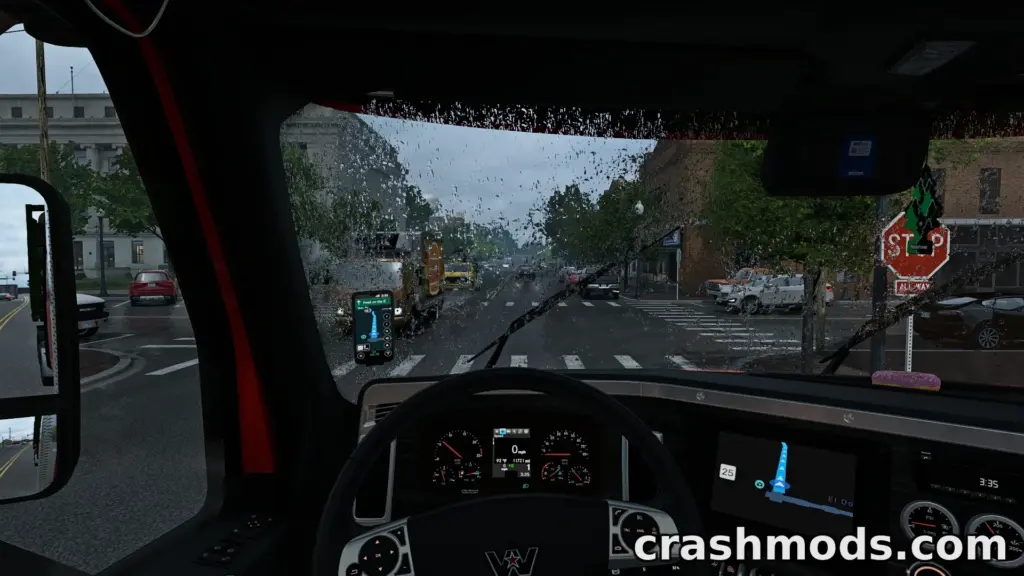
This is a deeper weather overhaul with ten rain and thunder intensity levels, dynamic thunderstorm chances, and rainfall patterns tied to US regions rather than one generic setting. It also adds wind simulation, improved mist and fog, and reworked wet road slipperiness so weather actually affects handling.
If you want weather that shifts with where you are on the map instead of feeling the same everywhere, this covers that ground. Worth checking against any other weather mod you’re running since it touches the skybox and rain system directly.
Download Realistic Weather System ATS on CrashMods · Game version: 1.60.x
3. Yet Another Rain – Realistic Rain Visuals Overhaul

This mod focuses specifically on rain texture quality: denser raindrops, redone window and windshield masks across a large number of trucks, and a drying effect after rain stops instead of windows snapping instantly clean. It’s built to leave the weather system and sounds alone, so it plays nice with other mods.
There are optional add-ons too, one for sharper light-rain visuals and another that rebuilds wheel spray with a much higher particle count for denser splashes. Good fit if you already like your current weather mod but want the rain itself to look better up close.
Download Yet Another Rain – Realistic Rain Visuals Overhaul on CrashMods · Game version: 1.60.x
4. Real Fuel Prices – Accurate Regional Pricing

This replaces the default fuel pricing with figures pulled from real-world markets, covering every US state in the base game and DLCs, plus Canadian provinces and Mexican peso pricing for supported map expansions. Prices get refreshed periodically to track real changes rather than staying static.
It does require your game set to USD and US Gallons to display correctly, so that’s one setting to check before installing. A solid choice if you want fuel costs that actually vary by region instead of one flat number everywhere.
Download Real Fuel Prices – Accurate Regional Pricing on CrashMods · Game version: 1.62.x
5. Tree Improved 4K – High-Resolution Vegetation Pack

This swaps in 4K tree and bush textures with better geometry, normal mapping for more convincing lighting, and extra tree types including dry variants for drier regions. It’s a straightforward scenery upgrade rather than a gameplay change.
There’s a 2K option included for anyone whose system struggles with the full resolution, and it’s built to work alongside most map mods. Good if the default trees feel flat and you want the scenery to hold up better at a distance and up close.
Download Tree Improved 4K – High-Resolution Vegetation Pack on CrashMods · Game version: 1.61.x
6. Clean Traffic – No Default SCS Trailers for Realistic Roads

This strips the repetitive stock SCS trailers out of AI traffic, which matters most if you’re already running a custom trailer pack and want it to actually show up instead of competing with default visuals. It’s lightweight and doesn’t touch performance.
The one thing to watch is load order: it needs to sit below other trailer mods to work as intended. Pair it with a trailer pack rather than running it alone, since on its own it just removes variety rather than adding any.
Download Clean Traffic – No Default SCS Trailers for Realistic Roads on CrashMods · Game version: 1.61.x
7. No Default SCS Cars – Custom AI Traffic Config

Same idea as the trailer version but for cars: it clears default SCS vehicles out of the AI traffic pool so custom car packs can fill that space instead. It’s a simple config change with no real performance cost.
On its own it won’t add new traffic, so it’s meant to be run with a car traffic pack already installed. Makes sense for anyone who finds the default traffic mix repetitive and already has replacement vehicles lined up.
Download No Default SCS Cars – Custom AI Traffic Config on CrashMods · Game version: 1.61.x
8. Real-Life Day/Night Duration – Accurate Sunrise & Sunset

This adjusts sunrise and sunset timing to match what you’d see at your in-game latitude, and with timezones on, longitude factors in too. It doesn’t change how fast time moves, just when daylight starts and ends.
It’s meant to load above any weather mod for the lighting to line up correctly, and it pairs reasonably well with a fuel price mod if you’re stacking a few realism tweaks together. Fine for solo or convoy play since it’s listed as usable as an optional component in multiplayer.
Download Real-Life Day/Night Duration – Accurate Sunrise & Sunset on CrashMods · Game version: 1.62.x
9. Smart Gates & Dynamic Parking – Realistic Yards

This reworks gate and parking logic across a large number of industrial, commercial and rural locations, fixing collider issues so longer multi-axle trucks don’t clip through gates and extending trigger ranges so gates react sooner. Vehicle spawning in these areas is context-aware, matching what you’d expect to see in that type of location, and it’s staggered rather than dumping traffic in all at once.
It also dials back weigh station check frequency and adds overnight municipal activity like sweepers and garbage trucks for yards that otherwise feel empty at night. There’s specific load order guidance included, so it’s worth following that rather than just dropping it in anywhere.
Download Smart Gates & Dynamic Parking – Realistic Yards on CrashMods · Game version: 1.62.x
10. Realistic Delivery Times – Owner-Operator Schedule

This reworks how delivery deadlines get calculated, basing them on an average speed rather than arbitrary timers, and layers in mandatory rest cycles after set hours of driving and set mileage. Penalty windows differ by job urgency, so an easy job gives you more slack than an urgent one before things get strict.
It’s meant to be prioritized above any economy mods you run, and it suits players who want deadlines and rest requirements that behave more like real scheduling than a simple countdown. Cruising around 70 to 75 mph is the suggested pace to keep things balanced.
Download Realistic Delivery Times – Owner-Operator Schedule on CrashMods · Game version: 1.62.x
Tips for realism mods in American Truck Simulator
- Install one realism mod at a time and test a short drive before adding the next, so if something looks or feels off you know exactly which mod caused it.
- Check load order whenever a mod mentions it, especially traffic and weather mods, since placement above or below others can decide whether the change actually takes effect.
- Keep an eye on required settings like currency or units for mods that depend on them, otherwise values can display incorrectly even though the mod is working.
- When running multiple weather or visual mods together, confirm they’re meant to be compatible rather than assuming it, since some rebuild the same systems.
- Back up your save or profile before adding mods that change scheduling or economy values, in case you want to roll back later.
Browse all American Truck Simulator mods on CrashMods
